Text to Image

AI Tools for Designers

Boost your design workflow with 'AI Tools for Designers'—a curated collection of AI tools to streamline UI/web design and create results effortlessly.

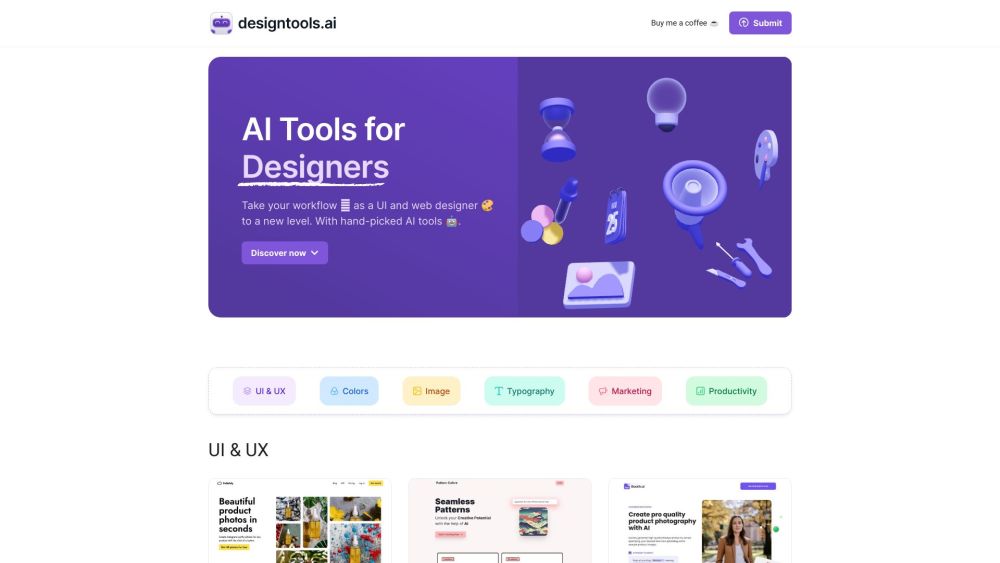
AI Tools for Designers website preview

AI Tools for Designers Website screenshot

What is AI Tools for Designers?

AI Tools for Designers is a comprehensive website that provides a specially curated list of AI-powered tools tailored for UI and web designers. These tools are designed to streamline designers' workflows, enabling them to produce visually stunning designs with greater efficiency.

How to use AI Tools for Designers?

To utilize AI Tools for Designers, navigate to the website and explore the various AI tool categories available. Each tool includes a brief description and a link to its official website or platform. Click on the tool of interest to learn more and gain access. Some tools might offer free trials or require a paid subscription. Follow the specific instructions provided by each tool to integrate its AI features into your design projects.

Core Features of AI Tools for Designers

Curated selection of AI tools for UI and web design

Tools for UI/UX design, color schemes, typography, image processing, marketing, and productivity

AI capabilities for task automation, design generation, background removal, photo enhancement, and 3D modeling

Seamless integration with popular design software like Figma and Photoshop

AI assistants and copilots providing design insights and suggestions

Use Cases for AI Tools for Designers

Streamlining design workflows and increasing productivity

Creating visually captivating product images and compositions

Designing professional app icons and user interfaces

Automating repetitive design tasks to save time

Conducting eye-tracking studies to analyze design attention

Enhancing and editing images with AI precision

Generating AI-driven responses for messaging applications

Organizing visual assets and libraries efficiently

Product source: AI Tools for Designers official website. Check the provider for current plans, limits and availability.

FAQ

AI Tools for Designers questions and answers

Product context and practical checks for evaluating AI Tools for Designers.

What is AI Tools for Designers used for?

Boost your design workflow with 'AI Tools for Designers'—a curated collection of AI tools to streamline UI/web design and create results effortlessly.

How do I get started with AI Tools for Designers?

To utilize AI Tools for Designers, navigate to the website and explore the various AI tool categories available. Each tool includes a brief description and a link to its official website or platform. Click on the tool of interest to learn more and gain access. Some tools might offer free trials or require a paid subscription. Follow the specific instructions provided by each tool to integrate its AI features into your design projects.

Which capabilities are described for AI Tools for Designers?

Curated selection of AI tools for UI and web designTools for UI/UX design, color schemes, typography, image processing, marketing, and productivityAI capabilities for task automation, design generation, background removal, photo enhancement, and 3D modelingSeamless integration with popular design software like Figma and PhotoshopAI assistants and copilots providing design insights and suggestions

What projects can I evaluate AI Tools for Designers for?

Streamlining design workflows and increasing productivityCreating visually captivating product images and compositionsDesigning professional app icons and user interfacesAutomating repetitive design tasks to save timeConducting eye-tracking studies to analyze design attentionEnhancing and editing images with AI precisionGenerating AI-driven responses for messaging applicationsOrganizing visual assets and libraries efficiently

What should I compare before choosing a AI Tools for Designers plan?

Check AI Tools for Designers’s current pricing page for included usage, renewal terms and any credit charges. Compare the cost of a usable result, including retries, rather than assuming that account registration includes free usage.

What inputs should I prepare for a AI Tools for Designers trial?

Look for text prompts, image references, masks or sketches as appropriate. Compare composition control, supported upload types and the ability to revise a selected area.

How can I check the quality of a AI Tools for Designers result?

Inspect text, hands, edges, reflections and repeated objects at full size. Check that important product or brand details survive editing.

Which export options should I check in AI Tools for Designers?

Compare pixel dimensions, transparency, file formats and any enlargement options. Confirm that the downloaded result works in your design or publishing software.

What is a practical way to test AI Tools for Designers against alternatives?

Prepare a brief with a subject, composition, lighting and required output size. Test a first generation and a targeted revision to see how much control you retain.

Where is the official AI Tools for Designers website?

The website linked from this profile is https://designtools.ai. Use the provider’s own documentation, account area and support channels to confirm current product details.

Visit AI Tools for Designers