Table of contents
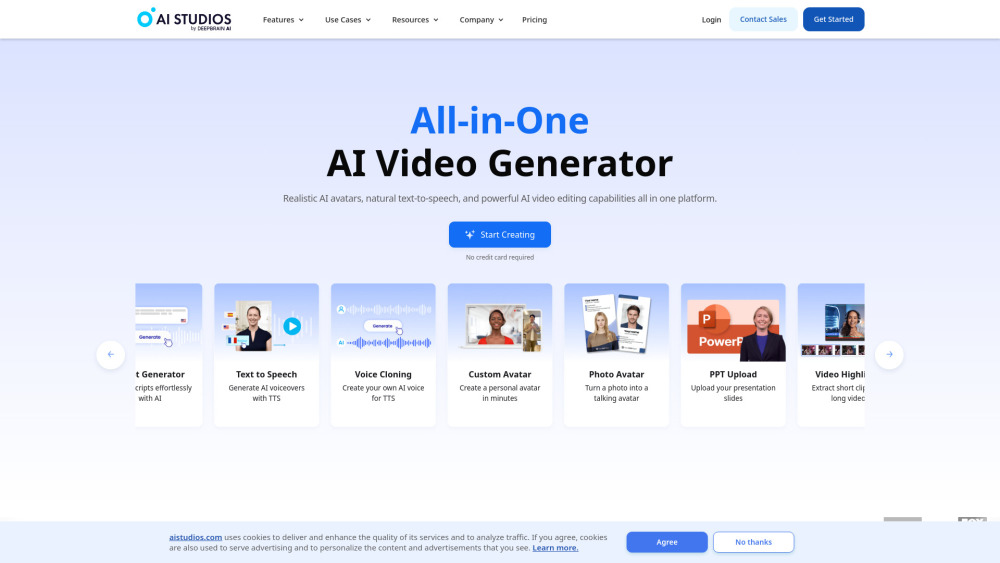
AI STUDIOS : Realistic Avatars, Natural TTS, Pro Editing
AI STUDIOS: Create stunning AI videos with realistic avatars, natural TTS & pro editing—all in one platform. Explore use cases, pricing, reviews & alternatives!
Directory : Captions or Subtitle, AI Content Generator, AI Avatar Generator, AI Animated Video, AI UGC Video Generator, AI Video Generator, AI Short Clips Generator
What is AI STUDIOS?
The world’s first end-to-end AI video studio built for realism, voice authenticity, and professional control.
How to use AI STUDIOS?
1. Script Smart: Type, paste, upload documents—or convert PPT slides instantly
2. Cast & Voice: Choose from photorealistic AI avatars and natural-sounding TTS voices (100+ languages & dialects)
3. Edit Like a Pro: Fine-tune timing, expressions, subtitles, media layers, and branding in real time
4. Collaborate & Launch: Invite teammates, localize with one-click translation, and publish across platforms
AI STUDIOS’s Core Features
Photorealistic AI Avatars
Human-like lip sync, micro-expressions, and gaze tracking
Studio-grade voice synthesis with emotion, pacing, and emphasis
Frame-accurate editing suite: trim, split, overlay, animate, and brand
One-click PPT → polished AI video (retains layouts, charts, and animations)
Drag-and-drop templates—designed for YouTube, TikTok, training, and internal comms
Smart auto-subtitles with speaker labeling and bilingual support
Manual subtitle editor: adjust timing, style, position, and font per scene
AI STUDIOS’s Use Cases
Corporate training & onboarding
Newsroom automation & daily briefings
YouTube explainers & channel growth content
TikTok & Reels campaigns with native AI talent
FAQ from AI STUDIOS
-
How long does it take to create an AI video?
-
What kind of scripts can I use?
-
Can I use my own PPT template?
-
What languages are supported for the AI model?
-
Can I edit the synthesized video?
-
Can I add subtitles to the video?
-
AI STUDIOS Support & Contact
For technical help, billing questions, or refund requests: Visit our contact page
-
About AI STUDIOS
Developed by DeepBrain AI — pioneers in generative AI video since 2019.
Learn our mission, values, and tech vision: About DeepBrain AI
-
AI STUDIOS Login
Sign in to your workspace: AI STUDIOS Sign In
-
AI STUDIOS Sign Up
Start free — no credit card required: Create Your Account
-
AI STUDIOS Pricing
Transparent plans for creators, teams, and enterprises: View All Plans
-
Follow AI STUDIOS
Facebook • YouTube • TikTok • LinkedIn • X (Twitter) • Instagram
FAQ from AI STUDIOS
What is AI STUDIOS?
A next-generation AI video platform where realistic avatars, natural text-to-speech, and pro-level editing converge — no filming, no crew, no compromise.
How to use AI STUDIOS?
1. Script → 2. Cast & Voice → 3. Edit & Brand → 4. Collaborate & Publish
How long does it take to create an AI video?
From blank canvas to shareable video: under 5 minutes — even for first-time users.
What kind of scripts can I use?
Plain text, Word docs, PDFs, or PowerPoint files. AI intelligently extracts and structures your content — including bullet points, headings, and visuals.
Can I use my own PPT template?
Absolutely. Upload any .pptx file — retain fonts, colors, transitions, and speaker notes. Or start with our editable, industry-specific templates.
What languages are supported for the AI model?
Over 100 languages — including nuanced variants (e.g., US vs. UK English, Latin vs. European Spanish) — with voice tone and pronunciation optimized per region.
Can I edit the synthesized video?
Yes. Unlike “black-box” generators, AI STUDIOS gives you full timeline control: adjust avatar gestures, voice pauses, background music, overlays, and scene duration — before export.
Can I add subtitles to the video?
Yes — automatically generated, highly accurate subtitles appear instantly. Then refine manually: change font, size, color, position, or add dual-language captions with synced timing.