
Subtitle AI Converter - Chrome Extension: Easily convert Bilibili AI subtitles to SRT format with a single click for video subtitle downloads.
Explore a specific workflow
Explore video subtitles tools through the product profiles below. These tools help create, edit or repurpose moving images. Text-to-video, image animation and video editing solve different tasks, so start with the source material you already have.
Compare text prompts, reference frames, source footage and audio support. Check duration, aspect ratio and whether the tool lets you keep a subject consistent between shots.
Watch the entire clip for motion errors, distorted objects, changing identities, lip-sync problems and abrupt transitions. Inspect the downloaded file as well as the preview.
Subtitle AI Converter - Chrome Extension: Easily convert Bilibili AI subtitles to SRT format with a single click for video subtitle downloads.

Sanchay.ai: The ultimate AI tool for video creators, automating titles, descriptions, tags, subtitles, transcription, and segmenting for content processing.

Supertranslate: Add high-quality English subtitles to any video automatically using OpenAI-Whisper, the most accurate speech-to-text engine.

Boost engagement with SubTitles.Love: the AI-powered editor for easy, multilingual subtitles on your social media videos. Simple interface, automatic speech recognition!

Audiotype: Automatic Transcription & Quick Audio File Conversion. Easily transcribe audio files accurately without technical skills. Perfect for businesses & organizations.

Effortlessly generate subtitles for your videos with ByteCap: the ultimate tool for precise and subtitle creation.
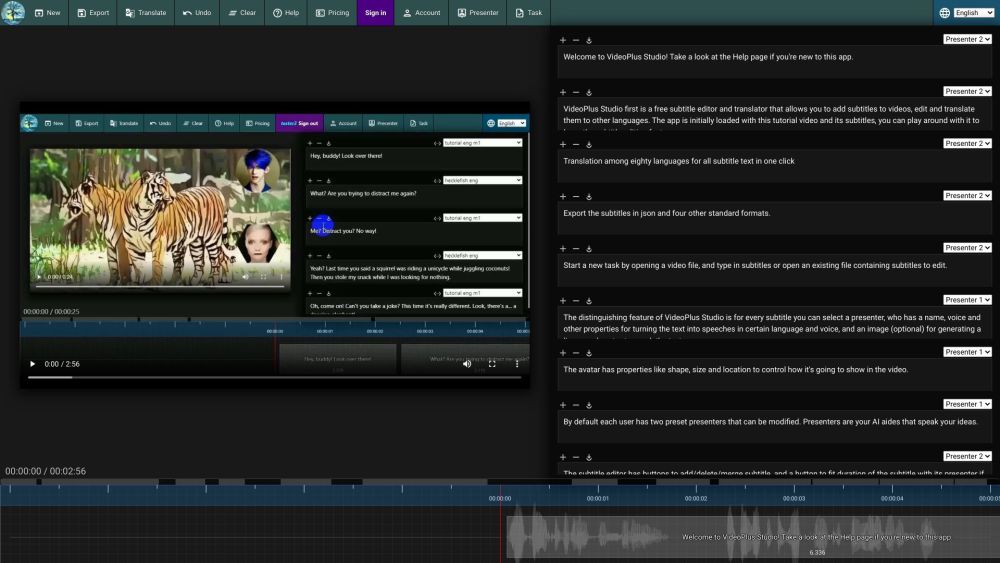
Enhance your videos with VideoPlus Studio! Free subtitle editor, translator, and speaker selector with customizable avatars for multilingual voiceovers.

SubtitleBee: Effortlessly auto-caption and subtitle your videos in minutes. Enhance accessibility and engagement with ease!
FAQ
Practical answers to help you take the next step.
These tools help create, edit or repurpose moving images. Text-to-video, image animation and video editing solve different tasks, so start with the source material you already have.
Compare text prompts, reference frames, source footage and audio support. Check duration, aspect ratio and whether the tool lets you keep a subject consistent between shots.
Watch the entire clip for motion errors, distorted objects, changing identities, lip-sync problems and abrupt transitions. Inspect the downloaded file as well as the preview.
Use a short shot with one subject and one camera movement. Keep the prompt and duration constant, then compare usable seconds and the number of regenerations.
Subtitle AI Converter - Chrome Extension: Easily convert Bilibili AI subtitles to SRT format with a single click for video subtitle downloads.
Read about Subtitle AI ConverterSanchay.ai: The ultimate AI tool for video creators, automating titles, descriptions, tags, subtitles, transcription, and segmenting for content processing.
Read about Sanchay.aiSupertranslate: Add high-quality English subtitles to any video automatically using OpenAI-Whisper, the most accurate speech-to-text engine.
Read about SupertranslateBoost engagement with SubTitles.Love: the AI-powered editor for easy, multilingual subtitles on your social media videos. Simple interface, automatic speech recognition!
Read about SubTitles.LoveAudiotype: Automatic Transcription & Quick Audio File Conversion. Easily transcribe audio files accurately without technical skills. Perfect for businesses & organizations.
Read about AudiotypeEffortlessly generate subtitles for your videos with ByteCap: the ultimate tool for precise and subtitle creation.
Read about ByteCap