
PERSO.ai: All-in-one AI video platform—dub videos instantly, create engaging content, and power live chat—all in one place.
Explore a specific workflow
Explore video localization tools through the product profiles below. These tools help create, edit or repurpose moving images. Text-to-video, image animation and video editing solve different tasks, so start with the source material you already have.
Compare text prompts, reference frames, source footage and audio support. Check duration, aspect ratio and whether the tool lets you keep a subject consistent between shots.
Watch the entire clip for motion errors, distorted objects, changing identities, lip-sync problems and abrupt transitions. Inspect the downloaded file as well as the preview.
PERSO.ai: All-in-one AI video platform—dub videos instantly, create engaging content, and power live chat—all in one place.

Colossyan: AI-powered video platform for fast, engaging workplace learning—core features, pricing, reviews & top alternatives.

Dublai.com: Transform your audio and video with seamless, AI-driven dubbing. Experience unmatched quality and efficiency. Perfect for global reach!
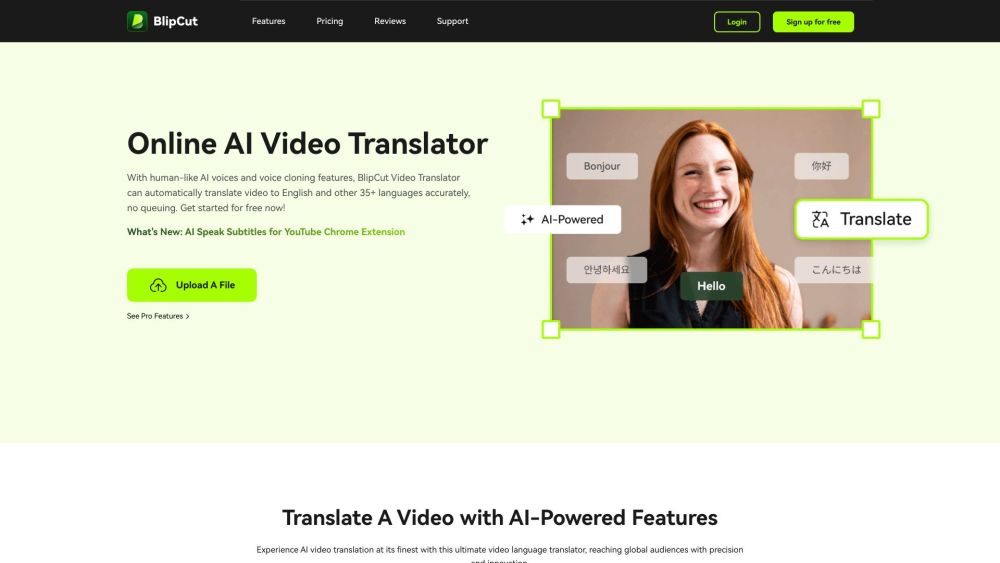
BlipCut AI Video Translator: Instantly translate videos to 35+ languages with human-like AI voices and voice cloning for accurate, results.

Cynapto: The GenAI platform for video localization, enhancing global reach with unparalleled accuracy and efficiency.
FAQ
Practical answers to help you take the next step.
These tools help create, edit or repurpose moving images. Text-to-video, image animation and video editing solve different tasks, so start with the source material you already have.
Compare text prompts, reference frames, source footage and audio support. Check duration, aspect ratio and whether the tool lets you keep a subject consistent between shots.
Watch the entire clip for motion errors, distorted objects, changing identities, lip-sync problems and abrupt transitions. Inspect the downloaded file as well as the preview.
Use a short shot with one subject and one camera movement. Keep the prompt and duration constant, then compare usable seconds and the number of regenerations.
PERSO.ai: All-in-one AI video platform—dub videos instantly, create engaging content, and power live chat—all in one place.
Read about PERSO.aiColossyan: AI-powered video platform for fast, engaging workplace learning—core features, pricing, reviews & top alternatives.
Read about ColossyanDublai.com: Transform your audio and video with seamless, AI-driven dubbing. Experience unmatched quality and efficiency. Perfect for global reach!
Read about Dublai.comBlipCut AI Video Translator: Instantly translate videos to 35+ languages with human-like AI voices and voice cloning for accurate, results.
Read about BlipCut AI TranslatorCynapto: The GenAI platform for video localization, enhancing global reach with unparalleled accuracy and efficiency.
Read about CynaptoCheck export resolution, frame rate, aspect ratio, audio tracks and watermark rules. A good preview is not a substitute for an export that fits your publishing channel.