Text-to-Speech

Rask AI

Rask AI is a leading AI video localization and dubbing tool that aims to provide a dubbing and translation experience with AI as good as a human. It allows users to easily localize and translate videos in over 130 languages, providing voice cloning and multispeaker features for a more personalized content experience.

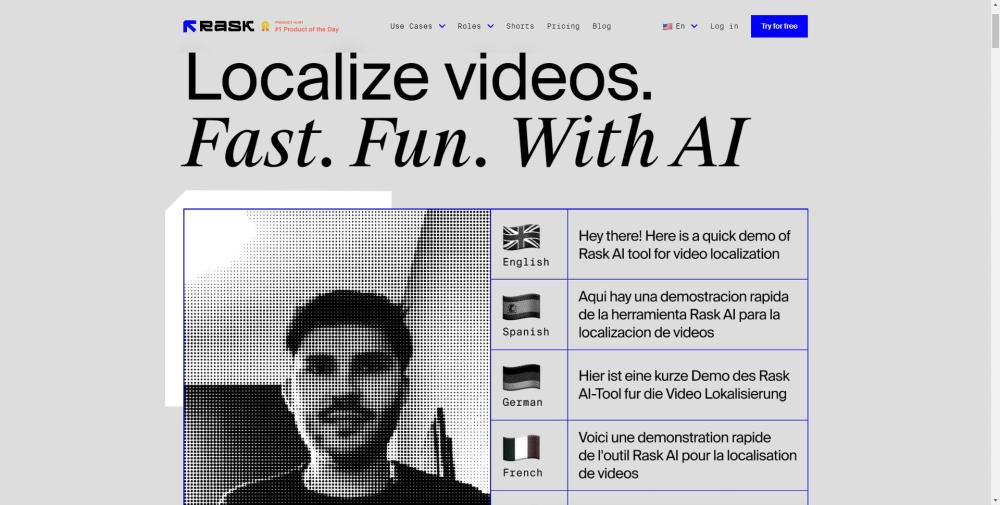
Rask AI website preview

Rask AI Website screenshot

What is Rask AI?

Rask AI is a premier AI-driven tool designed for video localization and dubbing, offering a translation experience comparable to human quality. It supports over 130 languages, featuring voice cloning and multispeaker capabilities to enhance personalized content creation.

How to use Rask AI?

Using Rask AI is simple: upload your video or audio file by dragging and dropping it into the platform or by providing a YouTube video link. Select your desired translation language and let the AI handle transcription, translation, and voiceover using the VoiceClone feature. After the process is complete, download the newly translated video. Additional features include editing videos for TikTok and Shorts, face and identity changes, and transcribing YouTube videos.

Rask AI's Core Features

Automated speech-to-text, translation, and voiceover

Voice cloning for a customized experience

Multiple speakers with unique voices

Subtitle support with downloadable SRT files

AI adjustments for speech speed

Rask AI's Use Cases

Employee and customer training

Marketing campaigns

YouTube multitrack videos

Explainer videos

Content creation and distribution

Educational videos

Children’s content

Game development

Sales presentations

Product source: Rask AI official website. Check the provider for current plans, limits and availability.

FAQ

Rask AI questions and answers

Product context and practical checks for evaluating Rask AI.

What is Rask AI used for?

Rask AI is a leading AI video localization and dubbing tool that aims to provide a dubbing and translation experience with AI as good as a human. It allows users to easily localize and translate videos in over 130 languages, providing voice cloning and multispeaker features for a more personalized content experience.

How do I get started with Rask AI?

Using Rask AI is simple: upload your video or audio file by dragging and dropping it into the platform or by providing a YouTube video link. Select your desired translation language and let the AI handle transcription, translation, and voiceover using the VoiceClone feature. After the process is complete, download the newly translated video. Additional features include editing videos for TikTok and Shorts, face and identity changes, and transcribing YouTube videos.

Which capabilities are described for Rask AI?

Automated speech-to-text, translation, and voiceoverVoice cloning for a customized experienceMultiple speakers with unique voicesSubtitle support with downloadable SRT filesAI adjustments for speech speed

What projects can I evaluate Rask AI for?

Employee and customer trainingMarketing campaignsYouTube multitrack videosExplainer videosContent creation and distributionEducational videosChildren’s contentGame developmentSales presentations Rask AI Discord Join the Rask AI Discord community: https://discord.gg/rV2NqE3JmV. For more Discord information, click here(/discord/rv2nqe3jmv). Rask AI Support Email & Customer Service For support, contact us at: [email protected]. Rask AI Company Company name: Rask AI Address: 8 GREEN, STE A, Dover, Kent, DE, 19901, US. Rask AI Login Login link: https://app.rask.ai/auth Rask AI Sign up Sign up link: https://app.rask.ai/auth Rask AI Pricing Pricing details: https://www.rask.ai/pricing Rask AI YouTube YouTube channel: https://www.youtube.com/@rask_ai Rask AI TikTok TikTok profile: https://www.tiktok.com/@rask.ai Rask AI LinkedIn Linked

What should I compare before choosing a Rask AI plan?

Pricing details: https://www.rask.ai/pricing Confirm current prices and allowances on the provider’s website before purchasing.

What inputs should I prepare for a Rask AI trial?

Compare text prompts, reference frames, source footage and audio support. Check duration, aspect ratio and whether the tool lets you keep a subject consistent between shots.

How can I check the quality of a Rask AI result?

Watch the entire clip for motion errors, distorted objects, changing identities, lip-sync problems and abrupt transitions. Inspect the downloaded file as well as the preview.

Which export options should I check in Rask AI?

Check export resolution, frame rate, aspect ratio, audio tracks and watermark rules. A good preview is not a substitute for an export that fits your publishing channel.

What is a practical way to test Rask AI against alternatives?

Use a short shot with one subject and one camera movement. Keep the prompt and duration constant, then compare usable seconds and the number of regenerations.

Where is the official Rask AI website?

The website linked from this profile is https://app.rask.ai/. Use the provider’s own documentation, account area and support channels to confirm current product details.

Visit Rask AI