
Immersive text-to-speech app for PDFs and documents.
Explore a specific workflow
Explore pdf reader tools through the product profiles below. The collection groups applications around a shared task. Product scope can overlap, so compare the specific workflow each tool describes rather than the category name alone.
Identify the files, text or account connections your task needs. Confirm that the product accepts those inputs and offers controls for reviewing its work.
Test one representative task and inspect the result for accuracy and completeness. Record where manual corrections or extra tools are needed.
Immersive text-to-speech app for PDFs and documents.

Wondershare is a software company that offers a wide range of creative and productivity solutions for various domains including video editing, PDF management, diagramming, data management, and more.
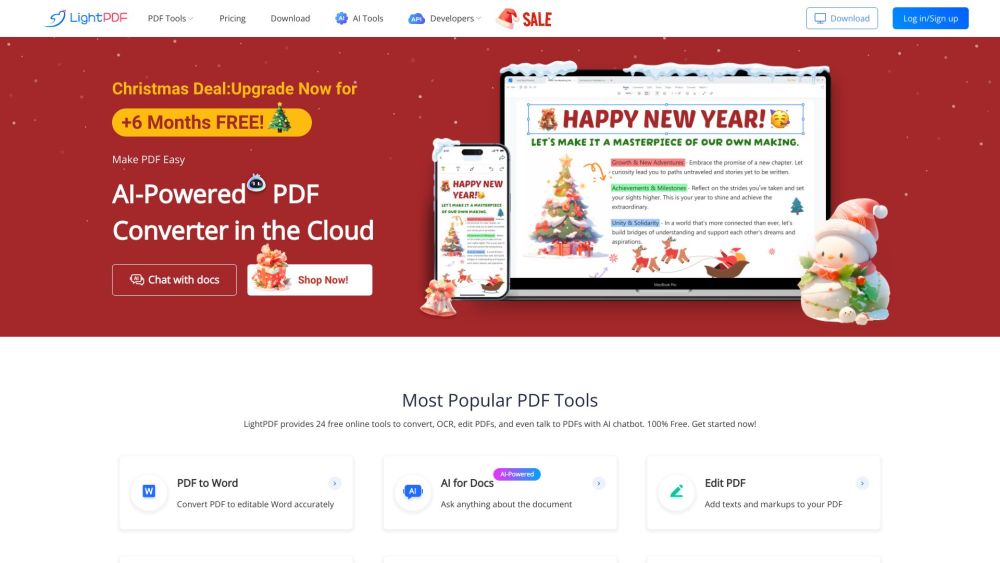
LightPDF is an AI-powered free online PDF editor, converter, and reader that provides cloud-based services to view, edit, convert, sign, annotate, merge, manage, and share PDF easily. It aims to solve all PDF problems.

Revolutionize your document interaction with PDF AI: Chat with any PDF for instant answers, enhanced productivity, and streamlined workflows.

Tenorshare AI Chat PDF is an AI-powered tool that allows users to interact with PDF documents through chat. It provides features such as insightful PDF analysis, enhanced PDF reading, efficient search, and conversation records.
FAQ
Practical answers to help you take the next step.
The collection groups applications around a shared task. Product scope can overlap, so compare the specific workflow each tool describes rather than the category name alone.
Identify the files, text or account connections your task needs. Confirm that the product accepts those inputs and offers controls for reviewing its work.
Test one representative task and inspect the result for accuracy and completeness. Record where manual corrections or extra tools are needed.
Choose one task with a clear success condition. Keep the input consistent, record the time spent reviewing and compare the complete workflow cost.
Immersive text-to-speech app for PDFs and documents.
Read about AudeusWondershare is a software company that offers a wide range of creative and productivity solutions for various domains including video editing, PDF management, diagramming, data management, and more.
Read about WondershareLightPDF is an AI-powered free online PDF editor, converter, and reader that provides cloud-based services to view, edit, convert, sign, annotate, merge, manage, and share PDF easily. It aims to solve all PDF problems.
Read about LightPDFRevolutionize your document interaction with PDF AI: Chat with any PDF for instant answers, enhanced productivity, and streamlined workflows.
Read about PDF AITenorshare AI Chat PDF is an AI-powered tool that allows users to interact with PDF documents through chat. It provides features such as insightful PDF analysis, enhanced PDF reading, efficient search, and conversation records.
Read about Tenorshare AI Chat PDFCheck export formats, integrations and whether you can keep using your work outside the service. Test a real export before committing to a longer plan.