
MakeHub: AI-powered API load balancer that boosts performance and slashes costs—intelligent routing, real-time optimization, scalability.
Explore a specific workflow
Explore mistral tools through the product profiles below. The collection groups applications around a shared task. Product scope can overlap, so compare the specific workflow each tool describes rather than the category name alone.
Identify the files, text or account connections your task needs. Confirm that the product accepts those inputs and offers controls for reviewing its work.
Test one representative task and inspect the result for accuracy and completeness. Record where manual corrections or extra tools are needed.
MakeHub: AI-powered API load balancer that boosts performance and slashes costs—intelligent routing, real-time optimization, scalability.
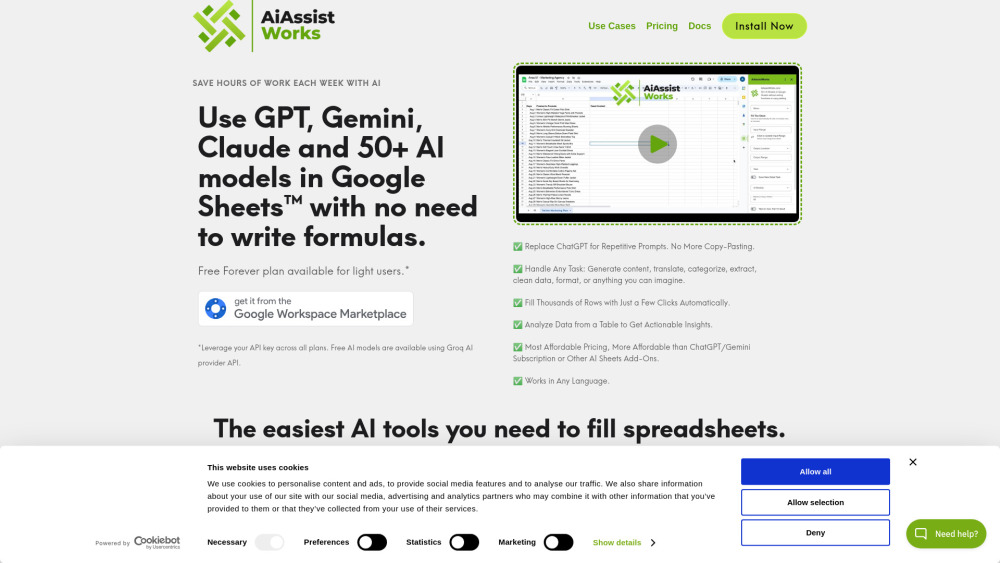
AiAssistWorks: Unlock 50+ AI models (Perplexity, Groq) in Google Sheets™—save prompts, boost productivity, and scale smarter. Try it today!

AI Hubs: unify language models for instant, intelligent AI interactions. Elevate your AI experience with effortless, real-time connectivity.

WebChat: Effortlessly run open-source LLMs locally in your browser with WebGPU. Experience performance and privacy like never before!

Experience world-class conversations with Weex AI, engaging with top AI models for interactions and insights.
FAQ
Practical answers to help you take the next step.
The collection groups applications around a shared task. Product scope can overlap, so compare the specific workflow each tool describes rather than the category name alone.
Identify the files, text or account connections your task needs. Confirm that the product accepts those inputs and offers controls for reviewing its work.
Test one representative task and inspect the result for accuracy and completeness. Record where manual corrections or extra tools are needed.
Choose one task with a clear success condition. Keep the input consistent, record the time spent reviewing and compare the complete workflow cost.
MakeHub: AI-powered API load balancer that boosts performance and slashes costs—intelligent routing, real-time optimization, scalability.
Read about MakeHubAiAssistWorks: Unlock 50+ AI models (Perplexity, Groq) in Google Sheets™—save prompts, boost productivity, and scale smarter. Try it today!
Read about AiAssistWorksAI Hubs: unify language models for instant, intelligent AI interactions. Elevate your AI experience with effortless, real-time connectivity.
Read about AI HubsWebChat: Effortlessly run open-source LLMs locally in your browser with WebGPU. Experience performance and privacy like never before!
Read about WebChatExperience world-class conversations with Weex AI, engaging with top AI models for interactions and insights.
Read about Weex AICheck export formats, integrations and whether you can keep using your work outside the service. Test a real export before committing to a longer plan.