AI Blog Writer

Write Easily

Write Easily | AI Copywriting Assistant: Generate high-quality marketing content fast with advanced AI. Save time and automate your campaigns effortlessly.

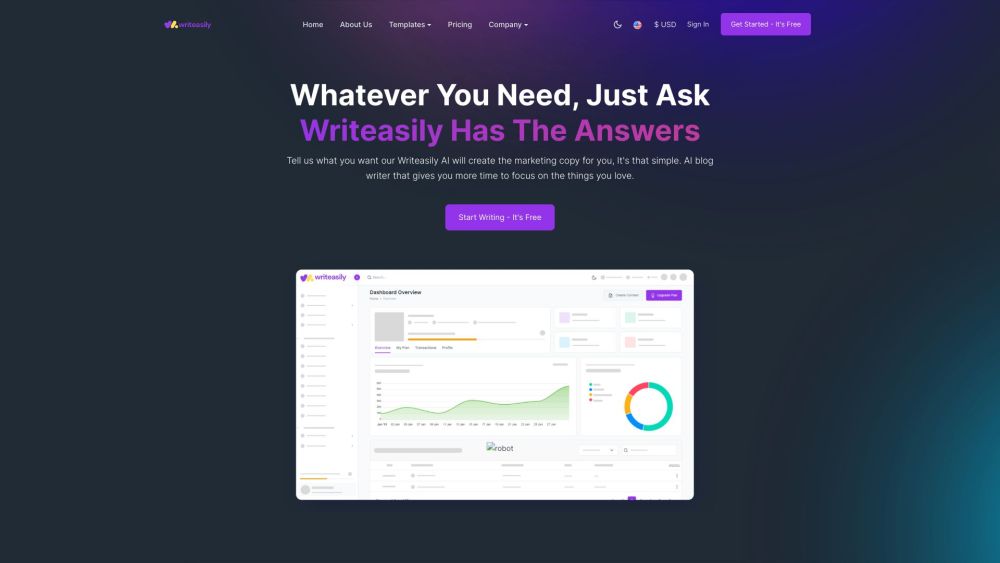
Write Easily website preview
```html

Write Easily | AI Copywriting Assistant Website screenshot

What is Write Easily | AI Copywriting Assistant?

Write Easily is a cutting-edge AI-powered tool designed to streamline the creation of marketing content. Leveraging sophisticated algorithms, it enables users to effortlessly generate text, images, and other content types, significantly reducing the time required for content production and enhancing quality.

How to Use Write Easily | AI Copywriting Assistant?

Getting started with Write Easily is simple. Register for a free account and choose from an array of templates, including those for blogs, emails, and social media. Enter a prompt or context for the content you need, and Write Easily's AI will generate tailored copy. Use the built-in editor to refine and customize the text. Once you are satisfied, you can seamlessly transfer the content to your CMS for publication.

Write Easily | AI Copywriting Assistant's Core Features

AI-driven content creation

Extensive template library

Customizable user-generated content

Advanced editing tools

Easy CMS integration

Efficient and time-saving

Write Easily | AI Copywriting Assistant's Use Cases

Compose blog articles

Create email marketing campaigns

Develop social media posts

Write product descriptions

Generate promotional content

Craft video titles and descriptions

Formulate website FAQs

Write reviews

Create company mission statements

Compose motivational quotes and short stories

```

Product source: Write Easily official website. Check the provider for current plans, limits and availability.

FAQ

Write Easily questions and answers

Product context and practical checks for evaluating Write Easily.

What is Write Easily used for?

Write Easily | AI Copywriting Assistant: Generate high-quality marketing content fast with advanced AI. Save time and automate your campaigns effortlessly.

How do I get started with Write Easily?

Getting started with Write Easily is simple. Register for a free account and choose from an array of templates, including those for blogs, emails, and social media. Enter a prompt or context for the content you need, and Write Easily's AI will generate tailored copy. Use the built-in editor to refine and customize the text. Once you are satisfied, you can seamlessly transfer the content to your CMS for publication.

Which capabilities are described for Write Easily?

AI-driven content creationExtensive template libraryCustomizable user-generated contentAdvanced editing toolsEasy CMS integrationEfficient and time-saving

What projects can I evaluate Write Easily for?

Compose blog articlesCreate email marketing campaignsDevelop social media postsWrite product descriptionsGenerate promotional contentCraft video titles and descriptionsFormulate website FAQsWrite reviewsCreate company mission statementsCompose motivational quotes and short stories Write Easily | AI Copywriting Assistant Support Email & Customer Service Contact & Refund Contact For more information, visit the contact us page. Write Easily | AI Copywriting Assistant Login Access the login page here: https://app.writeasily.com/login Write Easily | AI Copywriting Assistant Sign Up Register for an account here: https://app.writeasily.com/register Write Easily | AI Copywriting Assistant Pricing Check out the pricing details here: https://writeasily.com/#pricing

What should I compare before choosing a Write Easily plan?

Check out the pricing details here: https://writeasily.com/#pricing Confirm current prices and allowances on the provider’s website before purchasing.

What inputs should I prepare for a Write Easily trial?

Compare support for source documents, style instructions, outlines and length limits. Check whether citations link to real material rather than merely looking like references.

How can I check the quality of a Write Easily result?

Verify names, dates, quotations and factual claims against the original sources. Edit tone, remove repetition and make sure the text answers the intended reader’s question.

Which export options should I check in Write Easily?

Check export to plain text, Markdown, documents or your publishing system. Formatting, headings and working links matter when moving a draft into production.

What is a practical way to test Write Easily against alternatives?

Use a real brief and a short source document. Compare factual accuracy, structure and editing time rather than accepting the longest or most confident draft.

Where is the official Write Easily website?

The website linked from this profile is https://writeasily.com. Use the provider’s own documentation, account area and support channels to confirm current product details.

Visit Write Easily