Writing Assistants

Word.Studio

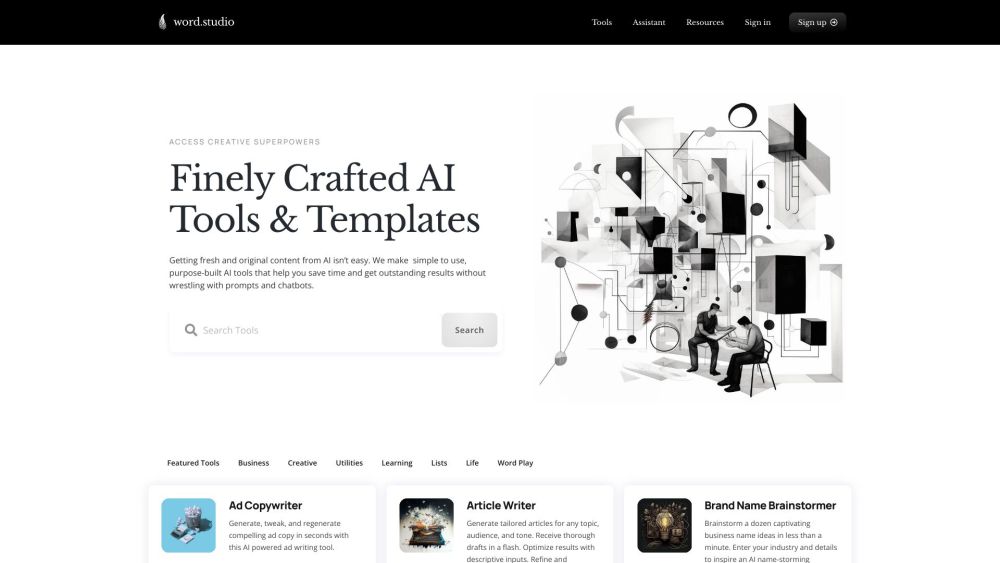
Getting fresh and original content from AI isn’t easy. We make simple to use, purpose-built AI writing, brainstorming, editing and research tools that help you save time and get outstanding results without wrestling with prompts and chatbots.

Word.Studio website preview

Word.Studio Website screenshot

Introducing Word.Studio: Revolutionizing AI-Powered Content Creation

In a world where obtaining fresh and original content from AI can be a challenge, Word.Studio emerges as a beacon of innovative solutions. Our platform offers a suite of user-friendly, purpose-built AI writing, brainstorming, editing, and research tools that empower users to save time and achieve exceptional outcomes effortlessly. Say goodbye to the tedious struggles with prompts and chatbots – Word.Studio streamlines the content creation process for you.

Unlocking the Potential of Word.Studio: A User Guide

Embracing the capabilities of Word.Studio is as simple as signing up for an account and gaining access to a diverse array of AI tools and templates. Whether you need to craft compelling ad copy or weave personalized children's narratives, Word.Studio offers a tool for every creative endeavor. Just input your requirements, sit back, and let the AI magic unfold. Refine and iterate as necessary to achieve perfection in your creations.

Empowering Creativity: Key Features of Word.Studio

AI-powered ad copy generator

Tailored article writing

Brand name brainstorming

Brand voice analysis

Case study creation

Personalized children's story creation

Company bio writing

Country songwriting

Cover letter drafting

Component deconstruction

Persuasive essay writing

Biography writing for film, TV, and video professionals

Glossary generation

Exploring AI's disruptive potential

Lesson plan outlining

Marketing campaign outlining

Midjourney prompt writing assistant

Harnessing Word.Studio's Versatility: Real-World Applications

Crafting captivating ad copy

Generating engaging articles on any topic

Brainstorming unique business names

Analyzing and refining brand voice

Crafting compelling customer case studies

Immersing in the world of personalized children's stories

Crafting detailed company bios that resonate

Weaving heartfelt country songs with ease

Drafting tailored cover letters that stand out

Understanding and dissecting complex components effectively

Creating persuasive essays that leave an impact

Crafting compelling biographies for media professionals

Generating comprehensive glossaries for various industries

Delving into AI's transformative potential across sectors

Strategizing lesson plans with precision and efficiency

Outlining marketing campaigns for maximum impact

Guiding you through the Midjourney with prompt writing assistance

  • Explore More About Word.Studio

    For further insights into Word.Studio, visit the about us page.

  • Access Word.Studio Now

    Ready to unleash your creativity? Log in to Word.Studio via this link.

  • Discover Word.Studio Pricing

    Curious about our pricing plans? Explore them here.

  • Connect with Word.Studio on Linkedin

    Stay updated with Word.Studio on LinkedIn.

Product source: Word.Studio official website. Check the provider for current plans, limits and availability.

FAQ

Word.Studio questions and answers

Product context and practical checks for evaluating Word.Studio.

What is Word.Studio used for?

Getting fresh and original content from AI isn’t easy. We make simple to use, purpose-built AI writing, brainstorming, editing and research tools that help you save time and get outstanding results without wrestling with prompts and chatbots.

How do I get started with Word.Studio?

Open the official Word.Studio website and identify the workflow that matches your task. Use a real brief and a short source document. Compare factual accuracy, structure and editing time rather than accepting the longest or most confident draft.

Which capabilities are described for Word.Studio?

AI-powered ad copy generatorTailored article writingBrand name brainstormingBrand voice analysisCase study creationPersonalized children's story creationCompany bio writingCountry songwritingCover letter draftingComponent deconstructionPersuasive essay writingBiography writing for film, TV, and video professionalsGlossary generationExploring AI's disruptive potentialLesson plan outliningMarketing campaign outliningMidjourney prompt writing assistant

What projects can I evaluate Word.Studio for?

Crafting captivating ad copyGenerating engaging articles on any topicBrainstorming unique business namesAnalyzing and refining brand voiceCrafting compelling customer case studiesImmersing in the world of personalized children's storiesCrafting detailed company bios that resonateWeaving heartfelt country songs with easeDrafting tailored cover letters that stand outUnderstanding and dissecting complex components effectivelyCreating persuasive essays that leave an impactCrafting compelling biographies for media professionalsGenerating comprehensive glossaries for various industriesDelving into AI's transformative potential across sectorsStrategizing lesson plans with precision and efficiencyOutlining marketing campaigns for maximum impactGuiding you through the Midjourney with prompt writing assistance Explore More About Word.Studio For further insights into Word.Studio, visit the about us page. Access Word.Studio Now Ready to unleash your creativity? Log in to Word.Studio via this link. Discover Word.Studio Pricing Curious about our pricing plans? Explore them here. Connect with Word.Studio on Linkedin Stay updated with Word.Studio on LinkedIn.

What should I compare before choosing a Word.Studio plan?

Curious about our pricing plans? Explore them here. Confirm current prices and allowances on the provider’s website before purchasing.

What inputs should I prepare for a Word.Studio trial?

Compare support for source documents, style instructions, outlines and length limits. Check whether citations link to real material rather than merely looking like references.

How can I check the quality of a Word.Studio result?

Verify names, dates, quotations and factual claims against the original sources. Edit tone, remove repetition and make sure the text answers the intended reader’s question.

Which export options should I check in Word.Studio?

Check export to plain text, Markdown, documents or your publishing system. Formatting, headings and working links matter when moving a draft into production.

What is a practical way to test Word.Studio against alternatives?

Use a real brief and a short source document. Compare factual accuracy, structure and editing time rather than accepting the longest or most confident draft.

Where is the official Word.Studio website?

The website linked from this profile is https://word.studio. Use the provider’s own documentation, account area and support channels to confirm current product details.

Visit Word.Studio