Writing Assistants

Watto AI

Watto AI is an artificial intelligence-powered platform that integrates information from multiple platforms and generates documents in the desired format. It is designed to save 60% of your time by automating the document creation process.

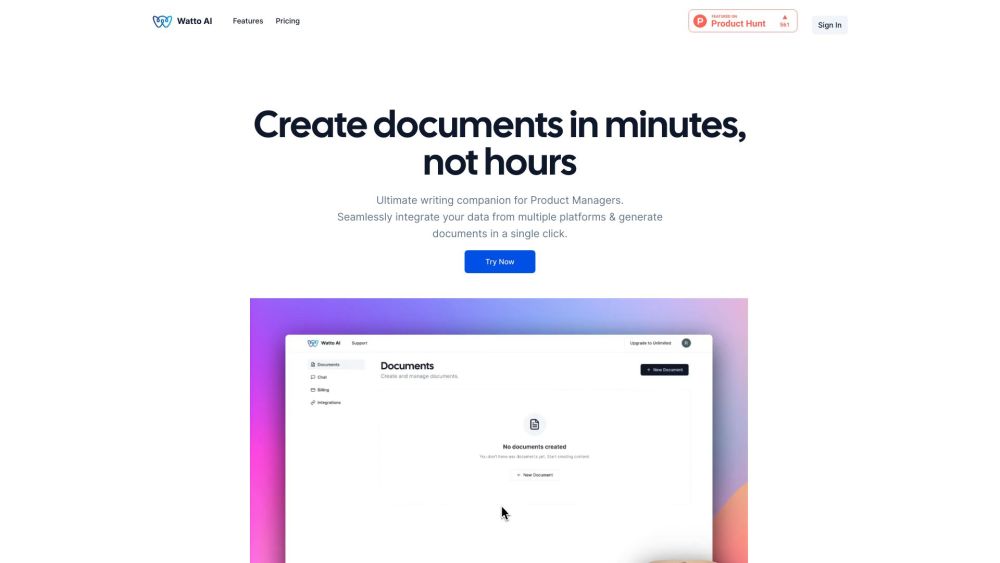
Watto AI website preview

Watto AI Website screenshot

What is Watto AI?

Watto AI is an advanced AI-driven platform designed to consolidate data from various sources and create documents in any preferred format. It aims to boost productivity by cutting down document creation time by 60% through automation.

How to use Watto AI?

To get started with Watto AI, follow these steps: 1. Register for an account on the Watto AI website. 2. Link your chosen platforms, like Google Suite or Jira, to Watto AI. 3. Select the type of document you need, such as Product Requirements Documents (PRDs) or One Pagers. 4. Personalize the document by entering relevant details or using pre-made templates. 5. Click to generate the document. 6. Review and edit as needed. 7. Download or share the completed document.

Watto AI's Core Features

Integrate data from multiple platforms seamlessly

Create documents in your preferred format

AI assistant for enhanced writing support

Access to over 20 templates for various document types

Brainstorming tool for new ideas

SWOT analysis tool for product assessment

Instant document insights with built-in chat feature

Watto AI's Use Cases

Product Managers can effortlessly create high-quality Requirements Documents, Executive Pitches, Status Updates, and more.

Users can generate any type of document with Watto AI, such as PRDs, One Pagers, Launch Emails, and Strategy Docs.

Watto AI is suitable for anyone needing to create content in document format. Contact Watto AI support for personalized assistance.

  • Watto AI Support Email & Customer Service Contact

    For customer service, reach out to Watto AI support via email at [email protected].

  • Watto AI Company

    Company Name: Watto AI.

  • Watto AI Pricing

    For pricing details, visit: https://www.watto.ai/pricing

Product source: Watto AI official website. Check the provider for current plans, limits and availability.

FAQ

Watto AI questions and answers

Product context and practical checks for evaluating Watto AI.

What is Watto AI used for?

Watto AI is an artificial intelligence-powered platform that integrates information from multiple platforms and generates documents in the desired format. It is designed to save 60% of your time by automating the document creation process.

How do I get started with Watto AI?

To get started with Watto AI, follow these steps: 1. Register for an account on the Watto AI website. 2. Link your chosen platforms, like Google Suite or Jira, to Watto AI. 3. Select the type of document you need, such as Product Requirements Documents (PRDs) or One Pagers. 4. Personalize the document by entering relevant details or using pre-made templates. 5. Click to generate the document. 6. Review and edit as needed. 7. Download or share the completed document.

Which capabilities are described for Watto AI?

Integrate data from multiple platforms seamlesslyCreate documents in your preferred formatAI assistant for enhanced writing supportAccess to over 20 templates for various document typesBrainstorming tool for new ideasSWOT analysis tool for product assessmentInstant document insights with built-in chat feature

What projects can I evaluate Watto AI for?

Product Managers can effortlessly create high-quality Requirements Documents, Executive Pitches, Status Updates, and more.Users can generate any type of document with Watto AI, such as PRDs, One Pagers, Launch Emails, and Strategy Docs.Watto AI is suitable for anyone needing to create content in document format. Contact Watto AI support for personalized assistance. Watto AI Support Email & Customer Service Contact For customer service, reach out to Watto AI support via email at [email protected]. Watto AI Company Company Name: Watto AI. Watto AI Pricing For pricing details, visit: https://www.watto.ai/pricing

What should I compare before choosing a Watto AI plan?

For pricing details, visit: https://www.watto.ai/pricing Confirm current prices and allowances on the provider’s website before purchasing.

What inputs should I prepare for a Watto AI trial?

Look for text prompts, image references, masks or sketches as appropriate. Compare composition control, supported upload types and the ability to revise a selected area.

How can I check the quality of a Watto AI result?

Inspect text, hands, edges, reflections and repeated objects at full size. Check that important product or brand details survive editing.

Which export options should I check in Watto AI?

Compare pixel dimensions, transparency, file formats and any enlargement options. Confirm that the downloaded result works in your design or publishing software.

What is a practical way to test Watto AI against alternatives?

Prepare a brief with a subject, composition, lighting and required output size. Test a first generation and a targeted revision to see how much control you retain.

Where is the official Watto AI website?

The website linked from this profile is https://watto.ai. Use the provider’s own documentation, account area and support channels to confirm current product details.

Visit Watto AI