AI Chatbot

Waitroom

Waitroom: The AI-powered meeting assistant that boosts collaboration and productivity in real-time, making every meeting smarter and more efficient.

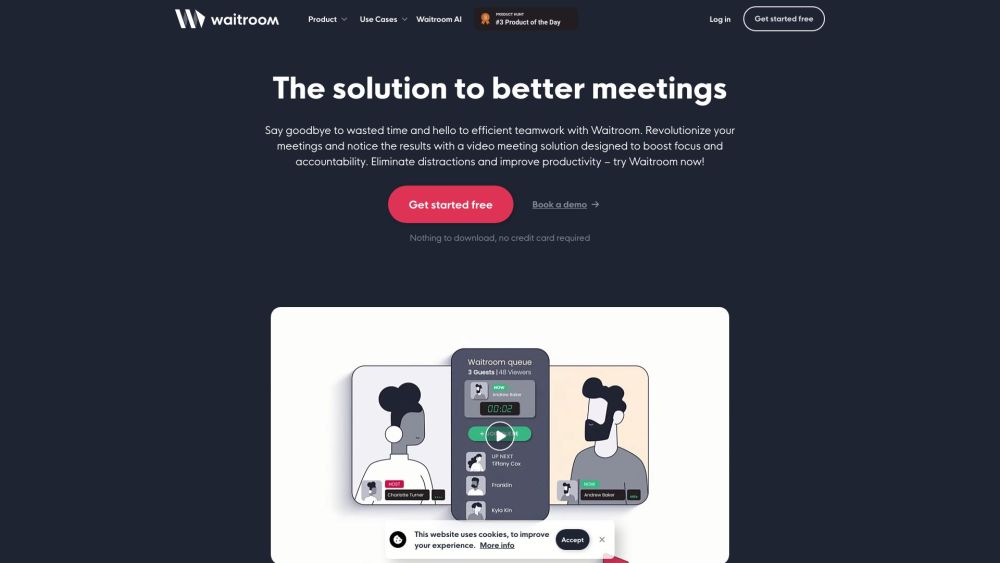
Waitroom website preview

Waitroom Website screenshot

What is Waitroom?

Waitroom is a cutting-edge meeting assistant powered by advanced AI technologies. It is crafted to boost teamwork and efficiency during meetings.

How to use Waitroom?

Using Waitroom is straightforward. Start by registering on the website. After logging in, set up a new meeting by entering essential details such as the meeting title, date, time, and participants. Waitroom will help you organize the meeting, manage attendees, and schedule it seamlessly. During the meeting, it offers real-time AI support to automate tasks, enhance communication, and foster better collaboration.

Waitroom's Core Features

Waitroom's main features include smart meeting organization, participant management, scheduling, real-time AI assistance, task automation, and enhanced teamwork.

Waitroom's Use Cases

Waitroom is versatile and can be used for team meetings, client discussions, project planning, and remote team collaborations. It enhances meeting productivity, streamlines participant management, and promotes better teamwork.

Product source: Waitroom official website. Check the provider for current plans, limits and availability.

FAQ

Waitroom questions and answers

Product context and practical checks for evaluating Waitroom.

What is Waitroom used for?

Waitroom: The AI-powered meeting assistant that boosts collaboration and productivity in real-time, making every meeting smarter and more efficient.

How do I get started with Waitroom?

Using Waitroom is straightforward. Start by registering on the website. After logging in, set up a new meeting by entering essential details such as the meeting title, date, time, and participants. Waitroom will help you organize the meeting, manage attendees, and schedule it seamlessly. During the meeting, it offers real-time AI support to automate tasks, enhance communication, and foster better collaboration.

Which capabilities are described for Waitroom?

Waitroom's main features include smart meeting organization, participant management, scheduling, real-time AI assistance, task automation, and enhanced teamwork.

What projects can I evaluate Waitroom for?

Waitroom is versatile and can be used for team meetings, client discussions, project planning, and remote team collaborations. It enhances meeting productivity, streamlines participant management, and promotes better teamwork. Waitroom Support Email & Customer Service Contact For customer service, reach out to Waitroom support at: [email protected] . Waitroom Company Waitroom is a product of Rumi, Inc. Learn more about Waitroom on our about page. Waitroom Sign Up Sign up for Waitroom here: https://rumi.ai/host Waitroom Pricing View Waitroom pricing here: https://rumi.ai/landing/pricing Waitroom YouTube Follow Waitroom on YouTube: https://www.youtube.com/@RumiDotAIWaitroom LinkedIn Connect with Waitroom on LinkedIn: https://www.linkedin.com/company/rumiaiWaitroom Twitter Follow Waitroom on Twitter: https://twitter.com/rumidotaiWaitroom Instagram Follow Waitroom on Instagram: https://www.instagram.com/rumidotai

What should I compare before choosing a Waitroom plan?

View Waitroom pricing here: https://rumi.ai/landing/pricing Confirm current prices and allowances on the provider’s website before purchasing.

What inputs should I prepare for a Waitroom trial?

Look for text prompts, image references, masks or sketches as appropriate. Compare composition control, supported upload types and the ability to revise a selected area.

How can I check the quality of a Waitroom result?

Inspect text, hands, edges, reflections and repeated objects at full size. Check that important product or brand details survive editing.

Which export options should I check in Waitroom?

Compare pixel dimensions, transparency, file formats and any enlargement options. Confirm that the downloaded result works in your design or publishing software.

What is a practical way to test Waitroom against alternatives?

Prepare a brief with a subject, composition, lighting and required output size. Test a first generation and a targeted revision to see how much control you retain.

Where is the official Waitroom website?

The website linked from this profile is . Use the provider’s own documentation, account area and support channels to confirm current product details.