Text&ampWriting

VoxDeck

Turn ideas into cinematic presentations with AI 3D animations, digital avatars, and motion-rich visuals—no design skills needed. Try VoxDeck free!

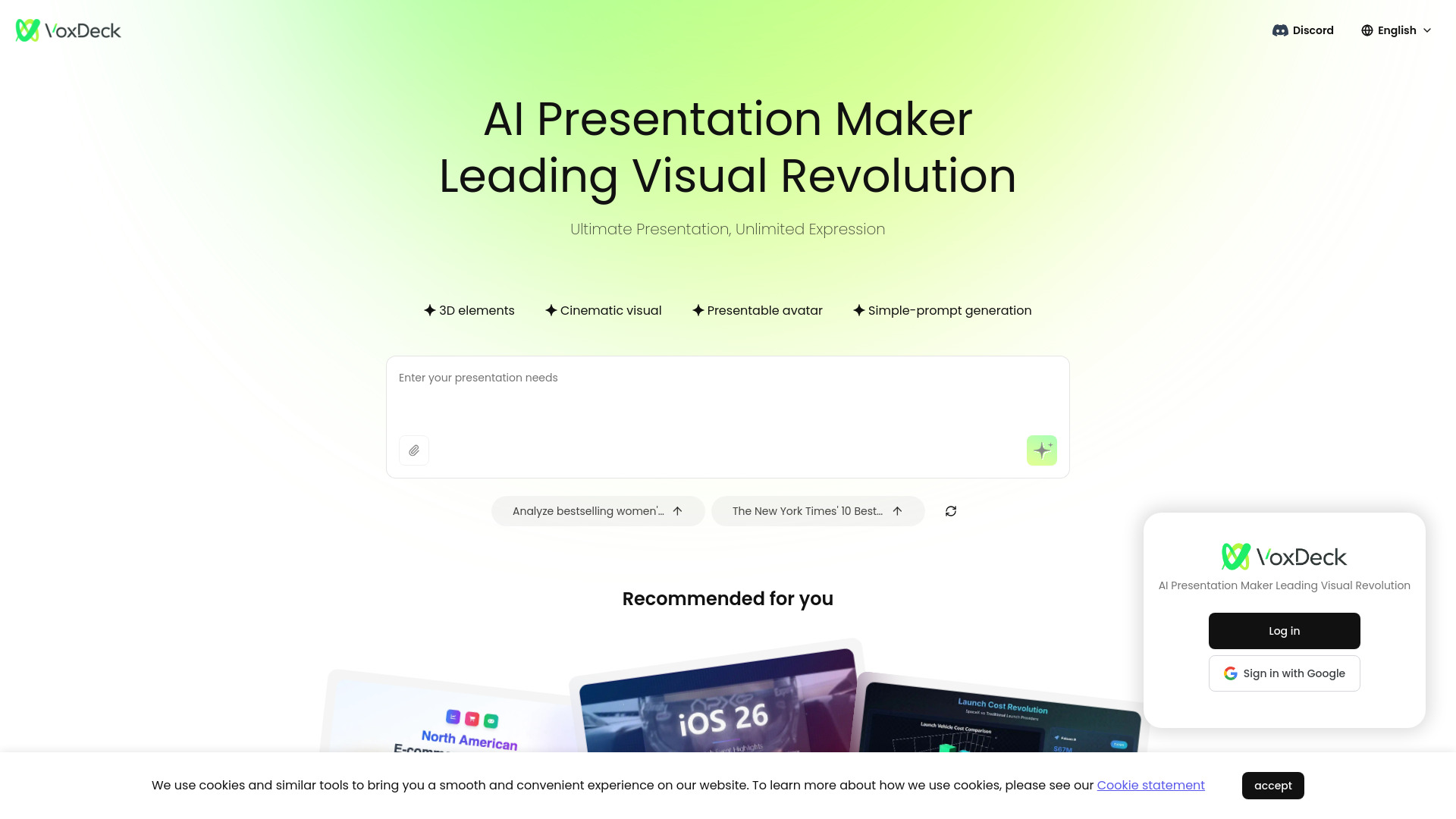
VoxDeck website preview

What Is VoxDeck?

VoxDeck is an AI presentation platform designed to make cinematic storytelling accessible to everyone. Instead of building static slides one element at a time, users can describe an idea, paste in content, or upload a document and let VoxDeck transform it into an engaging visual presentation. The platform combines artificial intelligence, animated scenes, interactive 3D visuals, and digital avatars to create presentations that feel more like guided experiences than conventional slide decks. Whether you are preparing a business pitch, classroom lesson, product demonstration, or research report, VoxDeck helps turn complex information into polished, memorable content without requiring advanced design skills.

How to Create a Presentation with VoxDeck

Getting started with VoxDeck is straightforward. Enter a topic or explain the type of presentation you want to build using everyday language. You can also provide source material by uploading documents and allowing the AI to organize the main ideas into a logical presentation structure. VoxDeck then generates visual scenes, slide layouts, transitions, and supporting graphics that match the subject and intended audience.

After the first draft is created, you can adjust the tone, pacing, visual style, and narrative flow. Add interactive 3D objects, modify individual scenes, or select an avatar to introduce sections and explain key points. Presentations can be viewed on different screen sizes, making it easier to deliver a consistent experience in an office, classroom, virtual meeting, or client presentation. As you continue using the platform, its AI workflow can help you create future projects more quickly and maintain a recognizable storytelling style.

Key Features of VoxDeck

  • AI-Powered Cinematic Creation: VoxDeck turns a written concept into a structured presentation with animated visuals, scene transitions, and a clear narrative direction. The system helps arrange information into a compelling sequence, so users can focus on their message instead of spending hours managing design details.
  • Immersive 3D Experiences: Present data, products, and ideas through interactive charts, three-dimensional models, and explorable environments. These visual elements give audiences a clearer way to understand relationships, processes, and technical subjects that may be difficult to explain with ordinary two-dimensional slides.
  • AI Avatar Presenters: Choose and configure a digital avatar to guide viewers through the presentation. An avatar can introduce topics, narrate important sections, and support question-and-answer interactions, giving presentations a consistent voice and helping speakers feel more comfortable during delivery.
  • Simple Editing and Automation: VoxDeck handles many time-consuming tasks, including composition, visual hierarchy, animation timing, and scene organization. Generated presentations remain easy to refine, allowing users to edit the content and style without needing professional motion graphics or presentation software experience.
  • Responsive Presentation Delivery: Presentations are designed to work across desktop and mobile environments. Audiences can access cinematic scenes, animated content, and interactive elements on a range of devices, whether they are attending in person or viewing remotely.

Why Use VoxDeck for Modern Presentations?

VoxDeck is built for people who want their presentations to communicate more than a series of bullet points. Its combination of AI content generation, 3D visualization, and avatar-led narration makes it possible to create presentations with greater movement, personality, and audience participation. A user can begin with a rough idea and develop it into a cohesive visual story without having to master complex design tools or animation software.

The platform is useful for professionals who need to explain information clearly while keeping viewers interested. Business teams can use cinematic scenes to present strategies and performance reports, while educators can create visual lessons that make difficult concepts easier to follow. Marketing professionals can demonstrate products with interactive models, and researchers can transform detailed findings into accessible visual narratives. VoxDeck also supports remote communication by helping presentations remain engaging when delivered through a screen.

VoxDeck Use Cases

Marketing departments can use VoxDeck to create product launches, campaign presentations, and sales materials that combine narration with animated demonstrations. A 3D product model can show how an item works, while an AI avatar explains its features and benefits in a consistent format. This approach can help potential customers understand an offering before a live sales conversation begins.

Businesses can use the platform for internal reports, investor updates, training materials, and strategic proposals. Instead of presenting a dense collection of charts, teams can guide viewers through interactive visual scenes that show trends, workflows, and business objectives. The result is a presentation that is easier to follow and more suitable for both live meetings and on-demand viewing.

Teachers, trainers, and academic researchers can also benefit from VoxDeck. Complex theories, scientific results, historical events, and technical procedures can be arranged into step-by-step visual journeys. Interactive models and narrated scenes give learners multiple ways to engage with the material, while responsive delivery makes the content available on computers, tablets, and smartphones.

Product source: VoxDeck official website. Check the provider for current plans, limits and availability.

FAQ

VoxDeck questions and answers

Product context and practical checks for evaluating VoxDeck.

What is VoxDeck used for?

Turn ideas into cinematic presentations with AI 3D animations, digital avatars, and motion-rich visuals—no design skills needed. Try VoxDeck free!

How do I get started with VoxDeck?

Getting started with VoxDeck is straightforward. Enter a topic or explain the type of presentation you want to build using everyday language. You can also provide source material by uploading documents and allowing the AI to organize the main ideas into a logical presentation structure. VoxDeck then generates visual scenes, slide layouts, transitions, and supporting graphics that match the subject and intended audience.After the first draft is created, you can adjust the tone, pacing, visual style, and narrative flow. Add interactive 3D objects, modify individual scenes, or select an avatar to introduce sections and explain key points. Presentations can be viewed on different screen sizes, making it easier to deliver a consistent experience in an office, classroom, virtual meeting, or client presentation. As you continue using the platform, its AI workflow can help you create future projects more quickly and maintain a recognizable storytelling style.

Which capabilities are described for VoxDeck?

AI-Powered Cinematic Creation: VoxDeck turns a written concept into a structured presentation with animated visuals, scene transitions, and a clear narrative direction. The system helps arrange information into a compelling sequence, so users can focus on their message instead of spending hours managing design details. Immersive 3D Experiences: Present data, products, and ideas through interactive charts, three-dimensional models, and explorable environments. These visual elements give audiences a clearer way to understand relationships, processes, and technical subjects that may be difficult to explain with ordinary two-dimensional slides. AI Avatar Presenters: Choose and configure a digital avatar to guide viewers through the presentation. An avatar can introduce topics, narrate important sections, and support question-and-answer interactions, giving presentations a consistent voice and helping speakers feel more comfortable during delivery. Simple Editing and Automation: VoxDeck handles many time-consuming tasks, including composition, visual hierarchy, animation timing, and scene organization. Generated presentations remain easy to refine, allowing users to edit the content and style without needing professional motion graphics or presentation software experience. Responsive Presentation Delivery: Presentations are designed to work across desktop and mobile environments. Audiences can access cinematic scenes, animated content, and interactive elements on a range of devices, whether they are attending in person or viewing remotely.

What projects can I evaluate VoxDeck for?

Marketing departments can use VoxDeck to create product launches, campaign presentations, and sales materials that combine narration with animated demonstrations. A 3D product model can show how an item works, while an AI avatar explains its features and benefits in a consistent format. This approach can help potential customers understand an offering before a live sales conversation begins.Businesses can use the platform for internal reports, investor updates, training materials, and strategic proposals. Instead of presenting a dense collection of charts, teams can guide viewers through interactive visual scenes that show trends, workflows, and business objectives. The result is a presentation that is easier to follow and more suitable for both live meetings and on-demand viewing.Teachers, trainers, and academic researchers can also benefit from VoxDeck. Complex theories, scientific results, historical events, and technical procedures can be arranged into step-by-step visual journeys. Interactive models and narrated scenes give learners multiple ways to engage with the material, while responsive delivery makes the content available on computers, tablets, and smartphones.

How does VoxDeck handle ai-powered cinematic creation?

AI-Powered Cinematic Creation: VoxDeck turns a written concept into a structured presentation with animated visuals, scene transitions, and a clear narrative direction. The system helps arrange information into a compelling sequence, so users can focus on their message instead of spending hours managing design details.

How does VoxDeck handle immersive 3d experiences?

Immersive 3D Experiences: Present data, products, and ideas through interactive charts, three-dimensional models, and explorable environments. These visual elements give audiences a clearer way to understand relationships, processes, and technical subjects that may be difficult to explain with ordinary two-dimensional slides.

What should I compare before choosing a VoxDeck plan?

Check VoxDeck’s current pricing page for included usage, renewal terms and any credit charges. Compare the cost of a usable result, including retries, rather than assuming that account registration includes free usage.

What inputs should I prepare for a VoxDeck trial?

Compare text prompts, reference frames, source footage and audio support. Check duration, aspect ratio and whether the tool lets you keep a subject consistent between shots.

How can I check the quality of a VoxDeck result?

Watch the entire clip for motion errors, distorted objects, changing identities, lip-sync problems and abrupt transitions. Inspect the downloaded file as well as the preview.

Where is the official VoxDeck website?

The website linked from this profile is https://www.voxdeck.ai. Use the provider’s own documentation, account area and support channels to confirm current product details.

Visit VoxDeck