AI Video Generator

VO3 AI Video Generator

VO3 AI Video Generator: Turn text or images into cinematic videos—with pro audio—all in seconds. 🎬✨

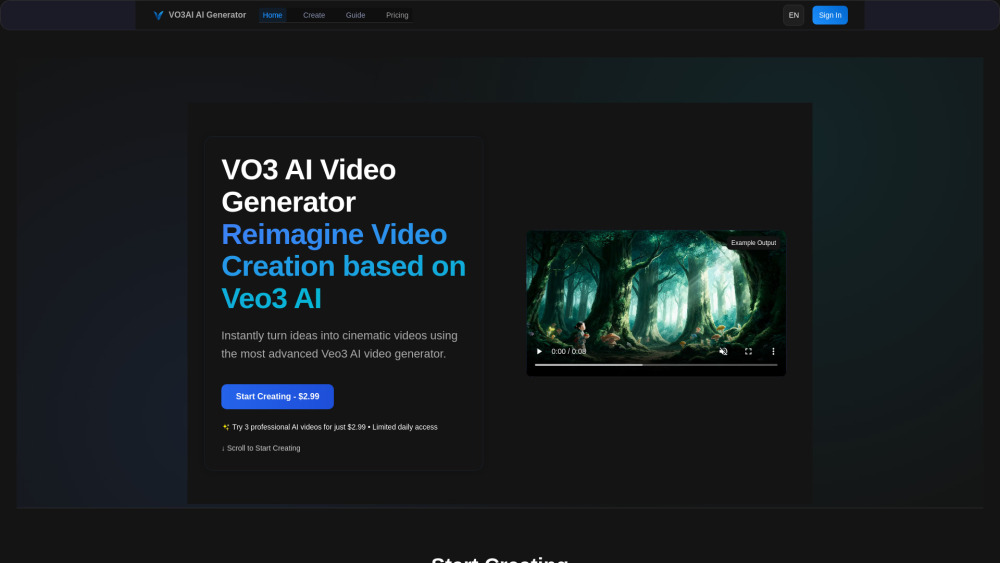
VO3 AI Video Generator website preview

VO3 AI Website screenshot

Introducing VO3 AI Video Generator

VO3 AI Video Generator is a next-generation cinematic video creation platform—powered by Google’s state-of-the-art Veo3 foundation model. Unlike traditional AI video tools, VO3 uniquely bridges text, image, and audio into cohesive, high-fidelity motion experiences. Whether you're scripting a sci-fi short, animating a concept sketch, or producing branded social content, VO3 delivers studio-grade visuals with synchronized narration, expressive motion, and stylistic versatility—all in minutes.

How VO3 AI Works: Simple, Powerful, Instant

Getting started takes seconds: describe your vision in plain English or upload a reference image. Then select your preferred aesthetic—hyper-realistic documentary, stylized anime, immersive fantasy, or futuristic sci-fi—and fine-tune duration, aspect ratio, and audio tone. VO3’s intelligent pipeline renders your prompt into a polished, sound-synced video ready for download, embedding, or direct publishing—no editing suite required.

Why Creators Choose VO3 AI

Text-to-Cinematic Video — With Sound

Image-to-Motion Animation — Frame-by-Frame Intelligence

AI-Generated Audio — Narration, SFX & Music Integration

Veo3-Powered Human Motion — Natural, Fluid, Expressive

Style-Adaptive Rendering — From Photoreal to Pixel-Perfect Anime

Sub-5-Minute Generation — Optimized for Speed Without Compromise

End-to-End Web Platform — No Local Installation, No GPU Needed

Fully English Interface — Designed for Global Creative Teams

Lip-Sync Ready (Pro/Studio) — For Voice-Driven Storytelling

Commercial License Included — Use Anywhere, Scale Anytime

Real-World Applications

Transform blog posts, scripts, or pitch decks into engaging cinematic reels

Animate character art or product mockups with voiceover and emotion

Craft TikTok/YouTube Shorts, brand intros, and campaign teasers

Build dynamic storyboards and multi-shot sequences for pre-production

Rapidly prototype visual concepts before committing to live shoots

Enhance presentations, educational modules, and interactive demos

Product source: VO3 AI Video Generator official website. Check the provider for current plans, limits and availability.

FAQ

VO3 AI Video Generator questions and answers

Product context and practical checks for evaluating VO3 AI Video Generator.

What is VO3 AI Video Generator used for?

VO3 AI Video Generator: Turn text or images into cinematic videos—with pro audio—all in seconds. 🎬✨

How do I get started with VO3 AI Video Generator?

Getting started takes seconds: describe your vision in plain English or upload a reference image. Then select your preferred aesthetic—hyper-realistic documentary, stylized anime, immersive fantasy, or futuristic sci-fi—and fine-tune duration, aspect ratio, and audio tone. VO3’s intelligent pipeline renders your prompt into a polished, sound-synced video ready for download, embedding, or direct publishing—no editing suite required.

What projects can I evaluate VO3 AI Video Generator for?

Transform blog posts, scripts, or pitch decks into engaging cinematic reelsAnimate character art or product mockups with voiceover and emotionCraft TikTok/YouTube Shorts, brand intros, and campaign teasersBuild dynamic storyboards and multi-shot sequences for pre-productionRapidly prototype visual concepts before committing to live shootsEnhance presentations, educational modules, and interactive demos

What should I compare before choosing a VO3 AI Video Generator plan?

Transparent, scalable plans—from creators to studios: https://www.vo3ai.com/en/price Confirm current prices and allowances on the provider’s website before purchasing.

What inputs should I prepare for a VO3 AI Video Generator trial?

Compare text prompts, reference frames, source footage and audio support. Check duration, aspect ratio and whether the tool lets you keep a subject consistent between shots.

How can I check the quality of a VO3 AI Video Generator result?

Watch the entire clip for motion errors, distorted objects, changing identities, lip-sync problems and abrupt transitions. Inspect the downloaded file as well as the preview.

Which export options should I check in VO3 AI Video Generator?

Check export resolution, frame rate, aspect ratio, audio tracks and watermark rules. A good preview is not a substitute for an export that fits your publishing channel.

What is a practical way to test VO3 AI Video Generator against alternatives?

Use a short shot with one subject and one camera movement. Keep the prompt and duration constant, then compare usable seconds and the number of regenerations.

What should I review before uploading material to VO3 AI Video Generator?

Read the provider’s rules on access, retention, deletion and use of uploaded material. Start with a non-confidential sample that you have permission to use.

Where is the official VO3 AI Video Generator website?

The website linked from this profile is https://www.vo3ai.com. Use the provider’s own documentation, account area and support channels to confirm current product details.

Visit VO3 AI Video Generator