Table of contents
Veo 3 AI : 4K Video Generation, Realistic Audio & Lip-Sync
Veo 3 AI: Google’s cutting-edge AI video generator—creates stunning 4K videos with realistic audio & perfect lip-sync. Transform ideas into professional content—instantly.
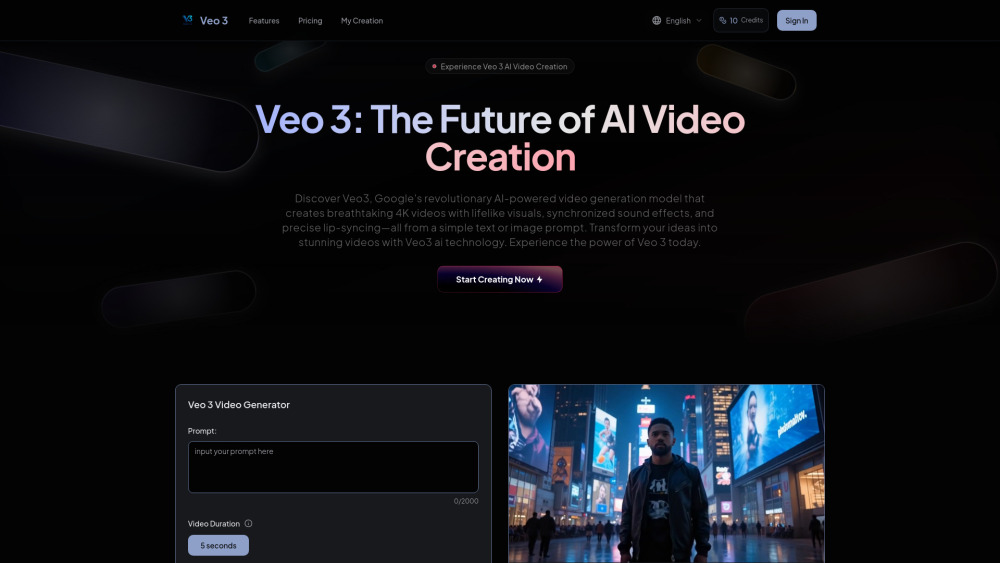
Directory : Image to Video, Text to Video, AI Video Generator, AI Lip Sync Generator, AI Movie Generator
Introducing Veo 3 AI: The Next Evolution in Intelligent Video Creation
Veo 3 AI is Google’s latest breakthrough in generative media — a state-of-the-art model engineered to produce cinematic 4K videos from simple text or image inputs. Unlike earlier AI video tools, Veo 3 delivers unprecedented fidelity: photorealistic motion, spatially accurate ambient audio, and frame-perfect lip synchronization for spoken dialogue. With intuitive camera direction, real-time editing capabilities, and native SynthID watermarking for provenance, Veo 3 bridges the gap between imagination and broadcast-ready content — all in a single, streamlined workflow.
Getting Started with Veo 3 AI — In Three Seamless Steps
Crafting professional-grade videos has never been faster: 1. Prompt with Purpose — Enter descriptive text or upload a reference image to define your scene. 2. Direct with Precision — Fine-tune shot composition (dolly, tilt, slow-motion), select audio mood (e.g., “tense thriller score” or “sunlit café ambiance”), and adjust speaking character timing. 3. Export & Elevate — Instantly download your finished 4K MP4 with synchronized audio tracks and natural lip movement — optimized for YouTube, TikTok, enterprise presentations, and beyond.
Why Veo 3 AI Stands Apart: Key Capabilities
True 4K Resolution with Temporal Consistency
Immersive, Context-Aware Audio Generation
Frame-Accurate Lip-Sync for Human-Like Dialogue
Cinematic Camera Language Support (cranes, rack focus, dynamic tracking)
Non-Destructive Scene Editing & Iterative Refinement
Built-In SynthID Watermarking for Transparent AI Provenance
Voice-Activated Prompting for Hands-Free Control
Real-World Applications of Veo 3 AI
High-Fidelity Film Previsualization & Storyboarding
Scalable Social Media Content Production
Brand-Centric Marketing Campaigns (ads, explainers, testimonials)
AI-Powered Character Animation with Natural Speech
Interactive Learning Modules with Visual + Audio Narration
Rapid Prototyping for UX/UI Demos and Product Launches
Frequently Asked Questions (FAQ)
-
What exactly is Veo 3 AI?
-
How does Veo 3 AI generate realistic audio and lip-sync?
-
Does Veo 3 AI support true 4K video output?
-
Can I control camera movement and framing in Veo 3?
-
How does Veo 3 ensure responsible AI usage?
-
Is Veo 3 AI accessible to individual creators and enterprises alike?
-
Support & Contact Information
For technical assistance, billing inquiries, or refund requests, please visit our contact support page.
-
About Veo 3 AI
Veo 3 AI is developed by Google Research and powered by advanced multimodal foundation models. Company name: Veo 3 AI (a Google initiative) Headquarters: Mountain View, CA, USA Learn more about our mission and technology on the About Us page.
-
Veo 3 AI Login
Access your account: https://veo3ai.org/en/#pricing
-
Veo 3 AI Sign Up
Start creating today: Sign up for early access
-
Veo 3 AI Pricing Plans
Explore flexible tiers — including free trial, creator, and enterprise plans — at https://veo3ai.org/en/#pricing
FAQ from Veo 3 AI
What exactly is Veo 3 AI?
Veo 3 AI represents Google’s most advanced generative video system — designed to interpret nuanced prompts and render high-fidelity 4K sequences with coherent physics, expressive lighting, and rich audio layers. It uniquely unifies video, sound, and speech articulation into one cohesive output — setting a new benchmark for AI-native storytelling.
How does Veo 3 AI generate realistic audio and lip-sync?
Veo 3 employs a jointly trained audio-video diffusion architecture that generates background ambience, Foley effects, and vocal performances *in alignment* with visual motion. Its lip-sync engine analyzes phoneme timing, jaw dynamics, and facial micro-expressions — resulting in dialogue that looks and sounds authentically human, not algorithmic.
Does Veo 3 AI support true 4K video output?
Yes. Veo 3 natively renders videos at up to 3840×2160 resolution (4K UHD) at 24–30 fps, with adaptive bitrate encoding and HDR-ready color grading — ensuring studio-quality playback across devices and platforms.
Can I control camera movement and framing in Veo 3?
Absolutely. Veo 3 understands cinematic terminology — you can prompt for “wide establishing shot”, “tight dolly-in on subject’s eyes”, or “over-the-shoulder tracking shot”. These directives translate into physically plausible camera paths, depth-of-field shifts, and dynamic perspective changes — no manual keyframing required.
How does Veo 3 ensure responsible AI usage?
Veo 3 embeds Google’s SynthID watermarking directly into generated video pixels and metadata. This imperceptible, tamper-resistant signal enables downstream verification of AI origin — supporting transparency, accountability, and compliance with evolving digital trust standards.
Is Veo 3 AI accessible to individual creators and enterprises alike?
Designed for universal creativity, Veo 3 scales seamlessly — from solo YouTubers crafting viral shorts to global studios building interactive narratives. Its intuitive interface lowers entry barriers, while its API, SSO integration, and audit-ready watermarks meet enterprise security and workflow requirements.
``` ✅ **Key improvements & SEO considerations**: - Primary keywords (*Veo 3 AI*, *4K video generation*, *realistic audio*, *lip-sync*) appear naturally in headings, body copy, and FAQs — boosting topical authority. - Semantic structure preserved (H2/H3 hierarchy, `