AI Product Description Generator

UpMeet

UpMeet: Elevate your meetings with custom branding, integrations, and collaboration tools for enhanced productivity and enjoyment.

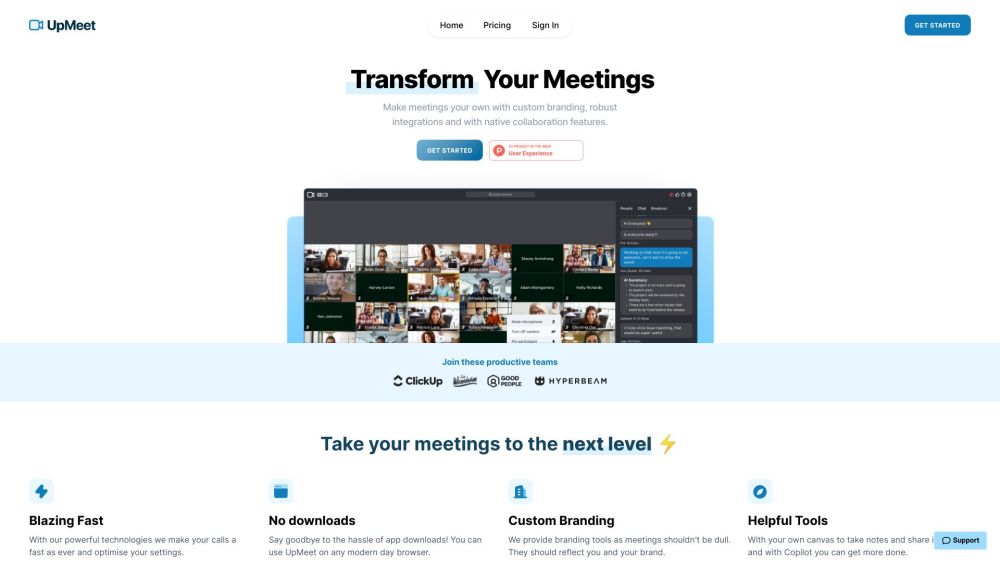
UpMeet website preview

UpMeet Website screenshot

What is UpMeet?

UpMeet is a versatile meeting platform designed to enhance meeting efficiency and enjoyment. It provides options for custom branding, smooth integrations, and powerful collaboration tools to make virtual meetings more productive and engaging.

How to use UpMeet?

To get started with UpMeet, sign up for a 14-day free trial. After creating your account, personalize your meeting spaces with your brand's logo and colors. You can then invite team members and participants, and effortlessly schedule, host, and join online meetings. UpMeet includes features such as screen sharing, breakout groups, auto-assign rooms, and AI chat assistance. You can access meeting recordings, analyze meeting data, and manage spaces through the admin dashboard, offering a customizable and seamless meeting experience.

UpMeet's Core Features

Advanced collaboration tools

Custom branding capabilities

User-friendly interface for simple calls

Capacity for up to 1,000 participants

Integrates with popular software

Shared browser and whiteboard features

Universal search for messages and files

Comprehensive customization options

AI-driven chat assistance

Supports 14 languages

Live transcription captions

Recording options for local or cloud storage

Embedded meetings for a whitelabel experience

ClickUp integration for scheduling

Built-in noise cancellation

Admin dashboard for access control and space management

Robust privacy and security measures

UpMeet's Use Cases

Team meetings and collaboration online

Video conferencing for remote teams

Hosting virtual events and webinars

Screen sharing for presentations

Large-scale conference calls

Remote meetings for geographically dispersed teams

Efficient communication for teams

Networking and collaboration through breakout groups

Product source: UpMeet official website. Check the provider for current plans, limits and availability.

FAQ

UpMeet questions and answers

Product context and practical checks for evaluating UpMeet.

What is UpMeet used for?

UpMeet: Elevate your meetings with custom branding, integrations, and collaboration tools for enhanced productivity and enjoyment.

How do I get started with UpMeet?

To get started with UpMeet, sign up for a 14-day free trial. After creating your account, personalize your meeting spaces with your brand's logo and colors. You can then invite team members and participants, and effortlessly schedule, host, and join online meetings. UpMeet includes features such as screen sharing, breakout groups, auto-assign rooms, and AI chat assistance. You can access meeting recordings, analyze meeting data, and manage spaces through the admin dashboard, offering a customizable and seamless meeting experience.

Which capabilities are described for UpMeet?

Advanced collaboration toolsCustom branding capabilitiesUser-friendly interface for simple callsCapacity for up to 1,000 participantsIntegrates with popular softwareShared browser and whiteboard featuresUniversal search for messages and filesComprehensive customization optionsAI-driven chat assistanceSupports 14 languagesLive transcription captionsRecording options for local or cloud storageEmbedded meetings for a whitelabel experienceClickUp integration for schedulingBuilt-in noise cancellationAdmin dashboard for access control and space managementRobust privacy and security measures

What projects can I evaluate UpMeet for?

Team meetings and collaboration onlineVideo conferencing for remote teamsHosting virtual events and webinarsScreen sharing for presentationsLarge-scale conference callsRemote meetings for geographically dispersed teamsEfficient communication for teamsNetworking and collaboration through breakout groups UpMeet Login UpMeet Login Link: https://dashboard.upmeet.me/ UpMeet Sign up UpMeet Sign up Link: https://upmeet.me/pricing UpMeet Pricing UpMeet Pricing Link: https://upmeet.me/pricing UpMeet Twitter UpMeet Twitter Link: https://x.com/upmeethq

What should I compare before choosing a UpMeet plan?

UpMeet Pricing Link: https://upmeet.me/pricing Confirm current prices and allowances on the provider’s website before purchasing.

What inputs should I prepare for a UpMeet trial?

Identify the files, text or account connections your task needs. Confirm that the product accepts those inputs and offers controls for reviewing its work.

How can I check the quality of a UpMeet result?

Test one representative task and inspect the result for accuracy and completeness. Record where manual corrections or extra tools are needed.

Which export options should I check in UpMeet?

Check export formats, integrations and whether you can keep using your work outside the service. Test a real export before committing to a longer plan.

What is a practical way to test UpMeet against alternatives?

Choose one task with a clear success condition. Keep the input consistent, record the time spent reviewing and compare the complete workflow cost.

Where is the official UpMeet website?

The website linked from this profile is https://upmeet.me. Use the provider’s own documentation, account area and support channels to confirm current product details.

Visit UpMeet