AI Content Generator

Unmixr

Unmixr is an all-in-one platform that offers the best AI voiceover, transcription, copywriting assistance, and image generation. It provides realistic and natural AI voiceovers, accurate AI transcription, an AI writing editor, an AI chatbot, AI templates, and AI-powered image generation.

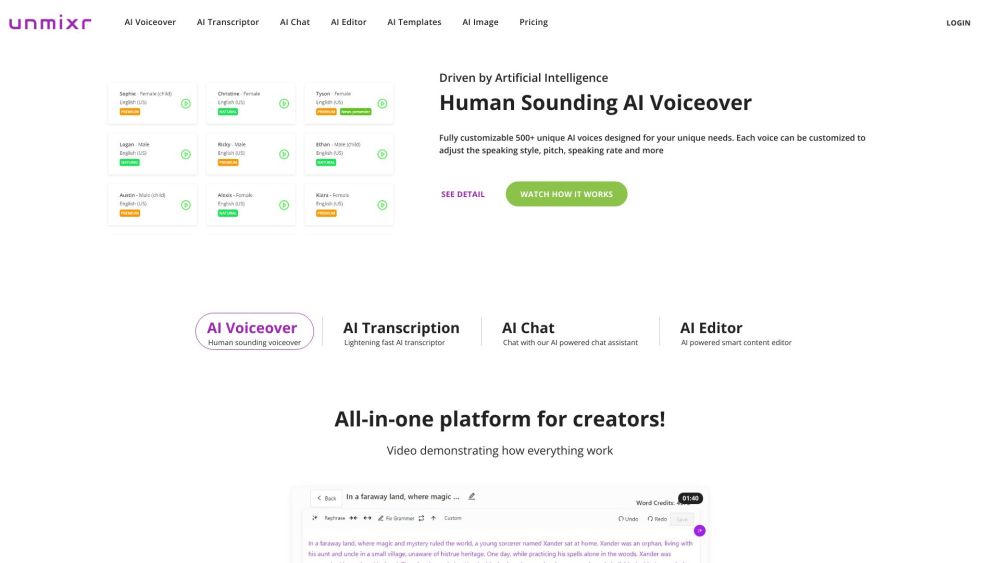
Unmixr website preview

Unmixr Website screenshot

What is Unmixr?

Unmixr is an innovative platform integrating top-tier AI-driven tools for voiceover, transcription, content creation, and image generation. It excels in producing lifelike AI voiceovers, precise transcriptions, a versatile AI writing editor, an interactive AI chatbot, pre-designed AI templates, and advanced image creation capabilities.

How to Use Unmixr?

To begin with Unmixr, sign up and log into the platform. Once logged in, you can explore and utilize various AI tools, including AI voiceover, transcription, writing editor, chatbot, and image generation. Customize voiceovers, generate accurate transcriptions, enhance content with the AI editor, brainstorm ideas with the chatbot, and design impressive visuals using the AI image generator.

Unmixr's Core Features

Highly realistic and customizable AI voiceovers with adjustable styles, pitch, and speed

Fast and precise AI transcription

AI-enhanced writing editor for drafting, rewriting, and simplifying content

AI chatbot for idea generation and content drafting

AI templates for easy content creation

AI-powered image generation for creating high-quality visuals

Unmixr's Use Cases

Content creation for videos, podcasts, online courses, and blogs

Boosting productivity and creativity for content creators, influencers, and marketers

Enhancing efficiency in audio and video transcription

Creating engaging content for marketing campaigns

Designing top-notch visuals for social media and websites

Product source: Unmixr official website. Check the provider for current plans, limits and availability.

FAQ

Unmixr questions and answers

Product context and practical checks for evaluating Unmixr.

What is Unmixr used for?

Unmixr is an all-in-one platform that offers the best AI voiceover, transcription, copywriting assistance, and image generation. It provides realistic and natural AI voiceovers, accurate AI transcription, an AI writing editor, an AI chatbot, AI templates, and AI-powered image generation.

How do I get started with Unmixr?

To begin with Unmixr, sign up and log into the platform. Once logged in, you can explore and utilize various AI tools, including AI voiceover, transcription, writing editor, chatbot, and image generation. Customize voiceovers, generate accurate transcriptions, enhance content with the AI editor, brainstorm ideas with the chatbot, and design impressive visuals using the AI image generator.

Which capabilities are described for Unmixr?

Highly realistic and customizable AI voiceovers with adjustable styles, pitch, and speedFast and precise AI transcriptionAI-enhanced writing editor for drafting, rewriting, and simplifying contentAI chatbot for idea generation and content draftingAI templates for easy content creationAI-powered image generation for creating high-quality visuals

What projects can I evaluate Unmixr for?

Content creation for videos, podcasts, online courses, and blogsBoosting productivity and creativity for content creators, influencers, and marketersEnhancing efficiency in audio and video transcriptionCreating engaging content for marketing campaignsDesigning top-notch visuals for social media and websites Unmixr DiscordJoin the Unmixr community on Discord: https://discord.gg/sMQcffpKM7. For additional Discord information, click here. Unmixr SupportFor customer service, contact Unmixr at: [email protected]. Visit our contact page for more details. Unmixr CompanyUnmixr is operated by FULL SCALE DEV LTD. Unmixr LoginAccess your Unmixr account: https://app.unmixr.com/login/ Unmixr Sign UpCreate a new Unmixr account: https://app.unmixr.com/signup Unmixr PricingExplore our pricing plans: https

What should I compare before choosing a Unmixr plan?

Explore our pricing plans: https Confirm current prices and allowances on the provider’s website before purchasing.

What inputs should I prepare for a Unmixr trial?

Look for text prompts, image references, masks or sketches as appropriate. Compare composition control, supported upload types and the ability to revise a selected area.

How can I check the quality of a Unmixr result?

Inspect text, hands, edges, reflections and repeated objects at full size. Check that important product or brand details survive editing.

Which export options should I check in Unmixr?

Compare pixel dimensions, transparency, file formats and any enlargement options. Confirm that the downloaded result works in your design or publishing software.

What is a practical way to test Unmixr against alternatives?

Prepare a brief with a subject, composition, lighting and required output size. Test a first generation and a targeted revision to see how much control you retain.

Where is the official Unmixr website?

The website linked from this profile is https://unmixr.com. Use the provider’s own documentation, account area and support channels to confirm current product details.

Visit Unmixr