AI Advertising Assistant

UChat

UChat is an advanced chatbot platform that allows businesses to automate their operations without coding. With support for over 12 channels, UChat enables businesses to build and deploy chatbots across various social channels, including Facebook Messenger, Instagram, WhatsApp, Google Business Messenger, and more. UChat's AI-powered features enhance customer engagement and provide personalized responses to user queries.

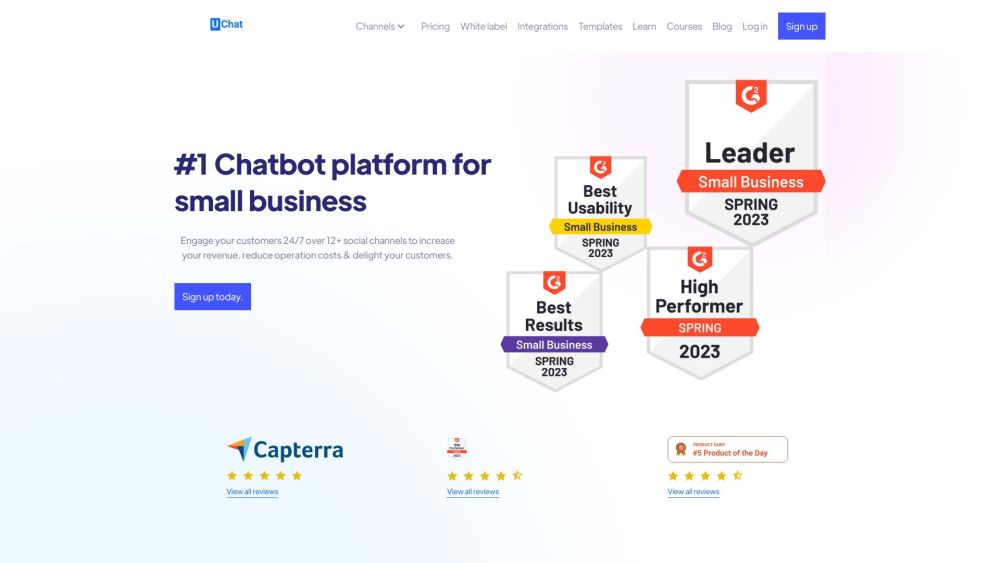
UChat website preview

UChat Website screenshot

What is UChat?

UChat is a sophisticated chatbot platform designed to help businesses automate their interactions without the need for coding skills. Supporting over 12 communication channels, UChat enables seamless deployment of chatbots on platforms like Facebook Messenger, Instagram, WhatsApp, Google Business Messenger, and more. The AI-driven features of UChat enhance customer interaction by delivering tailored responses to queries.

How to Use UChat?

Getting started with UChat is straightforward: sign up for an account and log in. Use the intuitive drag-and-drop flow builder to design your chatbot's conversation flows visually, eliminating the need for any coding expertise. Connect your chosen social channels and deploy your chatbot to start engaging customers on multiple platforms. Utilize UChat's ecommerce tools to simplify the ordering process and centralize your communications through the inbox and live chat features. UChat also offers extensive integrations with popular platforms to further enhance automation.

UChat's Core Features

Drag & Drop Flow Builder

Support for 12+ Social Channels

AI-Powered Chatbot

Ecommerce Capabilities

Centralized Inbox & Live Chat

Over 50 Integrations

UChat's Use Cases

Automate Customer Support

Streamline Sales Processes

Engage Customers 24/7

Boost Revenue

Reduce Operational Costs

Enhance Customer Experience

Product source: UChat official website. Check the provider for current plans, limits and availability.

FAQ

UChat questions and answers

Product context and practical checks for evaluating UChat.

What is UChat used for?

UChat is an advanced chatbot platform that allows businesses to automate their operations without coding. With support for over 12 channels, UChat enables businesses to build and deploy chatbots across various social channels, including Facebook Messenger, Instagram, WhatsApp, Google Business Messenger, and more. UChat's AI-powered features enhance customer engagement and provide personalized responses to user queries.

How do I get started with UChat?

Getting started with UChat is straightforward: sign up for an account and log in. Use the intuitive drag-and-drop flow builder to design your chatbot's conversation flows visually, eliminating the need for any coding expertise. Connect your chosen social channels and deploy your chatbot to start engaging customers on multiple platforms. Utilize UChat's ecommerce tools to simplify the ordering process and centralize your communications through the inbox and live chat features. UChat also offers extensive integrations with popular platforms to further enhance automation.

Which capabilities are described for UChat?

Drag & Drop Flow BuilderSupport for 12+ Social ChannelsAI-Powered ChatbotEcommerce CapabilitiesCentralized Inbox & Live ChatOver 50 Integrations

What projects can I evaluate UChat for?

Automate Customer SupportStreamline Sales ProcessesEngage Customers 24/7Boost RevenueReduce Operational CostsEnhance Customer Experience UChat Support Email & Customer Service Contact & Refund Contact For more contact information, visit the contact us page. UChat Company Company Name: Smart Link Pty LTD. Learn more about UChat on the about us page. UChat Login Login Link: https://www.uchat.com.au/login UChat Sign Up Sign Up Link: https://www.uchat.com.au/register UChat Pricing Pricing Information: https://uchat.au/pricing UChat Facebook Facebook Link: https://www.facebook.com/uchat.com.au UChat YouTube YouTube Link: https://www.youtube.com/c/UChat_Official UChat LinkedIn LinkedIn Link: https://www.linkedin.com/company/uchatcomau/ UChat Twitter Twitter Link: https://twitter.com/UChat_Official UChat Instagram Instagram Link: https://www.instagram.com/uchat_com_au/

What should I compare before choosing a UChat plan?

Pricing Information: https://uchat.au/pricing Confirm current prices and allowances on the provider’s website before purchasing.

What inputs should I prepare for a UChat trial?

Identify the files, text or account connections your task needs. Confirm that the product accepts those inputs and offers controls for reviewing its work.

How can I check the quality of a UChat result?

Test one representative task and inspect the result for accuracy and completeness. Record where manual corrections or extra tools are needed.

Which export options should I check in UChat?

Check export formats, integrations and whether you can keep using your work outside the service. Test a real export before committing to a longer plan.

What is a practical way to test UChat against alternatives?

Choose one task with a clear success condition. Keep the input consistent, record the time spent reviewing and compare the complete workflow cost.

Where is the official UChat website?

The website linked from this profile is https://www.promptdodo.com. Use the provider’s own documentation, account area and support channels to confirm current product details.

Visit UChat