AI Blog Writer

Typesetterr

Typesetterr: The powerful CMS that writes, schedules, and publishes blogs, articles, and formats your book for Amazon KDP in under 3 minutes.

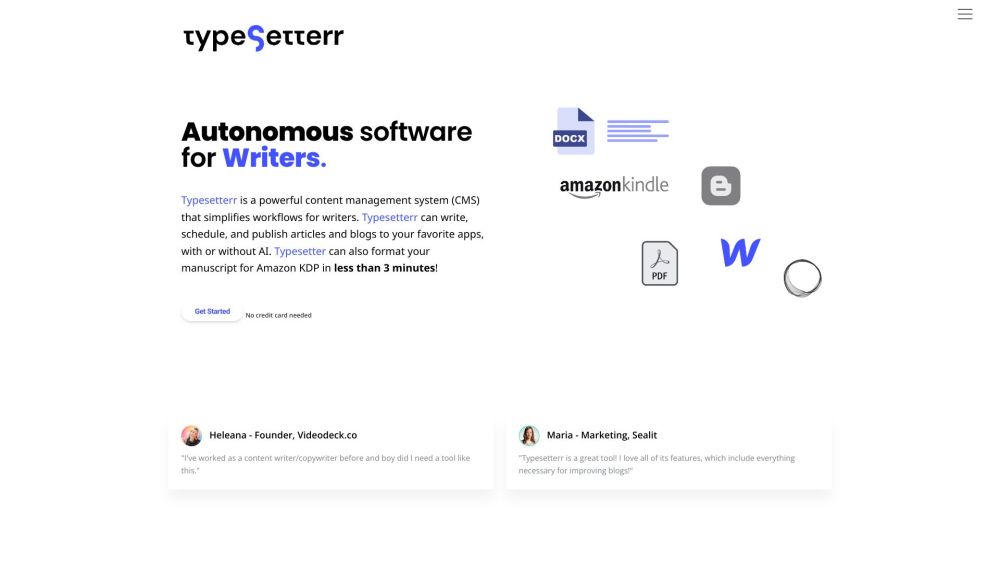
Typesetterr website preview

Typesetterr Website screenshot

What is Typesetterr?

Typesetterr is a robust content management system (CMS) designed for swift publishing and seamless book formatting. It enables users to write, schedule, and publish articles and blogs across multiple platforms and can format book manuscripts for Amazon Kindle Direct Publishing (KDP) in under three minutes.

How to use Typesetterr?

Create a free account without the need for a credit card. Explore the features and begin crafting your first document. You can save it as a draft, schedule it for future publishing, or publish it instantly. Utilize the AI assistant for help with writing and formatting.

Typesetterr's Core Features

Write, schedule, and publish articles and blogs

Format book manuscripts for Amazon KDP

AI-powered text editor

Streamlined manuscript formatting

Automated research

Typesetterr's Use Cases

Bloggers

Content Journalists

Copywriters

Authors

Small Business Owners

Non-profit Organizations

Product source: Typesetterr official website. Check the provider for current plans, limits and availability.

FAQ

Typesetterr questions and answers

Product context and practical checks for evaluating Typesetterr.

What is Typesetterr used for?

Typesetterr: The powerful CMS that writes, schedules, and publishes blogs, articles, and formats your book for Amazon KDP in under 3 minutes.

How do I get started with Typesetterr?

Create a free account without the need for a credit card. Explore the features and begin crafting your first document. You can save it as a draft, schedule it for future publishing, or publish it instantly. Utilize the AI assistant for help with writing and formatting.

Which capabilities are described for Typesetterr?

Write, schedule, and publish articles and blogsFormat book manuscripts for Amazon KDPAI-powered text editorStreamlined manuscript formattingAutomated research

What projects can I evaluate Typesetterr for?

BloggersContent JournalistsCopywritersAuthorsSmall Business OwnersNon-profit Organizations Typesetterr Company Company name: Typesetterr Typesetterr Login Login Link: https://www.typesetterr.com/users/sign_up Typesetterr Sign up Sign up Link: https://www.typesetterr.com/users/sign_up Typesetterr Pricing Pricing Link: https://www.typesetterr.com/ Typesetterr Facebook Facebook Link: https://www.facebook.com/typesetterr.hqTypesetterr Linkedin Linkedin Link: https://www.linkedin.com/company/typesetterrTypesetterr Twitter Twitter Link: https://twitter.com/typesetterr_com

What should I compare before choosing a Typesetterr plan?

Pricing Link: https://www.typesetterr.com/ Confirm current prices and allowances on the provider’s website before purchasing.

What inputs should I prepare for a Typesetterr trial?

Look for text prompts, image references, masks or sketches as appropriate. Compare composition control, supported upload types and the ability to revise a selected area.

How can I check the quality of a Typesetterr result?

Inspect text, hands, edges, reflections and repeated objects at full size. Check that important product or brand details survive editing.

Which export options should I check in Typesetterr?

Compare pixel dimensions, transparency, file formats and any enlargement options. Confirm that the downloaded result works in your design or publishing software.

What is a practical way to test Typesetterr against alternatives?

Prepare a brief with a subject, composition, lighting and required output size. Test a first generation and a targeted revision to see how much control you retain.

Where is the official Typesetterr website?

The website linked from this profile is https://www.typesetterr.com. Use the provider’s own documentation, account area and support channels to confirm current product details.

Visit Typesetterr