Table of contents
Typerdex: Canned Responses & Text Expander for Productivity
Typerdex boosts productivity with smart canned responses & text expansion—type less, accomplish more. Perfect for emails, chats, and forms!
What Is Typerdex?
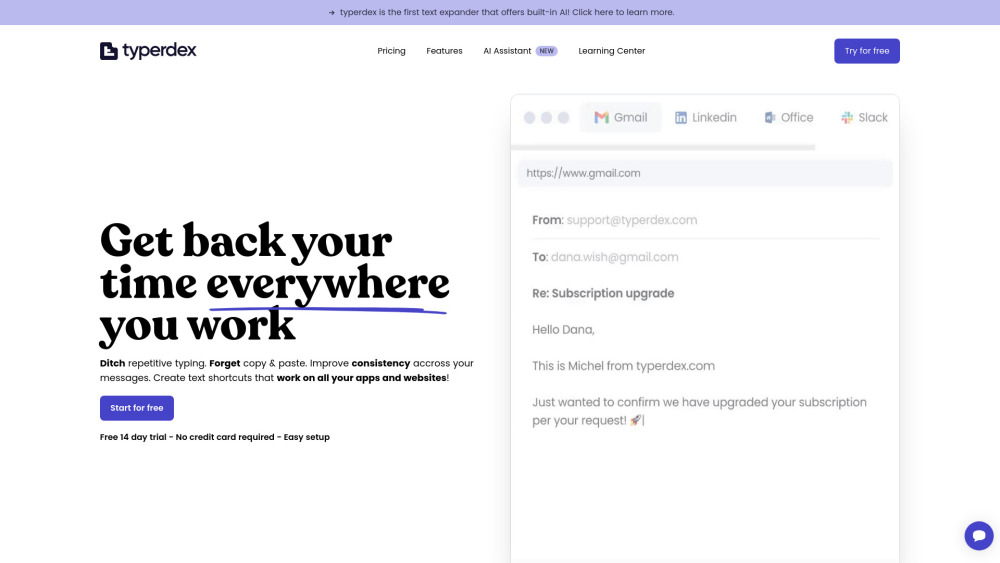
Typerdex is an intelligent, cross-platform text expander and canned responses toolkit engineered for modern professionals who type daily—from support agents and sales reps to developers and legal teams. Instead of retyping common phrases or juggling clipboard history, Typerdex lets you define smart shortcuts (like ;quote or ;offboarding) that expand instantly—anywhere you type: email clients, CRMs, docs, chat apps, and even desktop software. Built-in AI assistance—including seamless ChatGPT integration—helps craft context-aware, human-sounding replies on demand. The result? Faster workflows, fewer errors, unified team voice, and measurable time savings—without changing how or where you work.
How Typerdex Works
Getting started takes seconds: install the lightweight app (Windows/macOS) or browser extension, create your first snippet, and start typing its trigger—no setup, no permissions, no API keys. Insert snippets via typed triggers (e.g., ;greeting → “Hi there! Thanks for reaching out…”), global hotkeys, or right-click menus. Teams benefit from real-time sync, shared folders, versioned templates, and role-based access—all while retaining full control over sensitive or branded content. Dynamic fields ({name}, {date}, {project}) auto-populate for personalization, and AI suggestions adapt based on your tone, audience, and intent.
Typerdex’s Core Features
Smart canned responses & customizable text snippets
Native apps for Windows & macOS + extensions for Chrome, Edge, Firefox, and Safari
Zero-integration workflow: works in Gmail, Slack, Notion, Salesforce, Word, Discord—and beyond
Team collaboration hub: shared libraries, folder permissions, activity logs, and change notifications
AI-assisted response generation: generate, refine, or translate replies using built-in LLM models
Context-aware variables: insert names, dates, links, calculations, or custom data on-the-fly
One-tap insertion: keyboard shortcuts, menu commands, or auto-trigger expansion
Rich media support: embed images, screenshots, or QR codes directly into snippets
End-to-end encrypted cloud sync: backup, restore, and access your library across devices
Multi-language variants: maintain localized versions of key responses with one-click switching
Who Uses Typerdex?
Customer support teams scaling consistent, empathetic replies
Sales reps accelerating cold outreach and follow-ups
HR professionals automating onboarding, offboarding, and policy comms
Developers documenting APIs, writing PR comments, or templating boilerplate code
Legal & compliance teams drafting standardized notices, NDAs, and disclosures
Consultants and freelancers sending estimates, scope summaries, and invoices
Marketing teams deploying campaign-specific CTAs, social replies, and asset links
Recruiters managing candidate updates, interview scheduling, and rejection messages
Operations staff standardizing internal SOPs, status reports, and escalation paths
Educators sharing syllabi, feedback templates, and grading rubrics
Executives streamlining executive summaries, board updates, and stakeholder comms
Anyone tired of copying, pasting, editing—and repeating
Teams committed to preserving authenticity—even in templated communication
Organizations prioritizing security, compliance, and audit-ready response governance
Frequently Asked Questions
-
Can I try Typerdex before committing?
-
Is there a free tier available?
-
Do you offer special pricing for nonprofits or educators?
-
Are volume discounts available for larger teams?
-
Does Typerdex integrate with every tool I use?
-
Can I activate my license on multiple devices?
-
Can I migrate existing snippets from other tools?
-
What’s your refund policy?
-
Typerdex Support & Contact Information
Reach our responsive support team at [email protected]. For faster assistance, visit the official contact page.
-
About Typerdex
Typerdex is developed and maintained by Typerdex, a productivity-first software company focused on reducing cognitive load through intelligent automation—respecting user privacy, control, and creative voice.
-
Follow Typerdex on X (Twitter)
Stay updated with tips, feature releases, and workflow hacks: https://x.com/typerdexapp
FAQ from Typerdex
What is Typerdex?
Typerdex is a secure, cross-platform text expander and intelligent canned responses platform that eliminates repetitive typing across desktop, web, and mobile environments. It empowers individuals and distributed teams to build reusable, dynamic, and AI-enhanced reply templates—deployed instantly, consistently, and privately—without relying on third-party integrations or compromising data sovereignty.
How to use Typerdex?
Create snippets in seconds—assign a trigger (e.g., ;meeting), write your content, add variables ({attendees}), enable AI suggestions, and save. Then type that trigger anywhere—your email, Slack, Jira, or even Excel—and watch it expand. Team admins can curate shared libraries, enforce usage guidelines, and track adoption—all from a single dashboard.
Can I try it first?
Absolutely. Request a complimentary 14-day trial license directly via support. Need extended evaluation or multi-seat testing? Just ask—we’ll accommodate your workflow needs.
Do you offer a free plan?
Yes—the Free Plan includes up to 10 personal snippets, basic variables, and access to core browser and desktop apps. Ideal for solo users exploring automation fundamentals.
Do you offer discounts for non-profits?
We proudly support mission-driven organizations. Verified nonprofits, academic institutions, and educators receive discounted annual plans—contact us to verify eligibility and apply.
Do you offer discounts for larger accounts?
Yes. Teams of 15+ qualify for scalable enterprise pricing—including SSO, SCIM provisioning, audit logs, and dedicated onboarding. Get a tailored quote by reaching out to sales.
Does it work with everything?
Yes—it operates at the OS level (not as a website plugin), so it functions wherever text input is possible: native apps (Outlook, Word), web apps (Gmail, Zendesk), IDEs (VS Code), and even kiosk or legacy systems. No permission walls. No compatibility limits.
Can I use my key on several devices?
Your license covers unlimited devices under a single user account—laptop, desktop, tablet—simultaneously. Sharing credentials across users violates our Terms of Service and impacts security and sync integrity.
Can I import my previous contents?
We provide simple CSV/JSON import tools—and if your prior system lacks export options, our support team will manually assist with migration at no extra cost.
What's your refund policy?
All paid plans include a no-questions-asked 30-day money-back guarantee. After 30 days, subscriptions may be canceled anytime—but unused months are not prorated. Refunds are processed within 5 business days.