AI Story Writing

Tell Me A Story

Engage your child's imagination with Tell Me A Story: an iPhone app for creating and narrating exciting tales in any language, perfect for sharing and saving!

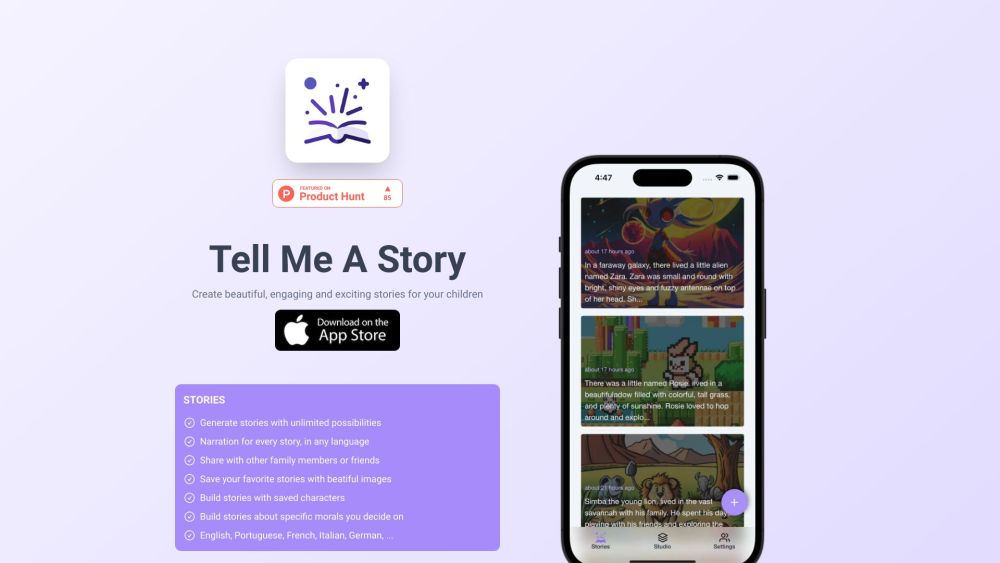
Tell Me A Story website preview

Tell Me A Story Website screenshot

What is Tell Me A Story?

Tell Me A Story is an innovative iPhone app designed to craft captivating and imaginative stories for children. With endless possibilities, this app allows users to create stories in any language, complete with narration, and share them with loved ones. Additionally, users can save their favorite stories adorned with beautiful images and build narratives around specific morals or themes.

How to use Tell Me A Story?

Using Tell Me A Story is straightforward. Start by downloading and installing the app on your iPhone. After installation, you can begin creating stories by selecting characters, setting scenes, and choosing environments. The app offers narration options in multiple languages and facilitates easy saving and sharing of stories. You can also construct stories around particular morals or themes tailored to your child's needs.

Tell Me A Story's Core Features

Create stories with endless possibilities

Multilingual narration for every story

Easily share stories with family and friends

Save cherished stories with stunning visuals

Build narratives using saved characters

Construct stories with specific morals

Supports numerous languages

Create personalized profiles for children

Customize scenes and environments

Frequent updates with new features

Tell Me A Story's Use Cases

Crafting bedtime stories for children

Engaging children in creative storytelling

Enhancing children's imagination and language skills

Sharing unique stories with family and friends

Teaching valuable morals through storytelling

  • Tell Me A Story Support Email & Customer Service Contact

    If you need support, contact us at: [email protected] .

  • Tell Me A Story on Twitter

    Follow us on Twitter: https://twitter.com/tellmeastoryhq

Product source: Tell Me A Story official website. Check the provider for current plans, limits and availability.

FAQ

Tell Me A Story questions and answers

Product context and practical checks for evaluating Tell Me A Story.

What is Tell Me A Story used for?

Engage your child's imagination with Tell Me A Story: an iPhone app for creating and narrating exciting tales in any language, perfect for sharing and saving!

How do I get started with Tell Me A Story?

Using Tell Me A Story is straightforward. Start by downloading and installing the app on your iPhone. After installation, you can begin creating stories by selecting characters, setting scenes, and choosing environments. The app offers narration options in multiple languages and facilitates easy saving and sharing of stories. You can also construct stories around particular morals or themes tailored to your child's needs.

Which capabilities are described for Tell Me A Story?

Create stories with endless possibilitiesMultilingual narration for every storyEasily share stories with family and friendsSave cherished stories with stunning visualsBuild narratives using saved charactersConstruct stories with specific moralsSupports numerous languagesCreate personalized profiles for childrenCustomize scenes and environmentsFrequent updates with new features

What projects can I evaluate Tell Me A Story for?

Crafting bedtime stories for childrenEngaging children in creative storytellingEnhancing children's imagination and language skillsSharing unique stories with family and friendsTeaching valuable morals through storytelling Tell Me A Story Support Email & Customer Service Contact If you need support, contact us at: [email protected] . Tell Me A Story on Twitter Follow us on Twitter: https://twitter.com/tellmeastoryhq

What should I compare before choosing a Tell Me A Story plan?

Check Tell Me A Story’s current pricing page for included usage, renewal terms and any credit charges. Compare the cost of a usable result, including retries, rather than assuming that account registration includes free usage.

What inputs should I prepare for a Tell Me A Story trial?

Identify the files, text or account connections your task needs. Confirm that the product accepts those inputs and offers controls for reviewing its work.

How can I check the quality of a Tell Me A Story result?

Test one representative task and inspect the result for accuracy and completeness. Record where manual corrections or extra tools are needed.

Which export options should I check in Tell Me A Story?

Check export formats, integrations and whether you can keep using your work outside the service. Test a real export before committing to a longer plan.

What is a practical way to test Tell Me A Story against alternatives?

Choose one task with a clear success condition. Keep the input consistent, record the time spent reviewing and compare the complete workflow cost.

Where is the official Tell Me A Story website?

The website linked from this profile is https://tellmeastoryai.app. Use the provider’s own documentation, account area and support channels to confirm current product details.

Visit Tell Me A Story