Writing Assistants

TeamCreate AI

TeamCreate AI: Empower your team on Slack with AI co-workers for finance, sales, product, and more. Transform collaboration with role-specific AI assistance.

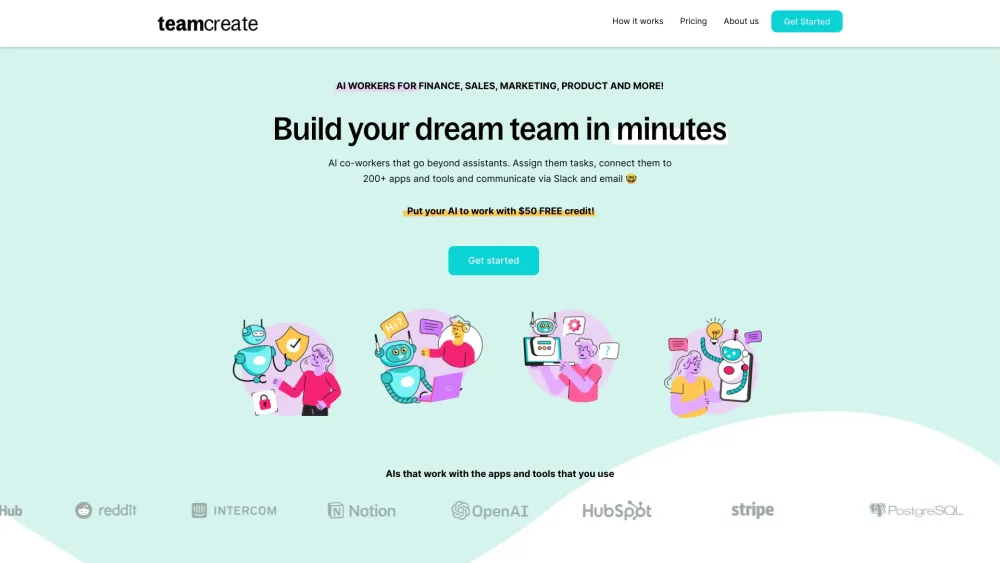
TeamCreate AI website preview

TeamCreate AI Website screenshot

Discover TeamCreate AI

Transform your workflow with TeamCreate AI, a platform that brings versatile AI co-workers to Slack, designed to handle various roles such as finance, sales, product management, marketing, and operations.

Getting Started with TeamCreate AI

Step 1: Add TeamCreate to Slack with a single click. @teamcreate manages AI creation, payments, and support. Support for Microsoft Teams, Discord, and WhatsApp is coming soon. Step 2: Message @teamcreate to generate a new AI worker. Assign the AI to a team, designate a manager, and specify details such as name, job title, and responsibilities, or let @teamcreate provide recommendations. Step 3: Provide your AI worker with email and app access required for their role, ensuring security controls are in place. They will consult their manager if needed. Step 4: Treat your AI worker like a new, fast-learning team member. Assign tasks and make use of their multilingual capabilities (English, Mandarin, Spanish) for smooth integration.

Key Features of TeamCreate AI

Versatile AI Workers for Various Roles

TeamCreate AI offers customizable AI workers suited for roles in Sales, Marketing, Finance, Product Management, Support, and Operations.

Applications of TeamCreate AI

Automate QuickBooks tasks, including billing and payments

Identify and manage sales prospects in HubSpot

Generate financial projections and conduct cash flow analysis

Create and manage content on Notion, including document links

Product source: TeamCreate AI official website. Check the provider for current plans, limits and availability.

FAQ

TeamCreate AI questions and answers

Product context and practical checks for evaluating TeamCreate AI.

What is TeamCreate AI used for?

TeamCreate AI: Empower your team on Slack with AI co-workers for finance, sales, product, and more. Transform collaboration with role-specific AI assistance.

How do I get started with TeamCreate AI?

Step 1: Add TeamCreate to Slack with a single click. @teamcreate manages AI creation, payments, and support. Support for Microsoft Teams, Discord, and WhatsApp is coming soon. Step 2: Message @teamcreate to generate a new AI worker. Assign the AI to a team, designate a manager, and specify details such as name, job title, and responsibilities, or let @teamcreate provide recommendations. Step 3: Provide your AI worker with email and app access required for their role, ensuring security controls are in place. They will consult their manager if needed. Step 4: Treat your AI worker like a new, fast-learning team member. Assign tasks and make use of their multilingual capabilities (English, Mandarin, Spanish) for smooth integration.

Which capabilities are described for TeamCreate AI?

Versatile AI Workers for Various RolesTeamCreate AI offers customizable AI workers suited for roles in Sales, Marketing, Finance, Product Management, Support, and Operations.

What projects can I evaluate TeamCreate AI for?

Automate QuickBooks tasks, including billing and paymentsIdentify and manage sales prospects in HubSpotGenerate financial projections and conduct cash flow analysisCreate and manage content on Notion, including document links Learn More About TeamCreate AI For more information, visit our About Us page. TeamCreate AI Pricing Find pricing details at our Pricing Plans page. Follow TeamCreate AI on Social Media Facebook: TeamCreate AI Facebook Twitter: TeamCreate AI Twitter Instagram: TeamCreate AI Instagram

What should I compare before choosing a TeamCreate AI plan?

Find pricing details at our Pricing Plans page. Confirm current prices and allowances on the provider’s website before purchasing.

What inputs should I prepare for a TeamCreate AI trial?

Identify the files, text or account connections your task needs. Confirm that the product accepts those inputs and offers controls for reviewing its work.

How can I check the quality of a TeamCreate AI result?

Test one representative task and inspect the result for accuracy and completeness. Record where manual corrections or extra tools are needed.

Which export options should I check in TeamCreate AI?

Check export formats, integrations and whether you can keep using your work outside the service. Test a real export before committing to a longer plan.

What is a practical way to test TeamCreate AI against alternatives?

Choose one task with a clear success condition. Keep the input consistent, record the time spent reviewing and compare the complete workflow cost.

Where is the official TeamCreate AI website?

The website linked from this profile is https://teamcreate.ai. Use the provider’s own documentation, account area and support channels to confirm current product details.

Visit TeamCreate AI