AI Content Generator

Supernormal

Supernormal: AI Tool for Transcribing & Writing Google Meet Notes. Automatically transcribes and writes meeting notes, saving time and enabling instant sharing.

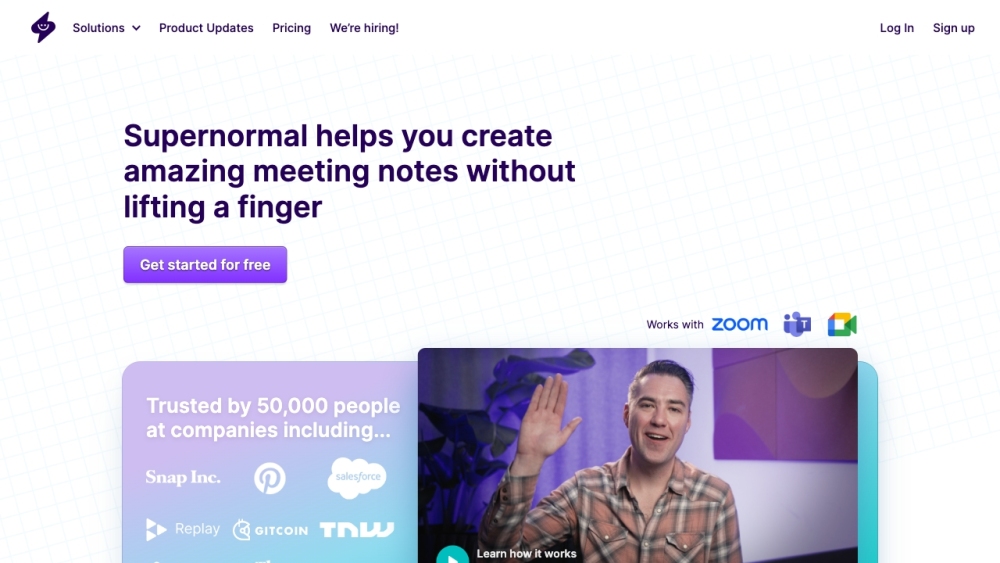
Supernormal website preview

Supernormal Website screenshot

Introducing Supernormal

Supernormal is a cutting-edge AI tool designed to automatically transcribe and generate meeting notes for Google Meet. It helps streamline the note-taking process, eliminating the need for manual entry, and offers instant sharing capabilities to various platforms, thereby saving significant time and effort.

Getting Started with Supernormal

To begin using Supernormal, you can install either the Chrome Extension or the Supernormal Notetaker, which is compatible with Google Meet, Zoom, and Microsoft Teams. During meetings, Supernormal will autonomously take notes and format them as per your specifications. Post-meeting, these notes can be easily accessed and searched from a single, centralized location. It also allows for tracking action items and the creation of custom templates. Additionally, you can set up automatic note sharing.

Key Features of Supernormal

Automated transcription for meetings

Seamless integration with Google Drive, Notion, Quip, Slack, Hubspot, Salesforce, and more

Centralized repository and searchable meeting notes

Action item tracking and management

Customizable templates for note-taking

Automated note sharing functionality

Applications of Supernormal

Individuals can effortlessly keep track of tasks from meetings

Managers can enhance meeting efficiency and ensure team alignment

Leaders can enable teams to follow up on cross-departmental tasks

Ideal for digital agencies, marketing teams, sales teams, product management teams, and HR teams for efficient note-taking

Product source: Supernormal official website. Check the provider for current plans, limits and availability.

FAQ

Supernormal questions and answers

Product context and practical checks for evaluating Supernormal.

What is Supernormal used for?

Supernormal: AI Tool for Transcribing & Writing Google Meet Notes. Automatically transcribes and writes meeting notes, saving time and enabling instant sharing.

How do I get started with Supernormal?

To begin using Supernormal, you can install either the Chrome Extension or the Supernormal Notetaker, which is compatible with Google Meet, Zoom, and Microsoft Teams. During meetings, Supernormal will autonomously take notes and format them as per your specifications. Post-meeting, these notes can be easily accessed and searched from a single, centralized location. It also allows for tracking action items and the creation of custom templates. Additionally, you can set up automatic note sharing.

Which capabilities are described for Supernormal?

Automated transcription for meetingsSeamless integration with Google Drive, Notion, Quip, Slack, Hubspot, Salesforce, and moreCentralized repository and searchable meeting notesAction item tracking and managementCustomizable templates for note-takingAutomated note sharing functionality

What projects can I evaluate Supernormal for?

Individuals can effortlessly keep track of tasks from meetingsManagers can enhance meeting efficiency and ensure team alignmentLeaders can enable teams to follow up on cross-departmental tasksIdeal for digital agencies, marketing teams, sales teams, product management teams, and HR teams for efficient note-taking About Supernormal Company Name: Supernormal Technologies, Inc. Supernormal Login Login Link: https://app.supernormal.com/ Supernormal Pricing Pricing Link: https://supernormal.com/pricing Supernormal on LinkedIn LinkedIn Link: https://www.linkedin.com/company/supernormalapp/ Supernormal on Twitter Twitter Link: https://twitter.com/supernormalapp Supernormal on Instagram Instagram Link: https://www.instagram.com/supernormalapp/

What should I compare before choosing a Supernormal plan?

Pricing Link: https://supernormal.com/pricing Confirm current prices and allowances on the provider’s website before purchasing.

What inputs should I prepare for a Supernormal trial?

Compare support for source documents, style instructions, outlines and length limits. Check whether citations link to real material rather than merely looking like references.

How can I check the quality of a Supernormal result?

Verify names, dates, quotations and factual claims against the original sources. Edit tone, remove repetition and make sure the text answers the intended reader’s question.

Which export options should I check in Supernormal?

Check export to plain text, Markdown, documents or your publishing system. Formatting, headings and working links matter when moving a draft into production.

What is a practical way to test Supernormal against alternatives?

Use a real brief and a short source document. Compare factual accuracy, structure and editing time rather than accepting the longest or most confident draft.

Where is the official Supernormal website?

The website linked from this profile is https://supernormal.com. Use the provider’s own documentation, account area and support channels to confirm current product details.

Visit Supernormal