What is SuperCraft?
SuperCraft is an AI-driven design workspace that turns written ideas into detailed 3D product concepts, realistic visualizations, and editable design assets within seconds. Built for product developers, industrial designers, engineers, marketers, and creative teams, this SuperCraft AI platform simplifies the journey from an early idea to a presentation-ready or production-oriented model. Instead of spending hours building every component manually, users can describe a product in natural language and receive a range of visual directions almost instantly.
With SuperCraft online, a simple prompt can become a product sketch, a polished render, or a three-dimensional model suitable for further development. The tool supports many types of projects, including packaging, consumer goods, footwear, furniture, interiors, and branded environments. Its rapid generation process helps teams test more possibilities, communicate ideas clearly, and move from concept exploration to design refinement with less friction.
How to Use SuperCraft
Using SuperCraft begins with a written description of the product you want to explore. Add information about the object’s shape, materials, colors, proportions, use case, and visual style to create an initial set of concepts. You can also describe the desired camera angle, background, lighting, and level of realism when you need a render for a presentation or review.
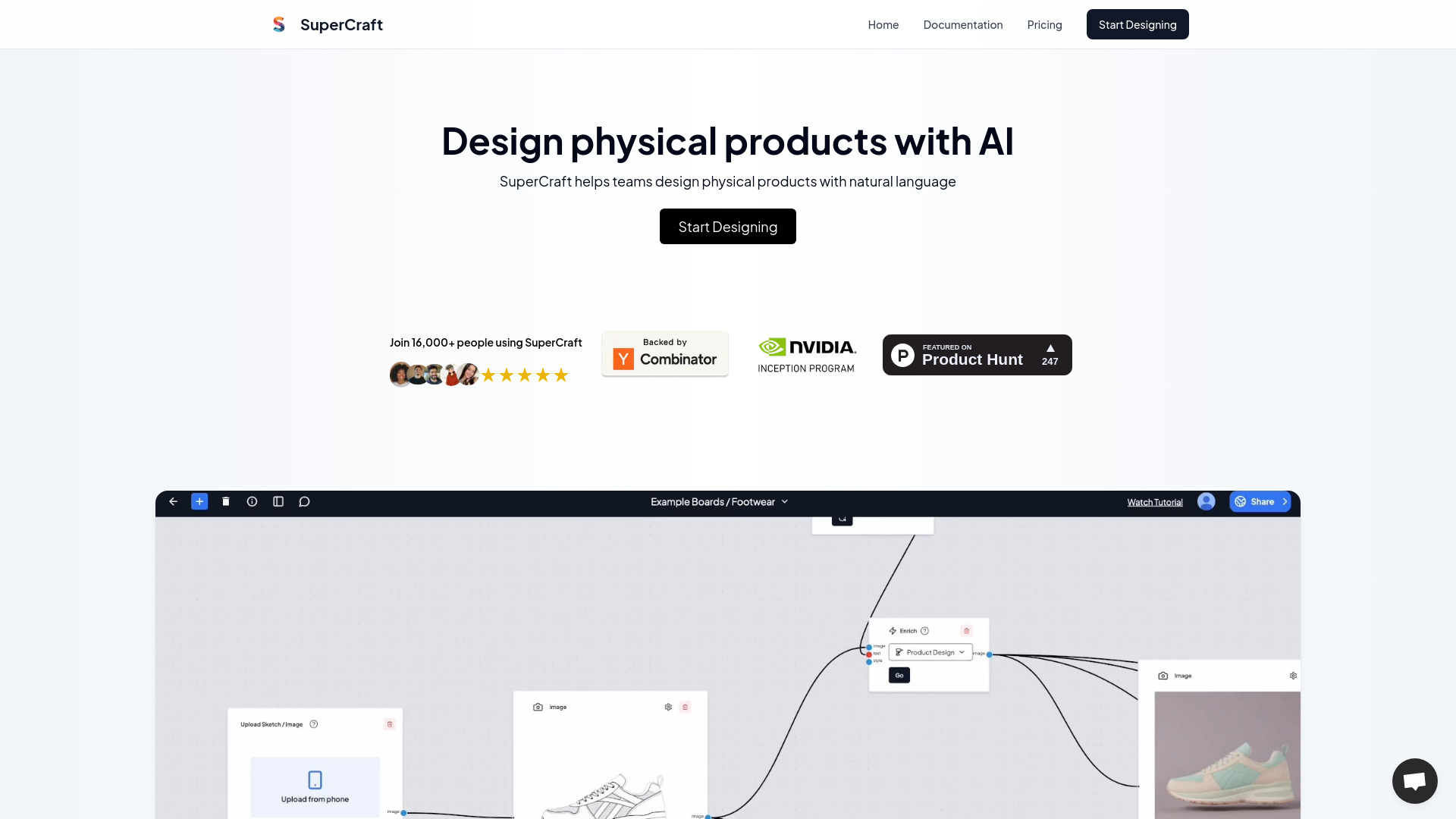
SuperCraft can work from more than text alone. Upload a rough drawing, reference image, wireframe, or technical visual, then add instructions explaining how the design should be interpreted. The platform can develop a basic sketch into a more refined product visualization while preserving the main structure of the source image. This makes it useful for designers who prefer to begin with quick hand-drawn ideas before exploring realistic materials and proportions.
When a concept needs adjustment, the inpainting tools make targeted revisions straightforward. Select a particular area of the image, describe the requested change, and let SuperCraft update that section without rebuilding the entire design. Users can also create alternative versions, combine separate visual elements with Compose, and move promising concepts toward detailed 3D models. Shared design boards provide a central place for teams to compare options, leave feedback, and make decisions during the development process.
Key Features of SuperCraft
- Natural-Language Product Ideation: Turn written product briefs into a selection of visual concepts without starting from a blank CAD file. This allows teams to explore form, function, materials, and styling during the earliest stage of development.
- Fast 3D Design Rendering: Produce polished product images in approximately one second per image, helping users review more directions and prepare visual materials quickly for clients, internal meetings, or launch planning.
- Sketch and Image Transformation: Upload hand drawings, wireframes, techpacks, or other references and use text instructions to guide the creation of more complete and realistic design visualizations.
- Focused AI Editing: Change selected parts of a design by marking the relevant area and explaining the desired result. This supports adjustments to colors, materials, components, silhouettes, backgrounds, and other visual details.
- 2D to 3D Model Creation: Develop three-dimensional assets from two-dimensional concepts, creating a useful bridge between visual ideation, prototyping, technical refinement, and manufacturing preparation.
- Design Composition Tools: Combine several objects, references, or visual details into a single product scene. Compose helps users build more complex concepts without manually reconstructing every element.
- Shared Review Boards: Give collaborators a dedicated space to organize concepts, compare variations, write comments, and approve preferred directions as a project develops.
Why Choose SuperCraft?
SuperCraft gives product teams a faster way to move through the design process while keeping early creative exploration accessible. Conventional product development can require multiple specialist tools for sketching, rendering, modeling, presentation design, and review. SuperCraft brings many of these activities into one AI-supported workflow, allowing users to investigate an idea before investing significant time in detailed construction.
The platform is especially useful when a team needs to evaluate several possibilities quickly. A designer can generate variations of a product’s silhouette, experiment with alternative finishes, or show the same object in different settings with a few changes to the prompt. Engineers and product managers can use realistic visuals to discuss form and function earlier, while marketing teams can review possible packaging or product directions before final assets are available.
SuperCraft also reduces the communication gap between technical and creative teams. A rough concept can be turned into a visual reference that is easier for stakeholders to understand than a written description alone. Collaborative boards then help organize feedback in one place, making it easier to identify the strongest direction and keep approval discussions connected to the relevant designs. The platform can support independent creators, agencies, startups, and larger organizations that need to produce and evaluate ideas at a higher pace.
Use Cases and Applications
Packaging teams can use SuperCraft to explore box structures, bottles, labels, pouches, and retail presentation concepts. A written brand brief can become several packaging directions, while reference images and sketches can guide the system toward a specific visual identity. Realistic shelf scenes and product mockups make it easier for clients and stakeholders to understand how a proposed package may appear in a retail environment.
Footwear and apparel designers can use the platform to develop ideas from techpacks, mood boards, or rough footwear sketches. SuperCraft can help visualize different uppers, soles, stitching patterns, materials, and colorways before physical samples are commissioned. This supports virtual sampling and gives teams a faster way to compare options during early product development.
Furniture and interior design professionals can create concepts for chairs, tables, lighting fixtures, storage systems, and decorative objects. They can also place products into room scenes to study scale, material combinations, and overall atmosphere. Interior teams may use the tool to generate alternative layouts or finishes before completing detailed CAD documentation.
Architectural and spatial design teams can explore facade treatments, kiosks, retail displays, exhibition structures, and branded environments. Early sketches can be transformed into realistic visual studies that help clients assess the direction before the project reaches a more detailed modeling stage. The ability to generate multiple visual alternatives can make design presentations more informative and efficient.
Industrial designers can continue working with the speed and flexibility of hand sketching while using AI to develop more polished outcomes. A quick drawing can become a realistic product image that supports discussions about proportions, materials, ergonomics, and styling. Marketing and sales departments can also use SuperCraft renders for early campaign planning, product previews, and internal presentations while final production assets are still being prepared.