AI Image Enhancer

SupaRes

SupaRes: AI Image Enhancement. Instantly upscale, restore, and optimize your images with professional quality. Fast, flawless, and effortless results every time!

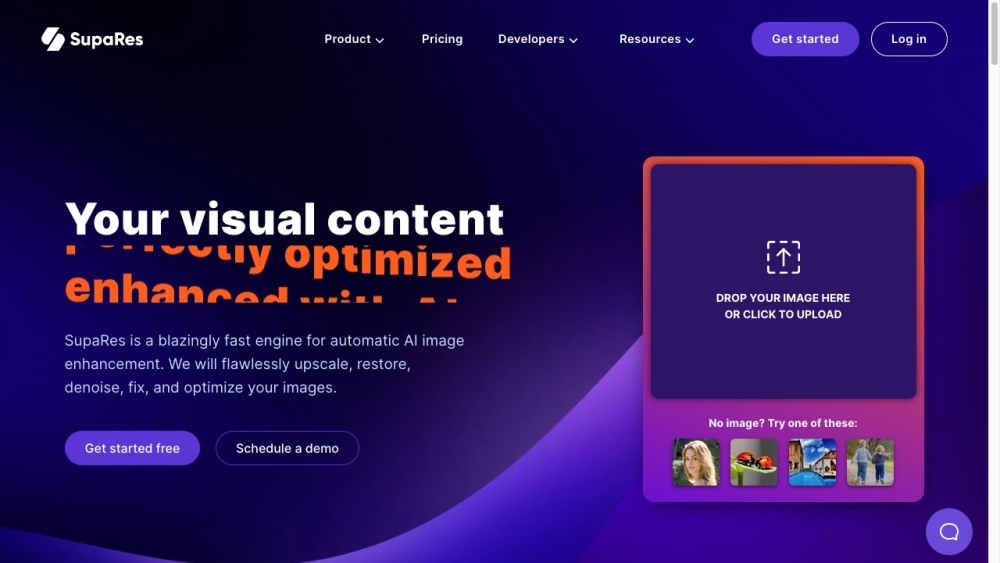
SupaRes website preview

SupaRes Website screenshot

What is SupaRes?

SupaRes is a cutting-edge AI-powered tool designed for rapid and automatic image enhancement. It offers the ability to upscale, restore, denoise, correct, and optimize images with remarkable precision. With SupaRes, achieving high-quality, professional-grade images is effortless.

How to use SupaRes?

Using SupaRes is straightforward. Simply upload your image to the platform, and the AI algorithms will handle the enhancement process. Choose from a variety of options including super-resolution, face enhancement, tone adjustments, artifact reduction, low-light boost, and noise removal. After the enhancement is done, download your improved image for any purpose you need.

SupaRes's Core Features

Super Resolution: Transform low-resolution images into high-definition quality.

Face Enhancement: Automatically detect and refine facial features for high-resolution portraits.

Tone Adjustments: Fine-tune light, color, and white balance to enhance image vibrancy.

Artifact Reduction: Eliminate compression artifacts to restore image clarity.

Low-Light Boost: Brighten and enhance images taken in poor lighting conditions.

Noise Removal: Reduce noise while maintaining the original texture and details of the image.

SupaRes's Use Cases

Web Design

Real Estate

Marketing

Publishing

Product source: SupaRes official website. Check the provider for current plans, limits and availability.

FAQ

SupaRes questions and answers

Product context and practical checks for evaluating SupaRes.

What is SupaRes used for?

SupaRes: AI Image Enhancement. Instantly upscale, restore, and optimize your images with professional quality. Fast, flawless, and effortless results every time!

How do I get started with SupaRes?

Using SupaRes is straightforward. Simply upload your image to the platform, and the AI algorithms will handle the enhancement process. Choose from a variety of options including super-resolution, face enhancement, tone adjustments, artifact reduction, low-light boost, and noise removal. After the enhancement is done, download your improved image for any purpose you need.

Which capabilities are described for SupaRes?

Super Resolution: Transform low-resolution images into high-definition quality.Face Enhancement: Automatically detect and refine facial features for high-resolution portraits.Tone Adjustments: Fine-tune light, color, and white balance to enhance image vibrancy.Artifact Reduction: Eliminate compression artifacts to restore image clarity.Low-Light Boost: Brighten and enhance images taken in poor lighting conditions.Noise Removal: Reduce noise while maintaining the original texture and details of the image.

What projects can I evaluate SupaRes for?

Web DesignReal EstateMarketingPublishing SupaRes Support Email & Customer Service Contact & Refund Contact For more contact information, visit the contact us page. SupaRes Company Company Name: Optidash GmbH For more details, visit the about us page. SupaRes Login Login Link: https://app.supares.com/ SupaRes Sign Up Sign Up Link: https://app.supares.com/signup SupaRes Pricing Pricing Information: https://supares.com/pricing

What should I compare before choosing a SupaRes plan?

Pricing Information: https://supares.com/pricing Confirm current prices and allowances on the provider’s website before purchasing.

What inputs should I prepare for a SupaRes trial?

Look for text prompts, image references, masks or sketches as appropriate. Compare composition control, supported upload types and the ability to revise a selected area.

How can I check the quality of a SupaRes result?

Inspect text, hands, edges, reflections and repeated objects at full size. Check that important product or brand details survive editing.

Which export options should I check in SupaRes?

Compare pixel dimensions, transparency, file formats and any enlargement options. Confirm that the downloaded result works in your design or publishing software.

What is a practical way to test SupaRes against alternatives?

Prepare a brief with a subject, composition, lighting and required output size. Test a first generation and a targeted revision to see how much control you retain.

Where is the official SupaRes website?

The website linked from this profile is https://supares.com. Use the provider’s own documentation, account area and support channels to confirm current product details.

Visit SupaRes