Writing Assistants

Stylo

Transform your customer support with Stylo: AI-powered assistance for ticket handling, automatic translations, satisfaction predictions, and Zendesk integration.

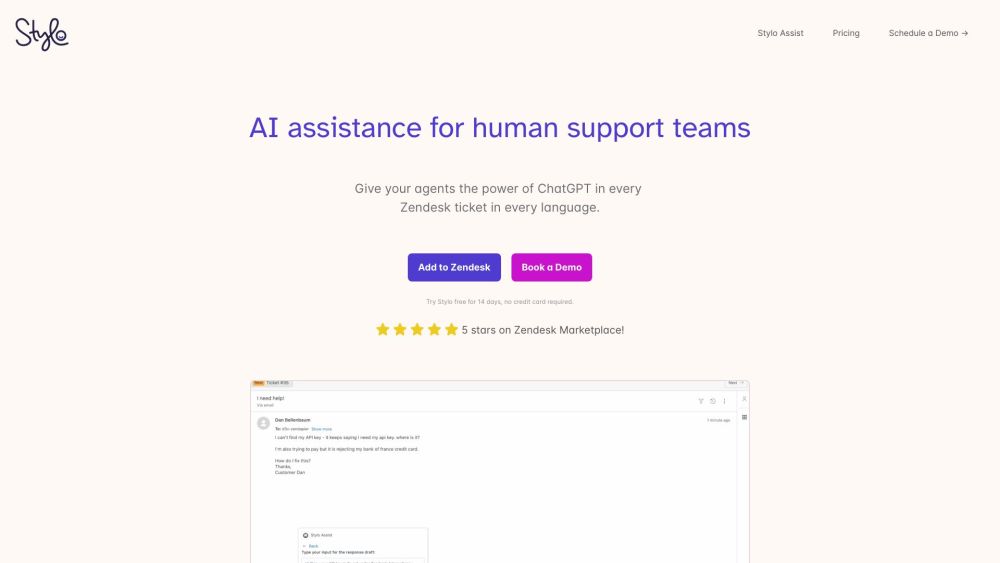
Stylo website preview
html

Stylo Website screenshot

What is Stylo?

Stylo is a cutting-edge AI support assistant designed to enhance customer experience by recommending effective ways to allocate time. Its key features include automatic ticket translation, customer satisfaction prediction, identification and escalation of angry tickets, and the creation of personalized responses. With seamless integration into Zendesk, Stylo offers AI-driven assistance in multiple languages.

How to use Stylo?

To utilize Stylo, simply integrate it into your Zendesk ticketing system. After integration, Stylo Assist becomes available in every ticket, providing AI-powered support to your agents. It can interpret customer comments and issues, craft unique responses, translate tickets in any language, predict customer satisfaction levels, and identify and escalate angry tickets promptly. Just input a real customer query or problem to see how Stylo generates a response.

Stylo's Core Features

Generate unique responses for each ticket

Automatically translate tickets between any languages

Predict customer satisfaction without surveys

Real-time escalation of angry tickets

Integrate with Zendesk for multilingual AI assistance

Stylo's Use Cases

Enhance customer satisfaction and reduce response times

Optimize support team efficiency by identifying gaps and improving processes

Address customer issues proactively to avoid negative feedback

Improve customer support with precise sentiment analysis

  • Stylo Support Email & Customer service contact & Refund contact etc.

    For more contact details, visit the contact us page.

  • Stylo Company

    Company name: Stylo, Inc.

    For more information about Stylo, visit the about us page.

  • Stylo Pricing

    For pricing details, visit the pricing page.

Product source: Stylo official website. Check the provider for current plans, limits and availability.

FAQ

Stylo questions and answers

Product context and practical checks for evaluating Stylo.

What is Stylo used for?

Transform your customer support with Stylo: AI-powered assistance for ticket handling, automatic translations, satisfaction predictions, and Zendesk integration.

How do I get started with Stylo?

To utilize Stylo, simply integrate it into your Zendesk ticketing system. After integration, Stylo Assist becomes available in every ticket, providing AI-powered support to your agents. It can interpret customer comments and issues, craft unique responses, translate tickets in any language, predict customer satisfaction levels, and identify and escalate angry tickets promptly. Just input a real customer query or problem to see how Stylo generates a response.

Which capabilities are described for Stylo?

Generate unique responses for each ticketAutomatically translate tickets between any languagesPredict customer satisfaction without surveysReal-time escalation of angry ticketsIntegrate with Zendesk for multilingual AI assistance

What projects can I evaluate Stylo for?

Enhance customer satisfaction and reduce response timesOptimize support team efficiency by identifying gaps and improving processesAddress customer issues proactively to avoid negative feedbackImprove customer support with precise sentiment analysis Stylo Support Email & Customer service contact & Refund contact etc. For more contact details, visit the contact us page. Stylo Company Company name: Stylo, Inc. For more information about Stylo, visit the about us page. Stylo Pricing For pricing details, visit the pricing page.

What should I compare before choosing a Stylo plan?

For pricing details, visit the pricing page. Confirm current prices and allowances on the provider’s website before purchasing.

What inputs should I prepare for a Stylo trial?

Identify the files, text or account connections your task needs. Confirm that the product accepts those inputs and offers controls for reviewing its work.

How can I check the quality of a Stylo result?

Test one representative task and inspect the result for accuracy and completeness. Record where manual corrections or extra tools are needed.

Which export options should I check in Stylo?

Check export formats, integrations and whether you can keep using your work outside the service. Test a real export before committing to a longer plan.

What is a practical way to test Stylo against alternatives?

Choose one task with a clear success condition. Keep the input consistent, record the time spent reviewing and compare the complete workflow cost.

Where is the official Stylo website?

The website linked from this profile is https://askstylo.com. Use the provider’s own documentation, account area and support channels to confirm current product details.

Visit Stylo