AI Content Generator

StoryFlash

StoryFlash: Transform news into engaging audio with synthetic voices and distribute effortlessly on top platforms. Automated podcast solution for content delivery.

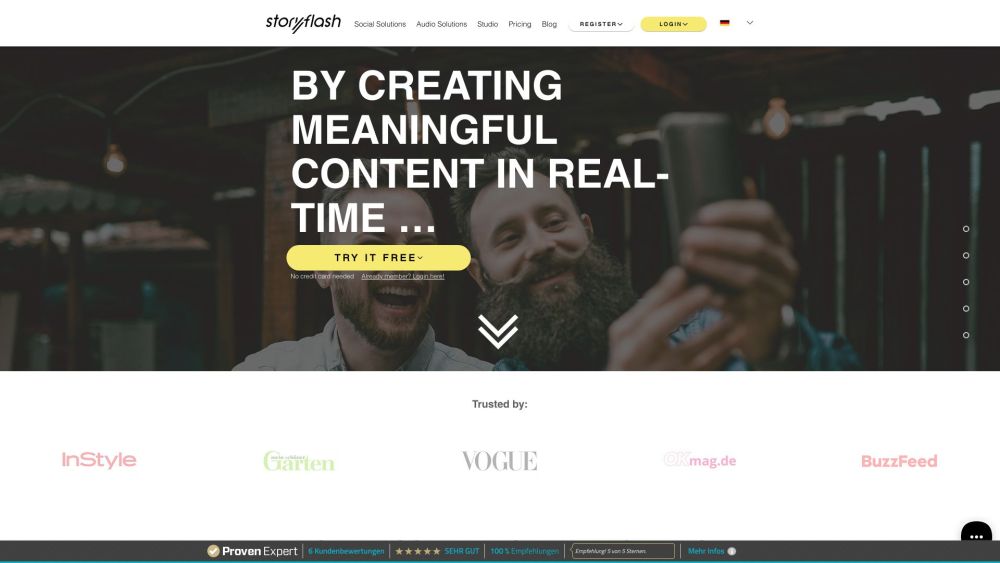
StoryFlash website preview

storyflash Website screenshot

What is StoryFlash?

StoryFlash is an innovative solution designed to convert written news content into audio using advanced synthetic voices. This automated system not only creates audio versions of your articles but also ensures their distribution on various popular platforms, making your content more accessible and engaging.

How to Use StoryFlash?

Getting started with StoryFlash is straightforward. Simply register or log in to your account. From there, you can transform your web articles into animated stories or audio pins with a single click. Additionally, you can create podcasts using your own scripts, enhanced by StoryFlash’s high-quality synthetic voices.

Core Features of StoryFlash

Automated Transformation of Content into Audio

Distribution Across Popular Platforms

Conversion of Web Articles into Animated Stories or Pins

Comprehensive Automation for Content Creation and Distribution

Synthetic Voices for Enhanced Podcasting

Use Cases for StoryFlash

Digital Publishers

Content Providers Active on Social Media

Creators Aiming to Engage Audiences Through Audio

  • StoryFlash Support Email & Customer Service

    For customer service, reach out via email: [email protected].

  • StoryFlash Company

    Company Name: StoryFlash GmbH.

    Company Address: Am Scheitenweg 40, 40589 Düsseldorf.

  • StoryFlash Login

    Login Link: Login Here

  • StoryFlash Sign Up

    Sign Up Link: Sign Up Here

  • StoryFlash Pricing

    Pricing Details: View Pricing

  • StoryFlash on LinkedIn

    LinkedIn Profile: StoryFlash LinkedIn

  • StoryFlash on Instagram

    Instagram Profile: StoryFlash Instagram

  • StoryFlash on Pinterest

    Pinterest Profile: StoryFlash Pinterest

Product source: StoryFlash official website. Check the provider for current plans, limits and availability.

FAQ

StoryFlash questions and answers

Product context and practical checks for evaluating StoryFlash.

What is StoryFlash used for?

StoryFlash: Transform news into engaging audio with synthetic voices and distribute effortlessly on top platforms. Automated podcast solution for content delivery.

How do I get started with StoryFlash?

Getting started with StoryFlash is straightforward. Simply register or log in to your account. From there, you can transform your web articles into animated stories or audio pins with a single click. Additionally, you can create podcasts using your own scripts, enhanced by StoryFlash’s high-quality synthetic voices.

Which capabilities are described for StoryFlash?

Automated Transformation of Content into AudioDistribution Across Popular PlatformsConversion of Web Articles into Animated Stories or PinsComprehensive Automation for Content Creation and DistributionSynthetic Voices for Enhanced Podcasting

What projects can I evaluate StoryFlash for?

Digital PublishersContent Providers Active on Social MediaCreators Aiming to Engage Audiences Through Audio StoryFlash Support Email & Customer Service For customer service, reach out via email: [email protected]. StoryFlash Company Company Name: StoryFlash GmbH. Company Address: Am Scheitenweg 40, 40589 Düsseldorf. StoryFlash Login Login Link: Login Here StoryFlash Sign Up Sign Up Link: Sign Up Here StoryFlash Pricing Pricing Details: View Pricing StoryFlash on LinkedIn LinkedIn Profile: StoryFlash LinkedIn StoryFlash on Instagram Instagram Profile: StoryFlash Instagram StoryFlash on Pinterest Pinterest Profile: StoryFlash Pinterest

What should I compare before choosing a StoryFlash plan?

Pricing Details: View Pricing Confirm current prices and allowances on the provider’s website before purchasing.

What inputs should I prepare for a StoryFlash trial?

Compare support for source documents, style instructions, outlines and length limits. Check whether citations link to real material rather than merely looking like references.

How can I check the quality of a StoryFlash result?

Verify names, dates, quotations and factual claims against the original sources. Edit tone, remove repetition and make sure the text answers the intended reader’s question.

Which export options should I check in StoryFlash?

Check export to plain text, Markdown, documents or your publishing system. Formatting, headings and working links matter when moving a draft into production.

What is a practical way to test StoryFlash against alternatives?

Use a real brief and a short source document. Compare factual accuracy, structure and editing time rather than accepting the longest or most confident draft.

Where is the official StoryFlash website?

The website linked from this profile is https://www.storyflash.net. Use the provider’s own documentation, account area and support channels to confirm current product details.

Visit StoryFlash