AI Content Generator

Stable Diffusion

Create art in seconds with Stable Diffusion: AI Art Maker. Upscale images, fix faces, and generate original masterpieces effortlessly. Free to use!

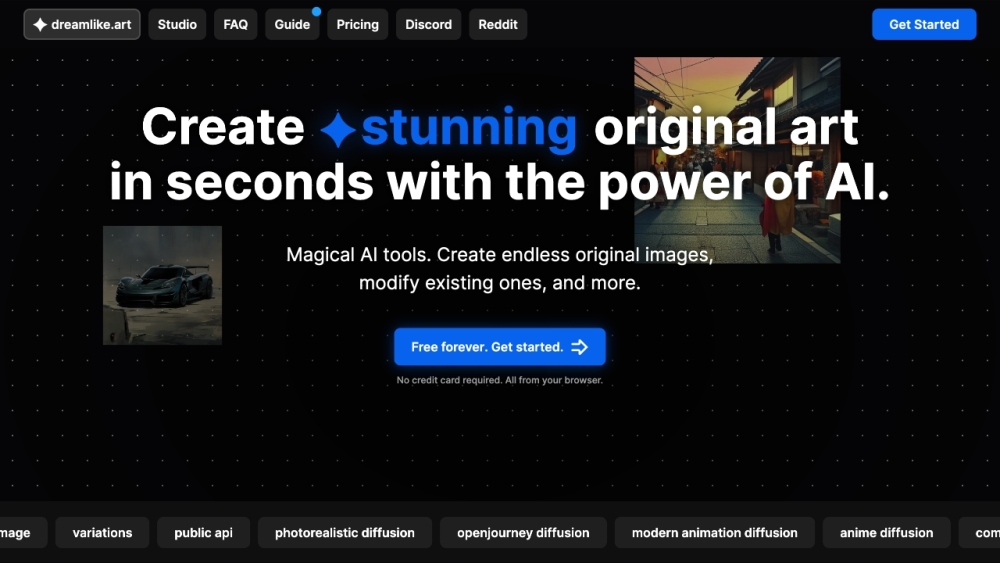
Stable Diffusion website preview

Stable Diffusion Website screenshot

What is Stable Diffusion?

Stable Diffusion is a powerful, free AI Art Generator and Maker, enabling users to create impressive original art in just seconds with AI technology. It includes functionalities such as image upscaling, generating variations, face corrections, and more.

How to use Stable Diffusion?

Using Stable Diffusion is straightforward. Visit the website through any browser without the need for complicated installations or additional software. Upload your image, select from a variety of AI models and parameters, and personalize your creation. The final art can be downloaded or further edited.

Stable Diffusion's Core Features

AI-powered image generation

Image upscaling

Face editing and fixing

Variations and customization

Multiple AI models to choose from

Advanced parameters for customization

Stable Diffusion's Use Cases

Stable Diffusion can be utilized for various purposes, including personal or commercial artwork, enhancing image quality via upscaling, correcting and editing facial features in photos, and creating unique variations of existing images, among other applications.

  • Stable Diffusion Support Email & Customer Service Contact & Refund Contact

    For customer service, contact Stable Diffusion support at: [email protected].

  • Stable Diffusion Company

    Company Name: Dreamlike Tech Ltd.

  • Stable Diffusion Pricing

    Check pricing details at: https://dreamlike.art/plans

  • Stable Diffusion Twitter

    Follow Stable Diffusion on Twitter: https://twitter.com/dreamlike_art

Product source: Stable Diffusion official website. Check the provider for current plans, limits and availability.

FAQ

Stable Diffusion questions and answers

Product context and practical checks for evaluating Stable Diffusion.

What is Stable Diffusion used for?

Create art in seconds with Stable Diffusion: AI Art Maker. Upscale images, fix faces, and generate original masterpieces effortlessly. Free to use!

How do I get started with Stable Diffusion?

Using Stable Diffusion is straightforward. Visit the website through any browser without the need for complicated installations or additional software. Upload your image, select from a variety of AI models and parameters, and personalize your creation. The final art can be downloaded or further edited.

Which capabilities are described for Stable Diffusion?

AI-powered image generationImage upscalingFace editing and fixingVariations and customizationMultiple AI models to choose fromAdvanced parameters for customization

What projects can I evaluate Stable Diffusion for?

Stable Diffusion can be utilized for various purposes, including personal or commercial artwork, enhancing image quality via upscaling, correcting and editing facial features in photos, and creating unique variations of existing images, among other applications. Stable Diffusion Support Email & Customer Service Contact & Refund Contact For customer service, contact Stable Diffusion support at: [email protected]. Stable Diffusion Company Company Name: Dreamlike Tech Ltd. Stable Diffusion Pricing Check pricing details at: https://dreamlike.art/plans Stable Diffusion Twitter Follow Stable Diffusion on Twitter: https://twitter.com/dreamlike_art

What should I compare before choosing a Stable Diffusion plan?

Check pricing details at: https://dreamlike.art/plans Confirm current prices and allowances on the provider’s website before purchasing.

What inputs should I prepare for a Stable Diffusion trial?

Look for text prompts, image references, masks or sketches as appropriate. Compare composition control, supported upload types and the ability to revise a selected area.

How can I check the quality of a Stable Diffusion result?

Inspect text, hands, edges, reflections and repeated objects at full size. Check that important product or brand details survive editing.

Which export options should I check in Stable Diffusion?

Compare pixel dimensions, transparency, file formats and any enlargement options. Confirm that the downloaded result works in your design or publishing software.

What is a practical way to test Stable Diffusion against alternatives?

Prepare a brief with a subject, composition, lighting and required output size. Test a first generation and a targeted revision to see how much control you retain.

Where is the official Stable Diffusion website?

The website linked from this profile is https://lnpfog9tzw.lemonsqueezy.com/. Use the provider’s own documentation, account area and support channels to confirm current product details.

Visit Stable Diffusion