Table of contents
Sqriblr: Auto-Generated On-Brand Images for Blog Posts
Sqriblr: Boost ChatGPT with auto-generated, on-brand images in blog posts—fast, seamless, and built for creators. Try it today!
Directory : AI Content Generator
What Is Sqriblr? Auto-Generated On-Brand Images for Blog Posts — Instantly.
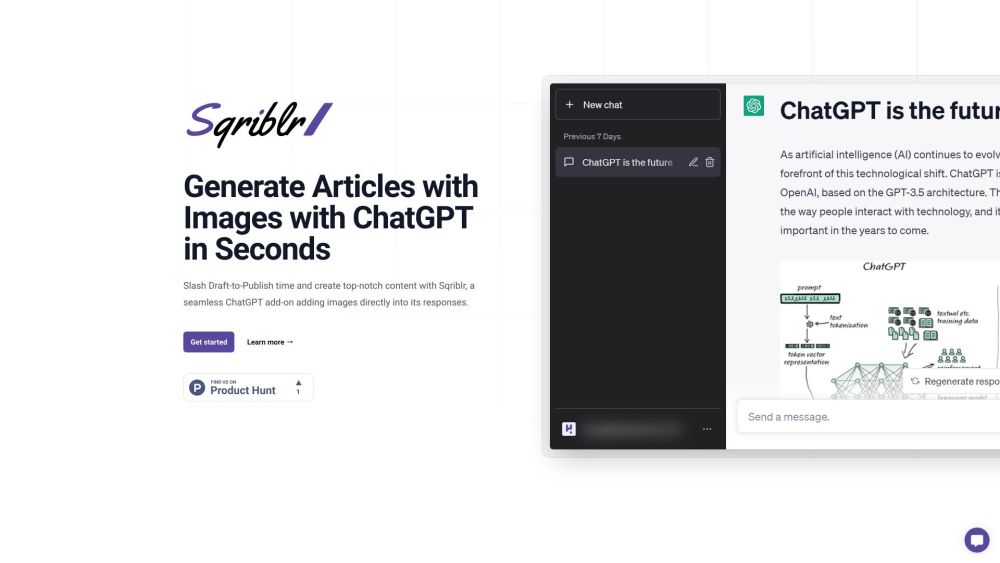
Sqriblr transforms how content creators bring blog posts to life — not just with words, but with visuals that reflect your brand’s voice, tone, and aesthetic. As a lightweight, intelligent ChatGPT add-on, it analyzes your generated text in real time and inserts high-fidelity, contextually aligned images — all without leaving your workflow. No more switching tabs, licensing headaches, or mismatched stock photos. Just seamless, on-brand visual storytelling — powered by AI, refined by intent.
How Sqriblr Works: One Prompt, Fully Illustrated Blog Content
Using Sqriblr is intuitive: write your ChatGPT prompt as normal (e.g., “Write a 600-word SEO blog post about sustainable packaging trends”), then append a simple directive like *“Add on-brand images where relevant.”* Sqriblr interprets semantic cues, identifies key concepts, and auto-generates or sources visuals that match your brand palette, content hierarchy, and audience expectations — embedding them directly into your response. The result? Polished, publication-ready drafts — complete with visuals — in under 30 seconds.
Core Capabilities of Sqriblr: Where Brand Consistency Meets Automation
AI-powered image generation tuned to your brand identity
Native ChatGPT integration — no plugins, no setup
Zero manual curation: automatic relevance scoring & placement
SEO-boosting visual assets — optimized alt text, dimensions, and context
Built for growth teams: ideal for bloggers, SaaS marketers, freelance writers, SEO agencies, and in-house content strategists
Real-World Use Cases for Sqriblr
Publishing complete, image-rich blog posts — from ideation to publish — in one session
Increasing dwell time and social engagement with scroll-stopping, on-brand visuals
Eliminating creative bottlenecks in editorial calendars and campaign rollouts
Scaling content production without sacrificing visual quality or brand integrity
Frequently Asked Questions
-
Are Sqriblr’s images copyright-safe for commercial use?
-
Does Sqriblr work with free-tier ChatGPT?
-
How do I activate Sqriblr in my existing ChatGPT workflow?
-
Can Sqriblr adapt to different content formats beyond blogs?
-
How does Sqriblr ensure visual consistency across multiple posts?
-
Sqriblr Support & Customer Care
Reach our dedicated support team at [email protected]. For faster assistance, visit the contact page.
-
About Sqriblr
Sqriblr is developed by Veos Ventures, SL — a European tech studio focused on human-centered AI tooling for content professionals.
Learn more about our mission and values on the About page.
-
Get Started with Sqriblr
Begin generating on-brand blog posts with integrated visuals today: https://sqriblr.com/get-started
-
Sqriblr Pricing Plans
Flexible tiers designed for solopreneurs, growing teams, and enterprise workflows: View pricing options
FAQ from Sqriblr — Auto-Generated On-Brand Images for Blog Posts
What is Sqriblr?
Sqriblr is an intelligent ChatGPT extension engineered specifically for content teams who demand visual coherence alongside speed. It doesn’t just insert *any* image — it generates or selects visuals that align with your brand guidelines, topic depth, and reader intent — turning raw AI text into cohesive, on-brand blog experiences.
How do I use Sqriblr?
Add a brief instruction (e.g., “Insert branded, high-res images illustrating each key section”) to your ChatGPT prompt. Sqriblr parses your output, detects conceptual anchors, and embeds purpose-built visuals — complete with descriptive alt attributes and responsive sizing — directly into your reply.
Are Sqriblr’s images copyright-safe for commercial use?
Yes. Sqriblr exclusively delivers either AI-generated images (fully royalty-free for commercial use) or licensed-safe web-sourced assets vetted for reuse compliance. All outputs include embedded metadata for traceability and attribution where required.
Does Sqriblr work with free-tier ChatGPT?
Absolutely. Sqriblr operates independently of ChatGPT’s subscription tier — it integrates seamlessly with ChatGPT Free, Plus, Team, and Enterprise, as well as compatible OpenAI wrappers like TypingMind and Halist.
How do I activate Sqriblr in my existing ChatGPT workflow?
No installation or API keys needed. Once enabled, Sqriblr activates automatically when it detects image-related instructions in your prompt — working invisibly in the background to enrich your responses.
Can Sqriblr adapt to different content formats beyond blogs?
Yes. While optimized for long-form blog content, Sqriblr excels across newsletters, landing page copy, social carousels, email sequences, and even documentation — adapting image style, ratio, and emphasis based on format signals.
How does Sqriblr ensure visual consistency across multiple posts?
Sqriblr supports optional brand presets — including color palettes, preferred illustration styles (e.g., flat vector vs. realistic photo), aspect ratios, and tone descriptors (e.g., “professional,” “friendly,” “tech-forward”). These settings persist across sessions, ensuring uniformity at scale.