AI Productivity Tools

Spinach.io

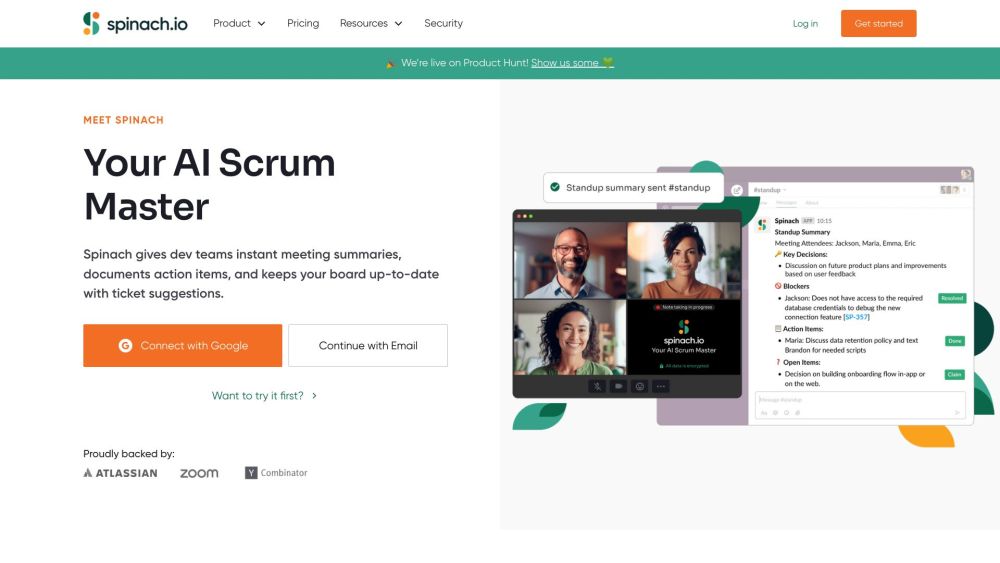
Spinach.io is an AI Scrum Master designed specifically for agile teams. It provides instant meeting summaries, documents action items, and keeps the board up-to-date with ticket suggestions.

Spinach.io website preview

Spinach.io Website screenshot

What is Spinach.io?

Spinach.io is an AI-powered Scrum Master built to enhance the efficiency of agile teams. It streamlines meeting processes by providing instant summaries, tracking action items, and offering ticket creation suggestions to keep project boards current.

How to use Spinach.io?

1. Connect Spinach.io to your preferred platforms like Slack, Notion, or Confluence.
2. Schedule your meetings and include Spinach.io as a participant.
3. During meetings, Spinach.io will automatically generate summaries, document key action items, and propose ticket creation based on discussions.
4. Access all meeting documentation in one place by linking Spinach.io to your knowledge base.
5. Utilize Spinach.io's integrations for seamless connectivity with your calendar, video conferencing, and task management tools.

Spinach.io's Core Features

Instant meeting summaries

Action item documentation

Discussion-based ticket suggestions

Integration with Slack, Notion, Confluence, and Google Docs

Centralized meeting notes

Interactive queries for clarifications

Spinach.io's Use Cases

Enhancing team decision-making processes

Facilitating sprint planning

Streamlining daily standup meetings

Conducting effective retrospectives

Managing weekly reviews

Product source: Spinach.io official website. Check the provider for current plans, limits and availability.

FAQ

Spinach.io questions and answers

Product context and practical checks for evaluating Spinach.io.

What is Spinach.io used for?

Spinach.io is an AI Scrum Master designed specifically for agile teams. It provides instant meeting summaries, documents action items, and keeps the board up-to-date with ticket suggestions.

How do I get started with Spinach.io?

1. Connect Spinach.io to your preferred platforms like Slack, Notion, or Confluence. 2. Schedule your meetings and include Spinach.io as a participant. 3. During meetings, Spinach.io will automatically generate summaries, document key action items, and propose ticket creation based on discussions. 4. Access all meeting documentation in one place by linking Spinach.io to your knowledge base. 5. Utilize Spinach.io's integrations for seamless connectivity with your calendar, video conferencing, and task management tools.

Which capabilities are described for Spinach.io?

Instant meeting summariesAction item documentationDiscussion-based ticket suggestionsIntegration with Slack, Notion, Confluence, and Google DocsCentralized meeting notesInteractive queries for clarifications

What projects can I evaluate Spinach.io for?

Enhancing team decision-making processesFacilitating sprint planningStreamlining daily standup meetingsConducting effective retrospectivesManaging weekly reviews Spinach.io Support Email & Customer Service Contact For customer service, contact Spinach.io via email at [email protected]. For more contact details, visit the contact us page. About Spinach.io Company Spinach.io is a product of StayIn, Inc. Spinach.io Login To log in to Spinach.io, visit https://app.spinach.io/. Spinach.io Pricing For pricing information, check https://www.spinach.io/pricing. Spinach.io on LinkedIn Connect with Spinach.io on LinkedIn: https://www.linkedin.com/company/spinach-io/about/. Spinach.io on Twitter Follow Spinach.io on Twitter: https://twitter.com/spinach_io.

What should I compare before choosing a Spinach.io plan?

For pricing information, check https://www.spinach.io/pricing. Confirm current prices and allowances on the provider’s website before purchasing.

What inputs should I prepare for a Spinach.io trial?

Look for text prompts, image references, masks or sketches as appropriate. Compare composition control, supported upload types and the ability to revise a selected area.

How can I check the quality of a Spinach.io result?

Inspect text, hands, edges, reflections and repeated objects at full size. Check that important product or brand details survive editing.

Which export options should I check in Spinach.io?

Compare pixel dimensions, transparency, file formats and any enlargement options. Confirm that the downloaded result works in your design or publishing software.

What is a practical way to test Spinach.io against alternatives?

Prepare a brief with a subject, composition, lighting and required output size. Test a first generation and a targeted revision to see how much control you retain.

Where is the official Spinach.io website?

The website linked from this profile is https://www.spinach.io. Use the provider’s own documentation, account area and support channels to confirm current product details.

Visit Spinach.io