AI Productivity Tools

Smart Note AI

Smart Note AI transcribes meetings, creates summaries, and lists action items, all powered by AI, to streamline your follow-up process efficiently and accurately.

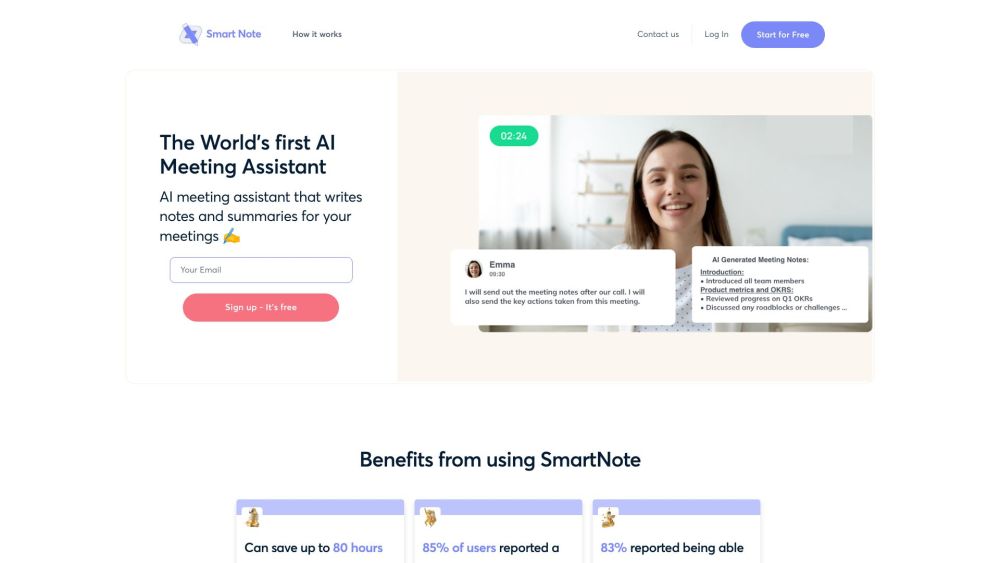
Smart Note AI website preview

Smart Note AI Website screenshot

What is Smart Note AI?

Smart Note AI is a cutting-edge AI-driven tool designed for meeting transcription and note-taking. It efficiently transcribes meeting conversations and produces automated summaries, key points, and action items from the audio, streamlining the follow-up process for any meeting.

How to Use Smart Note AI?

Using Smart Note AI is straightforward: 1. Launch your meeting on Zoom, Microsoft Teams, or Google Meet. 2. Access the SmartNote Dashboard and hit the record button. 3. SmartNote AI will begin transcribing and creating both concise and detailed summary notes. 4. You can view any previous notes taken during the same session. 5. The tool also generates agenda items and key actions from your meetings. 6. For recurring meetings, schedule the date and time in advance. 7. Ask the AI questions during the meeting and receive immediate responses. 8. After the meeting, access your notes at any time. 9. For recurring meetings, hitting the record button creates a centralized repository of notes.

Core Features of Smart Note AI

The main features of Smart Note AI include: - Automatic meeting transcription - Generation of both short and detailed summaries - Identification and recommendation of key questions during meetings - Access to notes from previous meetings - Automatic generation of agenda items and action points - Instant responses to AI queries during meetings

Use Cases for Smart Note AI

Smart Note AI is useful for: - Professionals looking to streamline meetings and enhance productivity - Students needing comprehensive summaries and notes from lectures - Anyone aiming to focus on the meeting without the concern of missing critical details

Product source: Smart Note AI official website. Check the provider for current plans, limits and availability.

FAQ

Smart Note AI questions and answers

Product context and practical checks for evaluating Smart Note AI.

What is Smart Note AI used for?

Smart Note AI transcribes meetings, creates summaries, and lists action items, all powered by AI, to streamline your follow-up process efficiently and accurately.

How do I get started with Smart Note AI?

Using Smart Note AI is straightforward: 1. Launch your meeting on Zoom, Microsoft Teams, or Google Meet. 2. Access the SmartNote Dashboard and hit the record button. 3. SmartNote AI will begin transcribing and creating both concise and detailed summary notes. 4. You can view any previous notes taken during the same session. 5. The tool also generates agenda items and key actions from your meetings. 6. For recurring meetings, schedule the date and time in advance. 7. Ask the AI questions during the meeting and receive immediate responses. 8. After the meeting, access your notes at any time. 9. For recurring meetings, hitting the record button creates a centralized repository of notes.

Which capabilities are described for Smart Note AI?

The main features of Smart Note AI include: - Automatic meeting transcription - Generation of both short and detailed summaries - Identification and recommendation of key questions during meetings - Access to notes from previous meetings - Automatic generation of agenda items and action points - Instant responses to AI queries during meetings

What projects can I evaluate Smart Note AI for?

Smart Note AI is useful for: - Professionals looking to streamline meetings and enhance productivity - Students needing comprehensive summaries and notes from lectures - Anyone aiming to focus on the meeting without the concern of missing critical details Smart Note AI Support Email & Customer Service Contact & Refund Information For more contact details, visit the contact us page Smart Note AI Login Log in to Smart Note AI here: https://smartnote.ai/login Smart Note AI Sign Up Sign up for Smart Note AI here: https://smartnote.ai/signup

What should I compare before choosing a Smart Note AI plan?

Check Smart Note AI’s current pricing page for included usage, renewal terms and any credit charges. Compare the cost of a usable result, including retries, rather than assuming that account registration includes free usage.

What inputs should I prepare for a Smart Note AI trial?

Look for text prompts, image references, masks or sketches as appropriate. Compare composition control, supported upload types and the ability to revise a selected area.

How can I check the quality of a Smart Note AI result?

Inspect text, hands, edges, reflections and repeated objects at full size. Check that important product or brand details survive editing.

Which export options should I check in Smart Note AI?

Compare pixel dimensions, transparency, file formats and any enlargement options. Confirm that the downloaded result works in your design or publishing software.

What is a practical way to test Smart Note AI against alternatives?

Prepare a brief with a subject, composition, lighting and required output size. Test a first generation and a targeted revision to see how much control you retain.

Where is the official Smart Note AI website?

The website linked from this profile is https://smartnote.ai. Use the provider’s own documentation, account area and support channels to confirm current product details.

Visit Smart Note AI