General Writing

Skim AI

Skim AI: Instant document insights with AI. Discover use cases, pricing, reviews, core features & alternatives—all in one smart tool.

Skim AI website preview

Skim AI Website screenshot

What is Skim AI?

Skim AI is an intelligent document assistant powered by advanced artificial intelligence, designed to transform how you interact with content in Google Drive. By enabling a simple “Ask Skim” button on any document, it allows users to instantly query text, extract key points, and receive clear, conversational answers—no downloads or file transfers required. Ideal for students, professionals, and researchers, Skim AI streamlines reading and comprehension with minimal effort.

How to Use Skim AI?

Using Skim AI is seamless—just open any document stored in Google Drive, click the “Ask Skim” extension or button, and start chatting with your file. Whether you're looking for summaries, definitions, or specific details, Skim AI delivers instant responses directly within your browser.

Skim AI's Core Features

Real-Time Q&A on Google Drive Files

Interact naturally with your documents by asking questions and receiving accurate, context-aware answers in seconds.

No Uploads or Downloads Needed

Access insights instantly without moving files or converting formats—everything happens securely within Google Drive.

Smart Summarization & Highlight Extraction

Let Skim AI identify and distill important ideas, saving time during study or research sessions.

Skim AI's Use Cases

Accelerated Learning for Students

Get immediate explanations from textbooks, lecture notes, or research papers—perfect for exam prep or homework help.

Efficient Research for Professionals

Quickly analyze reports, proposals, or legal documents by querying them conversationally instead of re-reading entire texts.

Streamlined Content Review

Editors and collaborators can use Skim AI to pinpoint inconsistencies, check facts, or summarize feedback across shared documents.

Alternatives to Skim AI

While Skim AI excels in Google Drive integration, alternatives like Notion AI, Microsoft Copilot, and Perplexity Docs offer similar document-interaction capabilities across different platforms. However, none match Skim AI’s simplicity and speed when working directly within Drive.

Product source: Skim AI official website. Check the provider for current plans, limits and availability.

FAQ

Skim AI questions and answers

Product context and practical checks for evaluating Skim AI.

What is Skim AI used for?

Skim AI: Instant document insights with AI. Discover use cases, pricing, reviews, core features & alternatives—all in one smart tool.

How do I get started with Skim AI?

Using Skim AI is seamless—just open any document stored in Google Drive, click the “Ask Skim” extension or button, and start chatting with your file. Whether you're looking for summaries, definitions, or specific details, Skim AI delivers instant responses directly within your browser.

Which capabilities are described for Skim AI?

Real-Time Q&A on Google Drive FilesInteract naturally with your documents by asking questions and receiving accurate, context-aware answers in seconds.No Uploads or Downloads NeededAccess insights instantly without moving files or converting formats—everything happens securely within Google Drive.Smart Summarization & Highlight ExtractionLet Skim AI identify and distill important ideas, saving time during study or research sessions.

What projects can I evaluate Skim AI for?

Accelerated Learning for StudentsGet immediate explanations from textbooks, lecture notes, or research papers—perfect for exam prep or homework help.Efficient Research for ProfessionalsQuickly analyze reports, proposals, or legal documents by querying them conversationally instead of re-reading entire texts.Streamlined Content ReviewEditors and collaborators can use Skim AI to pinpoint inconsistencies, check facts, or summarize feedback across shared documents.

What should I compare before choosing a Skim AI plan?

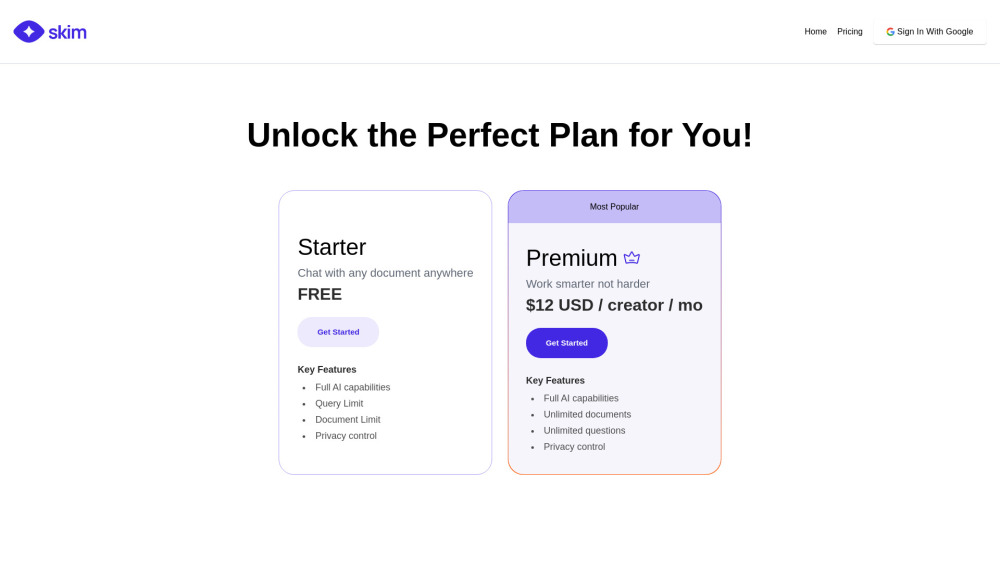
For the latest pricing plans and subscription options, visit the official Skim AI website: https://www.justskim.ai/. Plans may include free tiers for basic usage and premium features for power users. Confirm current prices and allowances on the provider’s website before purchasing.

What inputs should I prepare for a Skim AI trial?

Look for text prompts, image references, masks or sketches as appropriate. Compare composition control, supported upload types and the ability to revise a selected area.

How can I check the quality of a Skim AI result?

Inspect text, hands, edges, reflections and repeated objects at full size. Check that important product or brand details survive editing.

Which export options should I check in Skim AI?

Compare pixel dimensions, transparency, file formats and any enlargement options. Confirm that the downloaded result works in your design or publishing software.

What is a practical way to test Skim AI against alternatives?

Prepare a brief with a subject, composition, lighting and required output size. Test a first generation and a targeted revision to see how much control you retain.

Where is the official Skim AI website?

The website linked from this profile is https://www.justskim.ai. Use the provider’s own documentation, account area and support channels to confirm current product details.

Visit Skim AI