Mental Health

Simulacrum

Conquer anger and fear with Simulacrum, the AI psychiatrist app. Experience lifelike video conversations powered by ChatGPT and custom neural networks.

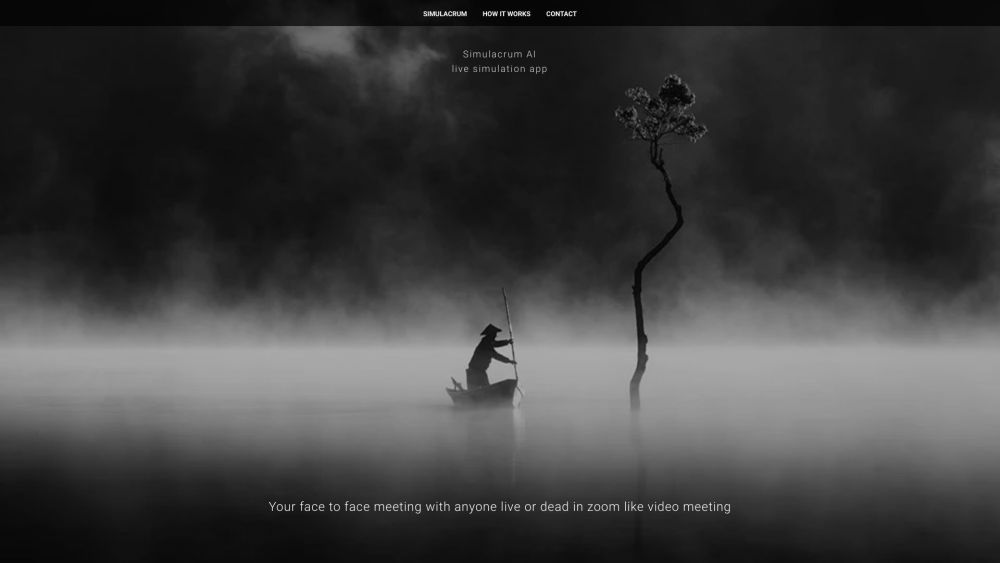
Simulacrum website preview

Simulacrum Website screenshot

Understanding Simulacrum

Simulacrum is an advanced AI-driven psychiatrist application designed to assist users in exploring and managing their anger and fears through simulated video interactions. Leveraging the power of ChatGPT and custom neural networks, Simulacrum creates lifelike video avatars that can engage in meaningful conversations with you, akin to a virtual Zoom meeting. This unique platform allows users to interact not only with people who are currently alive but also with those who have passed away.

Getting Started with Simulacrum

To begin your journey with Simulacrum, all you need to do is sign up by providing your email, name, and phone number. After registration, you can select and initiate video sessions with the AI-generated avatar of your choice. These sessions provide a space for you to discuss emotions, confront fears, or delve into any other topics that concern you. The AI is designed to respond in a way that is both engaging and therapeutic.

Key Features of Simulacrum

AI-powered psychiatric consultations

Realistic video avatars created through ChatGPT and custom neural networks

Interactive sessions resembling Zoom video conferences

Communication with both the living and the deceased

Therapeutic and psycho-drama session capabilities

Recreation of historical figures and fairy tale characters

Dynamic and unpredictable AI interactions

Practical Applications of Simulacrum

Therapeutic sessions and psychiatric healing

Engaging in psycho-drama with chosen individuals

Interacting with legendary characters from fairy tales

Consulting with historical figures or loved ones who have passed

Simulating critical and influential negotiations

Achieving closure with Gestalt therapy techniques

Fulfilling childhood dreams and fantasies

Facing and addressing personal fears and anxieties

Overcoming psychological challenges, including trauma and depression

Empowering those facing societal and sexual oppression

Discussing and contemplating the future of humanity

Product source: Simulacrum official website. Check the provider for current plans, limits and availability.

FAQ

Simulacrum questions and answers

Product context and practical checks for evaluating Simulacrum.

What is Simulacrum used for?

Conquer anger and fear with Simulacrum, the AI psychiatrist app. Experience lifelike video conversations powered by ChatGPT and custom neural networks.

How do I get started with Simulacrum?

To begin your journey with Simulacrum, all you need to do is sign up by providing your email, name, and phone number. After registration, you can select and initiate video sessions with the AI-generated avatar of your choice. These sessions provide a space for you to discuss emotions, confront fears, or delve into any other topics that concern you. The AI is designed to respond in a way that is both engaging and therapeutic.

Which capabilities are described for Simulacrum?

AI-powered psychiatric consultationsRealistic video avatars created through ChatGPT and custom neural networksInteractive sessions resembling Zoom video conferencesCommunication with both the living and the deceasedTherapeutic and psycho-drama session capabilitiesRecreation of historical figures and fairy tale charactersDynamic and unpredictable AI interactions

What projects can I evaluate Simulacrum for?

Therapeutic sessions and psychiatric healingEngaging in psycho-drama with chosen individualsInteracting with legendary characters from fairy talesConsulting with historical figures or loved ones who have passedSimulating critical and influential negotiationsAchieving closure with Gestalt therapy techniquesFulfilling childhood dreams and fantasiesFacing and addressing personal fears and anxietiesOvercoming psychological challenges, including trauma and depressionEmpowering those facing societal and sexual oppressionDiscussing and contemplating the future of humanity

What should I compare before choosing a Simulacrum plan?

Check Simulacrum’s current pricing page for included usage, renewal terms and any credit charges. Compare the cost of a usable result, including retries, rather than assuming that account registration includes free usage.

What inputs should I prepare for a Simulacrum trial?

Compare text prompts, reference frames, source footage and audio support. Check duration, aspect ratio and whether the tool lets you keep a subject consistent between shots.

How can I check the quality of a Simulacrum result?

Watch the entire clip for motion errors, distorted objects, changing identities, lip-sync problems and abrupt transitions. Inspect the downloaded file as well as the preview.

Which export options should I check in Simulacrum?

Check export resolution, frame rate, aspect ratio, audio tracks and watermark rules. A good preview is not a substitute for an export that fits your publishing channel.

What is a practical way to test Simulacrum against alternatives?

Use a short shot with one subject and one camera movement. Keep the prompt and duration constant, then compare usable seconds and the number of regenerations.

Where is the official Simulacrum website?

The website linked from this profile is https://aisimulacrum.com. Use the provider’s own documentation, account area and support channels to confirm current product details.

Visit Simulacrum