Copywriting

Sigma AI Browser

Sigma AI Browser: Blends AI power, ironclad privacy & blazing speed—plus pricing, reviews, use cases & alternatives. All-in-one intelligent browsing.

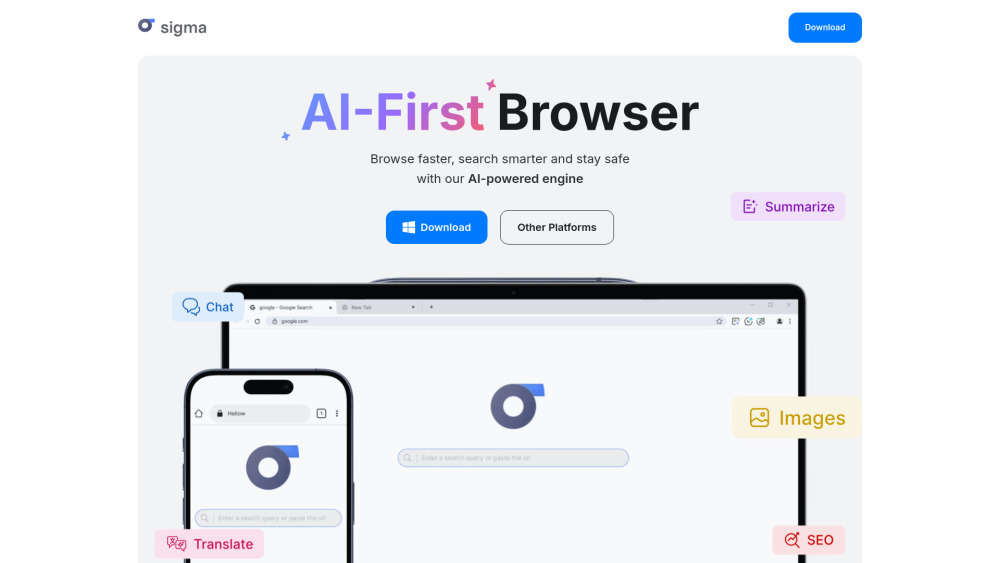
Sigma AI Browser website preview

Sigma AI Browser Website screenshot

What Is Sigma AI Browser?

Sigma AI Browser is a next-generation web browser engineered for the AI era — combining intelligent assistance, uncompromising privacy, blistering speed, and transparent pricing. At its core lies SigmaGPT, a purpose-built, on-device AI engine that powers real-time chat, content creation, webpage summarization, and contextual research — all without sending your data to remote servers.

Why Choose Sigma AI Browser?

Unlike traditional browsers with add-on AI extensions, Sigma integrates intelligence natively — delivering seamless performance, end-to-end encryption, and zero-tracking browsing. Its lightweight architecture ensures faster page loads, lower memory usage, and extended battery life — making it ideal for professionals, students, and privacy-conscious users alike.

Sigma AI Browser: Key Features at a Glance

  • AI Power: SigmaGPT responds instantly in-chat, drafts emails, explains complex topics, and transforms ideas into structured content — all within the browser window.
  • Privacy First: No telemetry, no ad profiling, no cloud-based AI inference by default. Optional cloud features (e.g., cross-device sync) are opt-in and fully encrypted.
  • Blazing Speed: Built on a modern Chromium fork with AI-optimized rendering — pages load up to 40% faster than standard browsers, especially on low-bandwidth or older hardware.
  • Transparent Pricing: Free tier includes full SigmaGPT access and core privacy tools. Pro plan ($4.99/month or $49/year) unlocks advanced AI workflows, priority support, and offline model caching.

How to Get Started in 3 Simple Steps

1. Download the latest version from sigmabrowser.com/download
2. Launch the browser and click the glowing Sigma icon in the top-right toolbar to launch SigmaGPT
3. Ask anything — summarize an article, compare products, translate text, or brainstorm ideas — instantly and securely

  • Support & Contact Information

    For technical help, billing inquiries, or refund requests, visit our Contact Us page or email [email protected]. Our team typically responds within 12 business hours.

  • About Sigma AI Browser

    Sigma AI Browser is developed by Sigma Labs Inc., an independent software company headquartered in Berlin, Germany.
    Company address: Kaiserstraße 32, 10777 Berlin, Germany.
    Learn more about our mission, values, and open-source contributions on the About Us page.

  • Sigma AI Browser Login

    Access your synced settings and AI history: Login Portal

  • Sigma AI Browser Sign Up

    Create your free account in seconds: Sign Up Now

Real User Reviews & Ratings

“Finally, an AI browser that doesn’t trade my privacy for convenience. SigmaGPT feels like having a research assistant built into every tab.”

— Maya T., Product Designer ★★★★★ (Trustpilot)

“Faster than Chrome, smarter than Edge, and infinitely more respectful of my data. Worth every penny of the Pro subscription.”

— David L., Academic Researcher ★★★★★ (Product Hunt)

Product source: Sigma AI Browser official website. Check the provider for current plans, limits and availability.

FAQ

Sigma AI Browser questions and answers

Product context and practical checks for evaluating Sigma AI Browser.

What is Sigma AI Browser used for?

Sigma AI Browser: Blends AI power, ironclad privacy & blazing speed—plus pricing, reviews, use cases & alternatives. All-in-one intelligent browsing.

How do I get started with Sigma AI Browser?

1. Download the latest version from sigmabrowser.com/download 2. Launch the browser and click the glowing Sigma icon in the top-right toolbar to launch SigmaGPT 3. Ask anything — summarize an article, compare products, translate text, or brainstorm ideas — instantly and securely Support & Contact Information For technical help, billing inquiries, or refund requests, visit our Contact Us page or email [email protected]. Our team typically responds within 12 business hours. About Sigma AI Browser Sigma AI Browser is developed by Sigma Labs Inc., an independent software company headquartered in Berlin, Germany. Company address: Kaiserstraße 32, 10777 Berlin, Germany. Learn more about our mission, values, and open-source contributions on the About Us page. Sigma AI Browser Login Access your synced settings and AI history: Login Portal Sigma AI Browser Sign Up Create your free account in seconds: Sign Up Now

Which capabilities are described for Sigma AI Browser?

AI Power: SigmaGPT responds instantly in-chat, drafts emails, explains complex topics, and transforms ideas into structured content — all within the browser window. Privacy First: No telemetry, no ad profiling, no cloud-based AI inference by default. Optional cloud features (e.g., cross-device sync) are opt-in and fully encrypted. Blazing Speed: Built on a modern Chromium fork with AI-optimized rendering — pages load up to 40% faster than standard browsers, especially on low-bandwidth or older hardware. Transparent Pricing: Free tier includes full SigmaGPT access and core privacy tools. Pro plan ($4.99/month or $49/year) unlocks advanced AI workflows, priority support, and offline model caching.

How does Sigma AI Browser handle ai power?

AI Power: SigmaGPT responds instantly in-chat, drafts emails, explains complex topics, and transforms ideas into structured content — all within the browser window.

How does Sigma AI Browser handle privacy first?

Privacy First: No telemetry, no ad profiling, no cloud-based AI inference by default. Optional cloud features (e.g., cross-device sync) are opt-in and fully encrypted.

What should I compare before choosing a Sigma AI Browser plan?

Check Sigma AI Browser’s current pricing page for included usage, renewal terms and any credit charges. Compare the cost of a usable result, including retries, rather than assuming that account registration includes free usage.

What inputs should I prepare for a Sigma AI Browser trial?

Identify the files, text or account connections your task needs. Confirm that the product accepts those inputs and offers controls for reviewing its work.

How can I check the quality of a Sigma AI Browser result?

Test one representative task and inspect the result for accuracy and completeness. Record where manual corrections or extra tools are needed.

Which export options should I check in Sigma AI Browser?

Check export formats, integrations and whether you can keep using your work outside the service. Test a real export before committing to a longer plan.

Where is the official Sigma AI Browser website?

The website linked from this profile is https://sigmabrowser.com. Use the provider’s own documentation, account area and support channels to confirm current product details.

Visit Sigma AI Browser