Table of contents
Shorty Studio : Text-to-Video Shorts, Pricing, Reviews, Features
Shorty Studio: Turn text into stunning, shareable video shorts—fast. Explore use cases, pricing, reviews, features & alternatives.
Directory : Text to Video, Text-to-Speech, AI YouTube Assistant, AI Tiktok Assistant, AI Social Media Assistant, AI Repurpose Assistant, AI Video Recording, Newsletter
What Is Shorty Studio?
Shorty Studio is an AI-native video creation platform designed specifically for turning written content into dynamic, scroll-stopping short-form videos. By intelligently synthesizing natural-sounding AI voices with on-brand visual assets—including custom AI-generated imagery—Shorty Studio empowers creators, marketers, and educators to produce professional-grade video clips in seconds. Every video you generate remains fully owned and export-ready for TikTok, Instagram Reels, YouTube Shorts, and beyond.
Getting Started with Shorty Studio
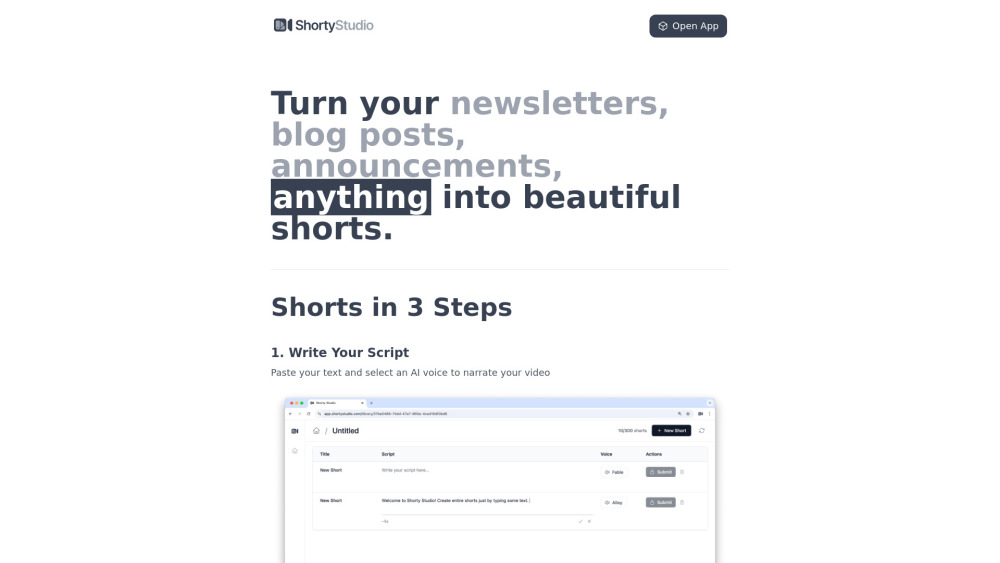
Launching your first video is intuitive: paste or type your script, select from a curated library of expressive AI narrators and visual themes (e.g., minimalist, cinematic, animated), adjust timing and branding elements, then hit “Generate.” Within moments, your polished short video is ready to preview, refine, or download directly—or share instantly via integrated social publishing tools.
Key Features of Shorty Studio
High-Fidelity Text-to-Speech Voices
Customizable AI Image Generation
One-Click Social Export & Scheduling
Brand-Consistent Templates & Styles
Who Uses Shorty Studio?
Turn long-form articles, email newsletters, or product updates into snackable, high-retention video summaries
Frequently Asked Questions
-
How does Shorty Studio work?
-
What are the video export options available?
-
About Shorty Studio
Company Name: Shorty Studio — a forward-thinking AI media tool built for the short-video era.
-
Log In to Shorty Studio
Login at: https://app.shortystudio.com
-
Create Your Account
Sign up free today: https://app.shortystudio.com
-
Shorty Studio Pricing Plans
Explore flexible tiers—from Starter to Pro—with transparent feature breakdowns: https://www.shortystudio.com/#pricing
FAQ from Shorty Studio
What is Shorty Studio?
Shorty Studio is a purpose-built AI video generator that converts plain text into visually rich, voice-narrated short videos—optimized for engagement, accessibility, and cross-platform distribution.
How to use Shorty Studio?
Start with your message—whether it’s a blog excerpt, sales copy, or learning objective—then personalize tone, visuals, and pacing using intuitive AI controls. No editing skills required.
How does Shorty Studio work?
Behind the scenes, Shorty Studio leverages multimodal AI: advanced TTS engines deliver lifelike narration, while diffusion-based image models render context-aware visuals—all orchestrated through a streamlined, no-code interface.
What are the video export options available?
You can download MP4 files in HD (720p or 1080p), copy direct share links, or publish natively to major platforms—including auto-formatting for vertical, square, and horizontal aspect ratios.