AI Email Assistant

Shortwave

Shortwave is an intelligent email service powered by AI. It is designed to be smarter and faster, enabling stress-free productivity for professionals. It is available for iOS, Android, Mac, and Windows, and is widely used by professionals at leading companies worldwide.

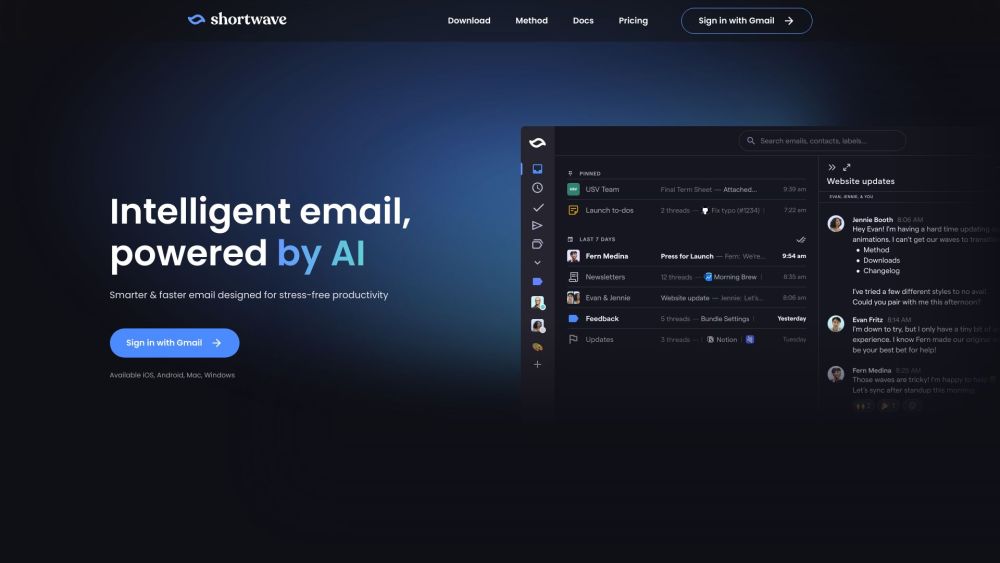
Shortwave website preview

Shortwave Website screenshot

What is Shortwave?

Shortwave is an AI-powered email service designed to enhance productivity and simplify email management for professionals. Compatible with iOS, Android, Mac, and Windows, it is widely adopted by professionals across leading companies globally.

How to use Shortwave?

Start using Shortwave by logging in with your Gmail account. Once logged in, you can utilize AI to extract key points from emails, helping you save time. Shortwave also supports multilingual email comprehension. It automatically organizes emails with labels and allows you to schedule email deliveries using natural language. Emails can be grouped into bundles for efficient batch processing, surpassing the speed and organization of traditional Gmail filters. Users can prioritize tasks by pinning, reordering, and combining them. Additionally, Shortwave offers a modern chat interface, AI-generated summaries for sharing with non-users, Markdown for email composition, and keyboard shortcuts for quick navigation.

Shortwave's Core Features

AI-driven email summaries

Multilingual email understanding

Inbox zero strategy

Auto-labeling for organization

Convenient email scheduling

Task prioritization and management

Robust spam blocking

Quick actions with keyboard shortcuts

Chat-like email interaction

Share AI summaries with non-users

Rich email composition with Markdown

Instant access to email history

Shortwave's Use Cases

Efficiently capture key email points

Easily understand emails in various languages

Maintain inbox zero effortlessly

Streamline email organization

Reduce email management clicks

Schedule email deliveries to avoid disruptions

Prioritize and manage tasks seamlessly

Block spam and unwanted senders efficiently

Enhance email management with shortcuts

Enjoy a faster, more engaging email experience

Send AI-generated summaries to non-users

Compose visually appealing and structured emails

Quickly reference past email conversations

Product source: Shortwave official website. Check the provider for current plans, limits and availability.

FAQ

Shortwave questions and answers

Product context and practical checks for evaluating Shortwave.

What is Shortwave used for?

Shortwave is an intelligent email service powered by AI. It is designed to be smarter and faster, enabling stress-free productivity for professionals. It is available for iOS, Android, Mac, and Windows, and is widely used by professionals at leading companies worldwide.

How do I get started with Shortwave?

Start using Shortwave by logging in with your Gmail account. Once logged in, you can utilize AI to extract key points from emails, helping you save time. Shortwave also supports multilingual email comprehension. It automatically organizes emails with labels and allows you to schedule email deliveries using natural language. Emails can be grouped into bundles for efficient batch processing, surpassing the speed and organization of traditional Gmail filters. Users can prioritize tasks by pinning, reordering, and combining them. Additionally, Shortwave offers a modern chat interface, AI-generated summaries for sharing with non-users, Markdown for email composition, and keyboard shortcuts for quick navigation.

Which capabilities are described for Shortwave?

AI-driven email summariesMultilingual email understandingInbox zero strategyAuto-labeling for organizationConvenient email schedulingTask prioritization and managementRobust spam blockingQuick actions with keyboard shortcutsChat-like email interactionShare AI summaries with non-usersRich email composition with MarkdownInstant access to email history

What projects can I evaluate Shortwave for?

Efficiently capture key email pointsEasily understand emails in various languagesMaintain inbox zero effortlesslyStreamline email organizationReduce email management clicksSchedule email deliveries to avoid disruptionsPrioritize and manage tasks seamlesslyBlock spam and unwanted senders efficientlyEnhance email management with shortcutsEnjoy a faster, more engaging email experienceSend AI-generated summaries to non-usersCompose visually appealing and structured emailsQuickly reference past email conversations Shortwave Support Email & Customer Service Contact For customer service, contact Shortwave support at [email protected]. For more contact options, visit the contact us page(mailto:[email protected]). Shortwave Company Company Name: Shortwave Communications, Inc. Learn more about Shortwave on the about us page. Shortwave Login Log in to Shortwave here: https://app.shortwave.com/login Shortwave Pricing Check out Shortwave pricing: https://www.shortwave.com/pricing/ Shortwave LinkedIn Follow Shortwave on LinkedIn: https://linkedin.com/company/getshortwave Shortwave Twitter Follow Shortwave on Twitter: https://twitter.com/shortwave Shortwave Instagram Follow Shortwave on Instagram: https://www.instagram.com/getshortwave/

What should I compare before choosing a Shortwave plan?

Check out Shortwave pricing: https://www.shortwave.com/pricing/ Confirm current prices and allowances on the provider’s website before purchasing.

What inputs should I prepare for a Shortwave trial?

Look for text prompts, image references, masks or sketches as appropriate. Compare composition control, supported upload types and the ability to revise a selected area.

How can I check the quality of a Shortwave result?

Inspect text, hands, edges, reflections and repeated objects at full size. Check that important product or brand details survive editing.

Which export options should I check in Shortwave?

Compare pixel dimensions, transparency, file formats and any enlargement options. Confirm that the downloaded result works in your design or publishing software.

What is a practical way to test Shortwave against alternatives?

Prepare a brief with a subject, composition, lighting and required output size. Test a first generation and a targeted revision to see how much control you retain.

Where is the official Shortwave website?

The website linked from this profile is https://www.shortwave.com. Use the provider’s own documentation, account area and support channels to confirm current product details.

Visit Shortwave