AI Advertising Assistant

SearchUnify

SearchUnify: AI-powered search & analytics for superior support. Enhance customer experiences with smart search, insights, and app integration.

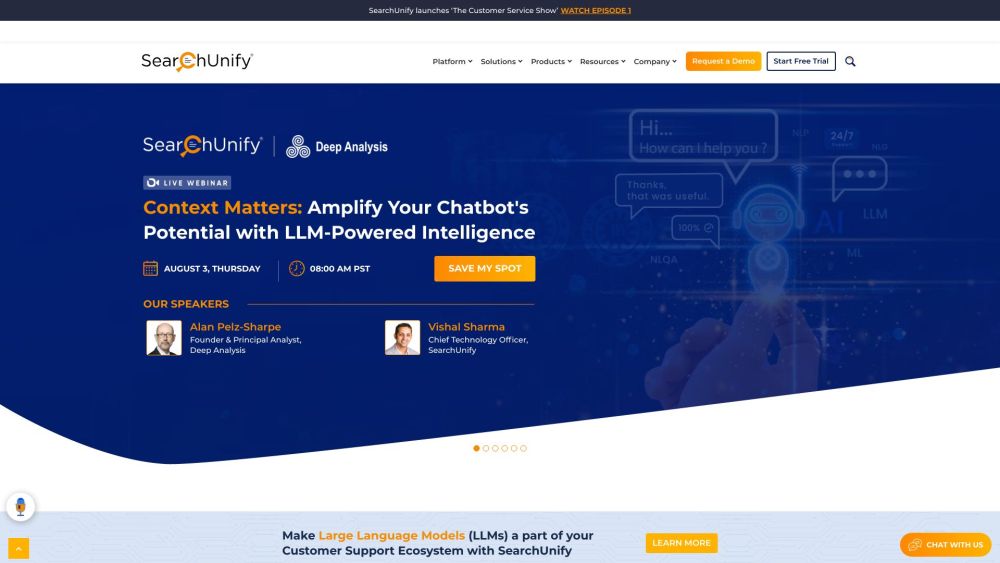
SearchUnify website preview

SearchUnify Website screenshot

What is SearchUnify?

SearchUnify is a comprehensive cognitive platform designed to enhance enterprise search, provide valuable insights, and power AI-driven applications for improved customer support and self-service. By offering advanced search analytics, intelligent search, and seamless enterprise search capabilities, it aims to elevate the customer support experience. The platform seamlessly integrates with various applications, including Salesforce, Zendesk, Dynamics 365, Khoros, SharePoint, among others. Leveraging its cognitive search technology, SearchUnify boosts information discoverability, facilitates proactive decision-making, and equips customer support professionals and knowledge workers with top-notch tools.

How to Use SearchUnify?

To leverage SearchUnify, businesses should integrate it with their current support systems or applications. Once integration is complete, the platform offers unified access to enterprise data, allowing users to efficiently search across multiple sources. The intelligent search feature enhances relevancy, ensuring fast and accurate results. Additionally, the search analytics feature provides insights into user behavior and search trends, aiding businesses in refining their support strategies. The platform also includes AI-powered applications like SearchUnify Virtual Assistant (SUVA), Agent Helper, and Knowbler for advanced customer support and knowledge management.

SearchUnify's Core Features

Unified Cognitive Platform

Search Analytics

Intelligent Search

Enterprise Search

Search Insights

Artificial Intelligence Search

Platform Connectors

Security

Faceted Search

SearchUnify's Use Cases

Support

Self-Service

Communities

Knowledge Management

Knowledge-Centered Service

Customer Success

Marketing

Fraud Detection

HR

Intelligent Digital Experiences

Product source: SearchUnify official website. Check the provider for current plans, limits and availability.

FAQ

SearchUnify questions and answers

Product context and practical checks for evaluating SearchUnify.

What is SearchUnify used for?

SearchUnify: AI-powered search & analytics for superior support. Enhance customer experiences with smart search, insights, and app integration.

How do I get started with SearchUnify?

To leverage SearchUnify, businesses should integrate it with their current support systems or applications. Once integration is complete, the platform offers unified access to enterprise data, allowing users to efficiently search across multiple sources. The intelligent search feature enhances relevancy, ensuring fast and accurate results. Additionally, the search analytics feature provides insights into user behavior and search trends, aiding businesses in refining their support strategies. The platform also includes AI-powered applications like SearchUnify Virtual Assistant (SUVA), Agent Helper, and Knowbler for advanced customer support and knowledge management.

Which capabilities are described for SearchUnify?

Unified Cognitive PlatformSearch AnalyticsIntelligent SearchEnterprise SearchSearch InsightsArtificial Intelligence SearchPlatform ConnectorsSecurityFaceted Search

What projects can I evaluate SearchUnify for?

SupportSelf-ServiceCommunitiesKnowledge ManagementKnowledge-Centered ServiceCustomer SuccessMarketingFraud DetectionHRIntelligent Digital Experiences SearchUnify Support Email & Customer Service Contact For customer service, contact SearchUnify support at [email protected]. For more contact details, visit the contact us page. SearchUnify Company Address: 340 E Middlefield Rd, Mountain View, CA 94043, USA. Learn more about SearchUnify on the about us page. SearchUnify Facebook Follow us on Facebook: https://www.facebook.com/SearchUnify/ SearchUnify YouTube Subscribe to our YouTube channel: https://www.youtube.com/channel/UCHQdHTFzWRKj5xg1nFoZPTg SearchUnify LinkedIn Connect with us on LinkedIn: https://www.linkedin.com/showcase/25048226/ SearchUnify Twitter Follow us on Twitter: https://twitter.com/SearchUnify

What should I compare before choosing a SearchUnify plan?

Check SearchUnify’s current pricing page for included usage, renewal terms and any credit charges. Compare the cost of a usable result, including retries, rather than assuming that account registration includes free usage.

What inputs should I prepare for a SearchUnify trial?

Look for text prompts, image references, masks or sketches as appropriate. Compare composition control, supported upload types and the ability to revise a selected area.

How can I check the quality of a SearchUnify result?

Inspect text, hands, edges, reflections and repeated objects at full size. Check that important product or brand details survive editing.

Which export options should I check in SearchUnify?

Compare pixel dimensions, transparency, file formats and any enlargement options. Confirm that the downloaded result works in your design or publishing software.

What is a practical way to test SearchUnify against alternatives?

Prepare a brief with a subject, composition, lighting and required output size. Test a first generation and a targeted revision to see how much control you retain.

Where is the official SearchUnify website?

The website linked from this profile is https://www.searchunify.com. Use the provider’s own documentation, account area and support channels to confirm current product details.

Visit SearchUnify