Mental Health

Sanctuary

Discover peace with Sanctuary: Personalized AI meditations for focus, stress relief, and restful sleep—your daily retreat for a balanced mind and body.

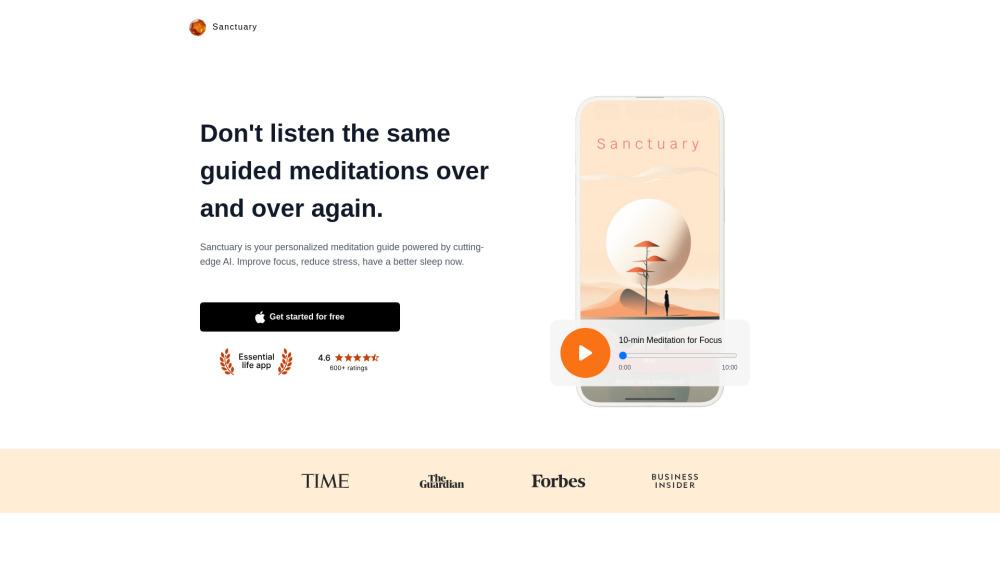
Sanctuary website preview

Sanctuary: Meditations & Sleep Website screenshot

What is Sanctuary: Meditations & Sleep?

Sanctuary: Meditations & Sleep is an AI-driven meditation app designed to enhance focus, relieve stress, and promote restful sleep. By utilizing advanced artificial intelligence, Sanctuary provides a tailored experience that adapts to your unique needs, offering personalized meditations to help you find balance and relaxation.

How to use Sanctuary: Meditations & Sleep?

To get started with Sanctuary, ensure that JavaScript is enabled on your browser for the best performance. Once the app is running, you can personalize your meditation sessions by choosing from various music tracks, voice options, and other settings. Each day, Sanctuary delivers a unique meditation experience based on your preferences, helping you maintain a consistent practice.

Sanctuary: Meditations & Sleep's Core Features

AI-powered personalized meditation sessions

Daily fresh and unique meditation experiences

Customizable settings including music, voice, and ambiance

Intelligent AI recommendations tailored to your needs

Extensive library covering focus, stress, sleep, and more

Sanctuary: Meditations & Sleep's Use Cases

Find mental clarity during a hectic day

Manage and reduce anxiety and stress

Enhance your mindfulness and meditation routine

  • Sanctuary: Meditations & Sleep Support Email & Customer Service Contact

    For any questions or support, you can reach the Sanctuary team via email at: [email protected].

  • Sanctuary: Meditations & Sleep Company

    Company Name: Sanctuary App

  • Sanctuary: Meditations & Sleep on YouTube

    Explore Sanctuary's content on YouTube: https://www.youtube.com/@sanctuaryapp

Product source: Sanctuary official website. Check the provider for current plans, limits and availability.

FAQ

Sanctuary questions and answers

Product context and practical checks for evaluating Sanctuary.

What is Sanctuary used for?

Discover peace with Sanctuary: Personalized AI meditations for focus, stress relief, and restful sleep—your daily retreat for a balanced mind and body.

How do I get started with Sanctuary?

To get started with Sanctuary, ensure that JavaScript is enabled on your browser for the best performance. Once the app is running, you can personalize your meditation sessions by choosing from various music tracks, voice options, and other settings. Each day, Sanctuary delivers a unique meditation experience based on your preferences, helping you maintain a consistent practice.

Which capabilities are described for Sanctuary?

AI-powered personalized meditation sessionsDaily fresh and unique meditation experiencesCustomizable settings including music, voice, and ambianceIntelligent AI recommendations tailored to your needsExtensive library covering focus, stress, sleep, and more

What projects can I evaluate Sanctuary for?

Find mental clarity during a hectic dayManage and reduce anxiety and stressEnhance your mindfulness and meditation routine Sanctuary: Meditations & Sleep Support Email & Customer Service Contact For any questions or support, you can reach the Sanctuary team via email at: [email protected]. Sanctuary: Meditations & Sleep Company Company Name: Sanctuary App Sanctuary: Meditations & Sleep on YouTube Explore Sanctuary's content on YouTube: https://www.youtube.com/@sanctuaryapp

What should I compare before choosing a Sanctuary plan?

Check Sanctuary’s current pricing page for included usage, renewal terms and any credit charges. Compare the cost of a usable result, including retries, rather than assuming that account registration includes free usage.

What inputs should I prepare for a Sanctuary trial?

Identify the files, text or account connections your task needs. Confirm that the product accepts those inputs and offers controls for reviewing its work.

How can I check the quality of a Sanctuary result?

Test one representative task and inspect the result for accuracy and completeness. Record where manual corrections or extra tools are needed.

Which export options should I check in Sanctuary?

Check export formats, integrations and whether you can keep using your work outside the service. Test a real export before committing to a longer plan.

What is a practical way to test Sanctuary against alternatives?

Choose one task with a clear success condition. Keep the input consistent, record the time spent reviewing and compare the complete workflow cost.

Where is the official Sanctuary website?

The website linked from this profile is https://appsanctuary.com. Use the provider’s own documentation, account area and support channels to confirm current product details.

Visit Sanctuary