Table of contents
Runbear: DIY AI Agents for Slack, Teams & HubSpot—No Code
Runbear: Build custom AI agents in Slack, Teams & HubSpot—no code needed. Empower your team with DIY automation, fast.
Directory : No-Code&Low-Code, AI Chatbot, AI Productivity Tools, AI Agent, AI Assistant, AI Workflow
Introducing Runbear: Build Your Own AI Agents—Zero Coding Required
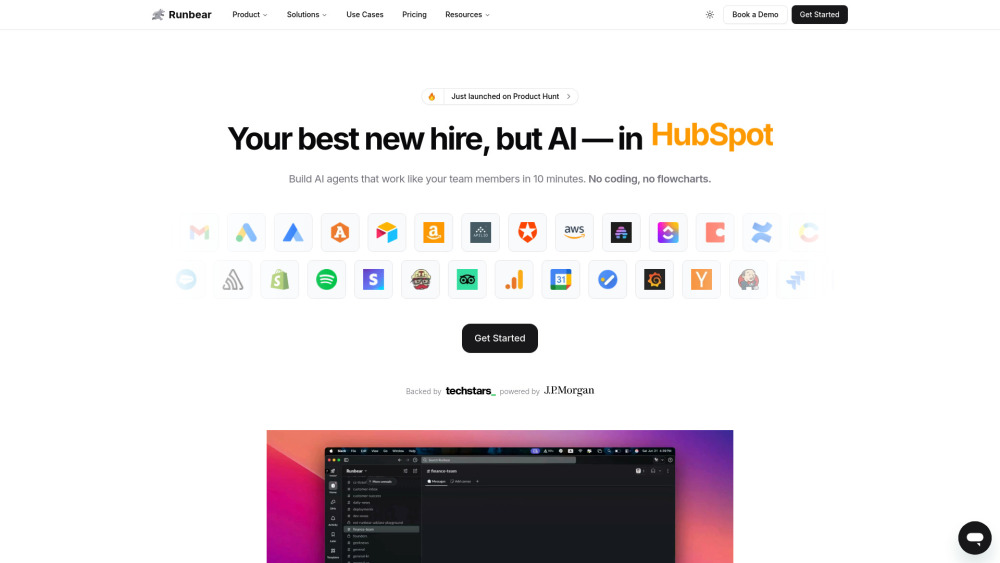
Runbear is the no-code platform that empowers non-technical teams to design, train, and deploy intelligent AI agents directly inside the tools they use every day—Slack, Microsoft Teams, HubSpot, Zendesk, and Discord. Leveraging best-in-class LLMs like OpenAI Assistants and Anthropic Claude, Runbear transforms how businesses automate workflows: from answering internal questions and summarizing meetings to syncing CRM data and drafting customer responses—all without writing a single line of code. Each agent adapts in real time using your team’s chats, documents, and feedback—and orchestrates actions across 2,700+ integrated apps.
Getting Started with Runbear Is Effortless
Launch your first AI agent in under five minutes. Start by giving it a name and purpose (e.g., “Sales Insights Bot” or “HR Onboarding Assistant”), then connect it to your knowledge—whether it’s Slack threads, HubSpot deal notes, Notion wikis, or Google Drive files. Once deployed, the agent begins operating natively within your chosen platform, interpreting natural language requests, retrieving context-aware answers, and executing tasks autonomously—like creating follow-up tickets, updating contact records, or generating meeting recaps.
Why Teams Choose Runbear
Truly no-code agent builder—no developers, no diagrams, no delays
Native, secure embeds for Slack, Teams, HubSpot, Discord & more
Plug-and-play LLM compatibility: OpenAI, Anthropic, custom GPTs, and Python-powered logic
Continuous learning from real-time conversations, docs, and user corrections
Enterprise-grade app ecosystem: 2,700+ integrations—including Salesforce, Google Workspace, Notion, Jira, and Zapier
Intelligent task handoff: agents suggest next steps *and* act on them—like scheduling demos or escalating support tickets
White-labeled, role-aware experiences—tailor tone, permissions, and UI per team or department
Real-World Runbear Use Cases
Ask “What’s my pipeline health this week?” and get live HubSpot metrics—in Slack
Auto-generate pre-meeting briefs by pulling calendar invites, past notes, and CRM context
Convert action items from a Teams channel into tracked Asana tasks with due dates
Deploy a customer-facing AI assistant inside HubSpot that answers FAQs using your KB—without leaving the CRM
Turn sales call transcripts (from Gong or Zoom) into structured deal summaries in Notion
Curate daily competitive intelligence digests—from RSS, newsletters, and web scrapes—delivered to a dedicated Slack channel
Frequently Asked Questions
-
Do you offer special pricing?
-
Can I connect my existing AI models or APIs to Runbear?
-
How does Runbear handle data privacy and sensitive information?
-
Are my messages or documents stored long-term?
-
Is my data ever used to train third-party models?
-
Support & Contact
For help, billing, or refund requests: visit our official Support Portal.
-
About Runbear
Runbear, Inc. is a U.S.-based AI infrastructure company focused on democratizing enterprise-grade automation—built for product, sales, support, and operations teams who move fast and ship smart.
-
Follow Us on LinkedIn
Stay updated with product launches and AI workflow insights: linkedin.com/company/runbear
-
Join the Conversation on X (Twitter)
Real-time tips, demos, and community highlights: twitter.com/runbear_io
-
Explore Our Open Tools on GitHub
Developer resources, SDKs, and integration templates: github.com/runbear-io
Runbear FAQ — Quick Answers
What is Runbear?
Runbear is a no-code AI agent platform that lets business teams build, customize, and run intelligent assistants inside Slack, Teams, HubSpot, and other core workspaces—using their own data, workflows, and preferred LLMs. No engineering team needed.
How do I create an AI agent with Runbear?
Name your agent, define its goal (e.g., “Customer Success Escalation Handler”), feed it knowledge sources (Slack history, HubSpot properties, PDF guides), and deploy it where your team works. It learns, improves, and acts—autonomously.
Do you offer special pricing?
Yes—we provide flexible plans for individuals, growing teams, and enterprises, including volume discounts, nonprofit rates, and custom contracts. Reach out to [email protected] for tailored options.
Can I connect my existing AI models or APIs to Runbear?
Absolutely. Runbear supports native integrations with OpenAI Assistants API, Anthropic’s Claude API, custom GPTs, and offers a Python SDK for advanced logic—so your in-house models can power your agents.
How does Runbear handle data privacy and sensitive information?
Runbear is SOC 2 Type II certified (Business plan and above). All data stays within your designated environment; sensitive fields are masked by default, and customers retain full ownership and control over their content.
Are my messages or documents stored long-term?
Conversational data is processed in-memory during agent interactions and retained only as needed for contextual continuity (configurable per agent). Customers can set automatic data retention policies or delete history anytime.
Is my data ever used to train third-party models?
No. Runbear does not use your data to train or improve external LLMs. Your content remains private, encrypted, and exclusive to your organization’s agents—per our Privacy Policy.