Writing Assistants

Review Response AI

Review Response AI: Streamline online communication for optimal management. Enhance customer satisfaction and brand reputation effortlessly.

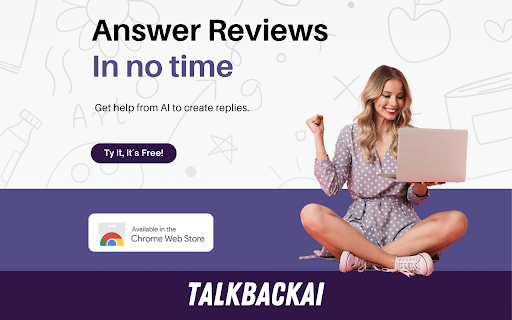
Review Response AI website preview
Review Response AI - Chrome Extension Website screenshot

Introducing Review Response AI: The Ultimate Solution for Effective Online Communication

In today's digital landscape, managing online communication is crucial for businesses and individuals alike. That's where Review Response AI comes in. Powered by cutting-edge AI technology, this Chrome Extension by TalkbackAI revolutionizes the way you handle reviews, enabling you to effectively engage with customers and enhance your online reputation in multiple languages, all within seconds.

Seamless Integration, Effortless Usage

Using Review Response AI is incredibly simple. Just install the Chrome Extension, choose your preferred platform, and let the magic happen. Within seconds, you can generate personalized responses that resonate with your brand's voice and capture the essence of your business. With the ability to generate four responses at a time, you can cherry-pick the best one that suits each review.

Unleashing the Power of Review Response AI

1. Multiple Brand Voices and Personalized Instructions

2. Adding SEO Keywords to Generated Responses

3. Integrated Toolbar for Easy Use

4. Bookmark Feature for Quick Shortcuts

Review Response AI offers a range of powerful features to elevate your online communication game. With multiple brand voices to choose from, you can tailor your responses to align with your unique brand identity. Additionally, you have the option to add SEO keywords to your generated responses, optimizing your online presence and driving organic traffic to your platforms. The integrated toolbar ensures a seamless user experience, while the bookmark feature provides quick shortcuts for effortless navigation.

Unlocking the Potential: Use Cases of Review Response AI

1. Respond to Google, Booking, Yelp, TripAdvisor, and App Store Reviews

2. Enhance Online Visibility and Reputation by Engaging with Customers

Review Response AI caters to a variety of use cases, enabling you to create tailored responses for popular platforms like Google, Booking, Yelp, TripAdvisor, and App Store. By actively engaging with your customers through timely and personalized responses, you can boost your online visibility and establish a stellar reputation that sets you apart from the competition.

Product source: Review Response AI official website. Check the provider for current plans, limits and availability.

FAQ

Review Response AI questions and answers

Product context and practical checks for evaluating Review Response AI.

What is Review Response AI used for?

Review Response AI: Streamline online communication for optimal management. Enhance customer satisfaction and brand reputation effortlessly.

How do I get started with Review Response AI?

Open the official Review Response AI website and identify the workflow that matches your task. Choose one task with a clear success condition. Keep the input consistent, record the time spent reviewing and compare the complete workflow cost.

What projects can I evaluate Review Response AI for?

1. Respond to Google, Booking, Yelp, TripAdvisor, and App Store Reviews2. Enhance Online Visibility and Reputation by Engaging with Customers Review Response AI caters to a variety of use cases, enabling you to create tailored responses for popular platforms like Google, Booking, Yelp, TripAdvisor, and App Store. By actively engaging with your customers through timely and personalized responses, you can boost your online visibility and establish a stellar reputation that sets you apart from the competition.

What should I compare before choosing a Review Response AI plan?

Check Review Response AI’s current pricing page for included usage, renewal terms and any credit charges. Compare the cost of a usable result, including retries, rather than assuming that account registration includes free usage.

What inputs should I prepare for a Review Response AI trial?

Identify the files, text or account connections your task needs. Confirm that the product accepts those inputs and offers controls for reviewing its work.

How can I check the quality of a Review Response AI result?

Test one representative task and inspect the result for accuracy and completeness. Record where manual corrections or extra tools are needed.

Which export options should I check in Review Response AI?

Check export formats, integrations and whether you can keep using your work outside the service. Test a real export before committing to a longer plan.

What is a practical way to test Review Response AI against alternatives?

Choose one task with a clear success condition. Keep the input consistent, record the time spent reviewing and compare the complete workflow cost.

What should I review before uploading material to Review Response AI?

Read the provider’s rules on access, retention, deletion and use of uploaded material. Start with a non-confidential sample that you have permission to use.

Where is the official Review Response AI website?

The website linked from this profile is https://chromewebstore.google.com/detail/ai-review-reply-response/apcnfdilodafoeafgdhaiidgfnipeehh. Use the provider’s own documentation, account area and support channels to confirm current product details.

Visit Review Response AI