Table of contents
Reeyee: No-code AI Dashboard Builder – Fast, Pro & Intuitive
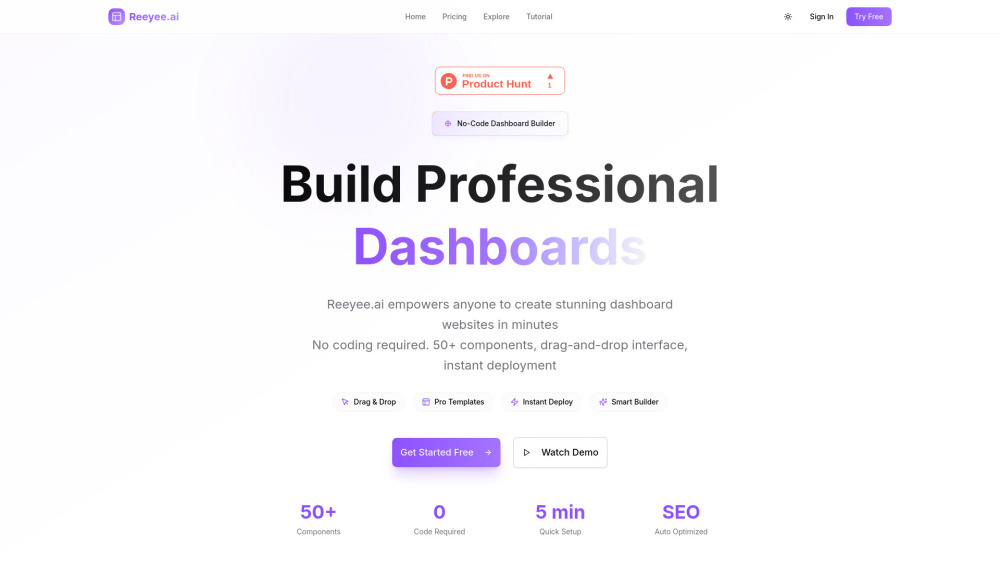
Reeyee: Build stunning, AI-powered dashboard websites—zero coding required. Fast, professional, and intuitive.
Directory : AI Charting, AI Landing Page Builder, No-Code&Low-Code, AI Builder, AI Image Generator, AI Design Assistant
What is Reeyee?
Reeyee.ai isn’t just another dashboard tool—it’s the fastest way to turn raw data into intelligent, beautiful, and fully functional dashboard websites—zero code required. Built for analysts, marketers, founders, and operations teams alike, Reeyee combines enterprise-grade visualization, intuitive no-code assembly, and embedded AI intelligence into one unified platform. With over 130 ready-to-use components (84 live, 52 rolling out soon), 20+ industry-standard chart types, and 50+ professionally designed templates, you go from blank canvas to live, SEO-optimized dashboard—in under five minutes.
How Does Reeyee Work?
Building with Reeyee feels like designing in Figma—but for data-driven experiences. Drag, drop, connect, and publish. No scripts, no dev tickets, no waiting. Choose a template or start from scratch, add charts, KPI cards, interactive filters, or AI-powered search—all with real-time previews. Customize fonts, colors, responsiveness, and interactions in seconds. Then hit “Publish”: your dashboard goes live instantly with automatic SEO tagging, performance optimization, and full custom domain support—no hosting setup needed.
Why Teams Choose Reeyee: Core Capabilities
Truly Intuitive No-Code Editor
136 Purpose-Built Components (84 Live, 52 in Active Development)
Professional Data Visualization Engine (20+ Chart Types + Dynamic Filtering)
One-Click Deployment with Built-in SEO, CDN Delivery & Custom Domain
Embedded AI Suite: Smart Search, Text Generation, Image Synthesis, Summarization & More
Integrated Growth Toolkit: Email Capture, Surveys, Product Showcases, Reviews & Comment Systems
50+ Industry-Specific Templates (Finance, SaaS, E-commerce, HR, Logistics & Beyond)
End-to-End Dashboard OS: Layouts, CMS, Analytics, Marketing, and AI—All in One Place
Who Uses Reeyee? Real-World Use Cases
Business Intelligence Dashboards — Live, self-updating & stakeholder-ready
Financial Performance Reports — With drill-downs, forecasts & compliance-ready exports
Marketing Campaign Dashboards — Track CAC, ROAS, funnel drop-offs & attribution
Sales Pipeline Monitors — Visualize win rates, forecast accuracy & rep performance
Operations Command Centers — Monitor SLAs, uptime, ticket volume & resolution trends
Customer Insights Hubs — Aggregate NPS, CSAT, churn signals & behavioral heatmaps
Interactive Landing Pages — Convert visitors with embedded dashboards & live data demos
Executive Summary Portals — Clean, branded, mobile-responsive snapshots for leadership
Frequently Asked Questions
-
What kinds of components does Reeyee offer?
-
Is coding knowledge required?
-
Which AI features are available today—and what’s coming next?
-
How do I activate marketing tools like surveys or email capture?
-
How does Reeyee handle content, media, and data updates?
-
Support & Contact
Got questions, feedback, or need urgent help? Reach our dedicated support team at https://reeyee.ai/contact. Refund requests, onboarding assistance, and priority troubleshooting—we’re here to accelerate your success.
-
About Reeyee
Company Name: Reeyee Technology
Mission: To democratize intelligent data storytelling—making powerful, polished dashboards accessible to everyone, not just engineers.
Learn more about our vision, values, and team: https://reeyee.ai/about -
Log In to Your Dashboard
Already building? Access your projects anytime: https://reeyee.ai/login
-
Start Building Free Today
No credit card required. Get instant access to all core features—including AI tools and custom domains—for 14 days: https://reeyee.ai/signup
-
Transparent, Scalable Pricing
From solo analysts to global teams—we’ve got a plan that grows with you. Compare features, limits, and AI allowances: https://reeyee.ai/Pricing
FAQ from Reeyee
What is Reeyee?
Reeyee.ai is the world’s first AI-native, no-code dashboard builder engineered for speed, polish, and insight. It empowers non-technical users to design, deploy, and iterate professional dashboard websites—complete with live data connections, responsive layouts, marketing integrations, and generative AI—all without writing a single line of code.
How do I get started with Reeyee?
Sign up → choose a template or blank canvas → drag in charts, metrics, filters, and AI widgets → customize branding and interactivity → click “Publish.” Your dashboard is live, indexed by search engines, and accessible via your own domain—within minutes.
What types of components does Reeyee support?
136 modular, production-ready components—including dynamic tables, time-series charts, geo-maps, progress trackers, AI chat interfaces, semantic search bars, newsletter signups, review carousels, login portals, and multi-step surveys. All components are responsive, accessible, and style-consistent out of the box.
Do I need programming experience?
None whatsoever. Reeyee was built *for* people who speak business, analytics, or design—not JavaScript. Its visual editor, contextual AI helpers, and guided onboarding make complex dashboard creation feel effortless—even for first-time builders.
What AI features are included?
Live AI capabilities include: AI Smart Search (natural-language dashboard navigation), AI Text Assistant (generate descriptions, summaries, or reports from your data), AI Image Studio (create branded visuals on-demand), Semantic Content Analysis, and Auto-Tagging. Upcoming: AI anomaly detection and predictive KPI suggestions.
How do I use marketing and interactive features?
Every component is plug-and-play. Add an email signup form in one click—or embed a survey, product showcase, or customer testimonial carousel. All marketing tools sync with your CRM or email service (via native webhooks or Zapier), and collect data directly into your dashboard analytics.
How is data and content managed?
Reeyee includes a lightweight yet powerful internal CMS—supporting rich text, images, videos, embedded iframes, and structured datasets (CSV, JSON, API). You can update content live without redeploying, schedule changes, manage versions, and even set role-based editing permissions across teams.