AI Content Generator

patronsAI

Boost Patreon interaction with patronsAI: an AI assistant delivering personalized replies for direct messages and comments, tailored to each patron.

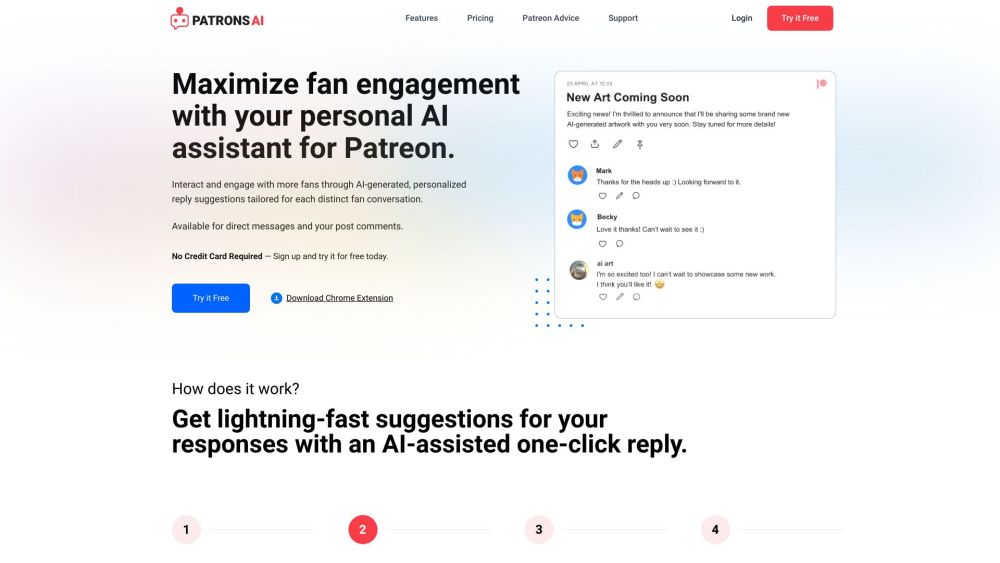
patronsAI website preview

patronsAI Website screenshot

What is patronsAI?

patronsAI is an innovative AI assistant crafted to enhance user interaction and engagement on Patreon. It offers personalized reply suggestions tailored to each unique patron conversation, applicable for both direct messages and post comments.

How to use patronsAI?

To get started with patronsAI, you need to install the patronsAI Chrome extension. After installation, head over to your Patreon DMs or the content comments section and click the 'AI Suggest Reply' button. The AI will analyze the conversation and provide you with instant reply suggestions to engage with your audience.

patronsAI's Core Features

AI-powered personalized reply suggestions

Reply suggestions for both direct messages and post comments

One-click replies for rapid responses

User-friendly Chrome extension

Boost Patreon engagement with custom responses

Privacy protection with confidential usernames

Customizable replies with emojis, tone adjustments, and questions

Increase revenue through enhanced engagement

Time-saving tool for managing fan interactions

patronsAI's Use Cases

Effortlessly engage and interact with fans

Enhance fan engagement and revenue

Create personalized conversations with fans

Stay responsive to fan messages

Save time with an AI assistant

Impress fans with custom AI-powered replies

Product source: patronsAI official website. Check the provider for current plans, limits and availability.

FAQ

patronsAI questions and answers

Product context and practical checks for evaluating patronsAI.

What is patronsAI used for?

Boost Patreon interaction with patronsAI: an AI assistant delivering personalized replies for direct messages and comments, tailored to each patron.

How do I get started with patronsAI?

To get started with patronsAI, you need to install the patronsAI Chrome extension. After installation, head over to your Patreon DMs or the content comments section and click the 'AI Suggest Reply' button. The AI will analyze the conversation and provide you with instant reply suggestions to engage with your audience.

Which capabilities are described for patronsAI?

AI-powered personalized reply suggestionsReply suggestions for both direct messages and post commentsOne-click replies for rapid responsesUser-friendly Chrome extensionBoost Patreon engagement with custom responsesPrivacy protection with confidential usernamesCustomizable replies with emojis, tone adjustments, and questionsIncrease revenue through enhanced engagementTime-saving tool for managing fan interactions

What projects can I evaluate patronsAI for?

Effortlessly engage and interact with fansEnhance fan engagement and revenueCreate personalized conversations with fansStay responsive to fan messagesSave time with an AI assistantImpress fans with custom AI-powered replies patronsAI Support Email & Customer Service For more contact details, visit the contact us page(https://patronsai.com/contact) patronsAI Company Company Name: AI Digital, LLC patronsAI Login Login here: https://patronsai.com/login patronsAI Sign up Sign up here: https://patronsai.com/signup patronsAI Pricing View pricing details: https://patronsai.com/pricing

What should I compare before choosing a patronsAI plan?

View pricing details: https://patronsai.com/pricing Confirm current prices and allowances on the provider’s website before purchasing.

What inputs should I prepare for a patronsAI trial?

Identify the files, text or account connections your task needs. Confirm that the product accepts those inputs and offers controls for reviewing its work.

How can I check the quality of a patronsAI result?

Test one representative task and inspect the result for accuracy and completeness. Record where manual corrections or extra tools are needed.

Which export options should I check in patronsAI?

Check export formats, integrations and whether you can keep using your work outside the service. Test a real export before committing to a longer plan.

What is a practical way to test patronsAI against alternatives?

Choose one task with a clear success condition. Keep the input consistent, record the time spent reviewing and compare the complete workflow cost.

Where is the official patronsAI website?

The website linked from this profile is https://patronsai.com. Use the provider’s own documentation, account area and support channels to confirm current product details.

Visit patronsAI