AI Product Description Generator

PaintPlanner

PaintPlanner: LiDAR tech for precise room measurements & paint estimates. Scan rooms with ease, subtract openings, and plan projects effortlessly.

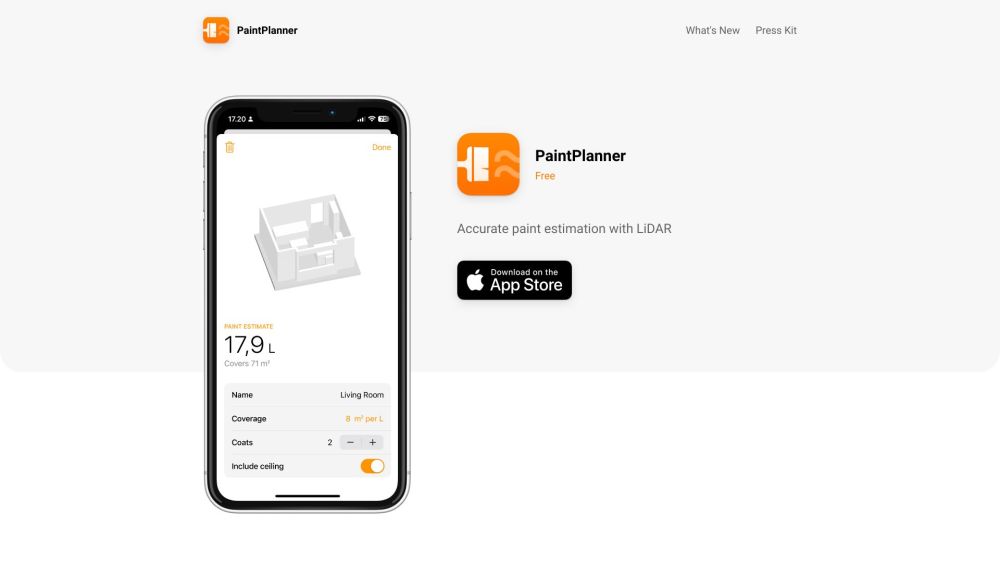
PaintPlanner website preview

PaintPlanner Website screenshot

Introducing PaintPlanner

PaintPlanner is an innovative tool designed to provide precise paint estimates using advanced LiDAR technology. By leveraging LiDAR, users can effortlessly measure room dimensions, eliminating the need for manual measurements. This technology accurately scans spaces, taking into account doors, windows, and other openings to generate reliable paint estimates. Additionally, PaintPlanner enables users to save their estimates, modify the number of coats required, and streamline their painting projects.

Using PaintPlanner

To start using PaintPlanner, a LiDAR-supported device is essential. The process involves scanning the desired room with the device, allowing PaintPlanner to calculate the paint requirements by factoring in doors, windows, and openings. Users can then save the estimate, adjust the number of coats, and customize the paint coverage according to their needs. This ensures a well-organized and precise planning process for painting projects.

Key Features of PaintPlanner

LiDAR-enabled room scanning

Precise calculations

Automatic exclusion of doors, windows, and openings

Estimate saving functionality

Customizable number of coats

Adjustable paint coverage

Ideal Users of PaintPlanner

Homeowners preparing for a paint job

Interior designers needing detailed paint calculations

Professional painters seeking precise measurement tools

  • Support and Contact Information

    For customer service, contact PaintPlanner support at: [email protected].

  • Company Details

    PaintPlanner Company is based in Copenhagen.

  • Connect with PaintPlanner on Twitter

    Follow PaintPlanner on Twitter: https://twitter.com/ebaehr

  • Visit PaintPlanner on GitHub

    Explore PaintPlanner’s code on GitHub: https://github.com/emilbaehr

Product source: PaintPlanner official website. Check the provider for current plans, limits and availability.

FAQ

PaintPlanner questions and answers

Product context and practical checks for evaluating PaintPlanner.

What is PaintPlanner used for?

PaintPlanner: LiDAR tech for precise room measurements & paint estimates. Scan rooms with ease, subtract openings, and plan projects effortlessly.

How do I get started with PaintPlanner?

Open the official PaintPlanner website and identify the workflow that matches your task. Choose one task with a clear success condition. Keep the input consistent, record the time spent reviewing and compare the complete workflow cost.

Which capabilities are described for PaintPlanner?

LiDAR-enabled room scanningPrecise calculationsAutomatic exclusion of doors, windows, and openingsEstimate saving functionalityCustomizable number of coatsAdjustable paint coverage

What should I compare before choosing a PaintPlanner plan?

PaintPlanner is an innovative tool designed to provide precise paint estimates using advanced LiDAR technology. By leveraging LiDAR, users can effortlessly measure room dimensions, eliminating the need for manual measurements. This technology accurately scans spaces, taking into account doors, windows, and other openings to generate reliable paint estimates. Additionally, PaintPlanner enables users to save their estimates, modify the number of coats required, and streamline their painting projects. Confirm current prices and allowances on the provider’s website before purchasing.

What inputs should I prepare for a PaintPlanner trial?

Identify the files, text or account connections your task needs. Confirm that the product accepts those inputs and offers controls for reviewing its work.

How can I check the quality of a PaintPlanner result?

Test one representative task and inspect the result for accuracy and completeness. Record where manual corrections or extra tools are needed.

Which export options should I check in PaintPlanner?

Check export formats, integrations and whether you can keep using your work outside the service. Test a real export before committing to a longer plan.

What is a practical way to test PaintPlanner against alternatives?

Choose one task with a clear success condition. Keep the input consistent, record the time spent reviewing and compare the complete workflow cost.

What should I review before uploading material to PaintPlanner?

Read the provider’s rules on access, retention, deletion and use of uploaded material. Start with a non-confidential sample that you have permission to use.

Where is the official PaintPlanner website?

The website linked from this profile is https://paintplanner.app. Use the provider’s own documentation, account area and support channels to confirm current product details.

Visit PaintPlanner