AI Chatbot

OwchBuddy

Your AI-Powered Personal Injury Assistant

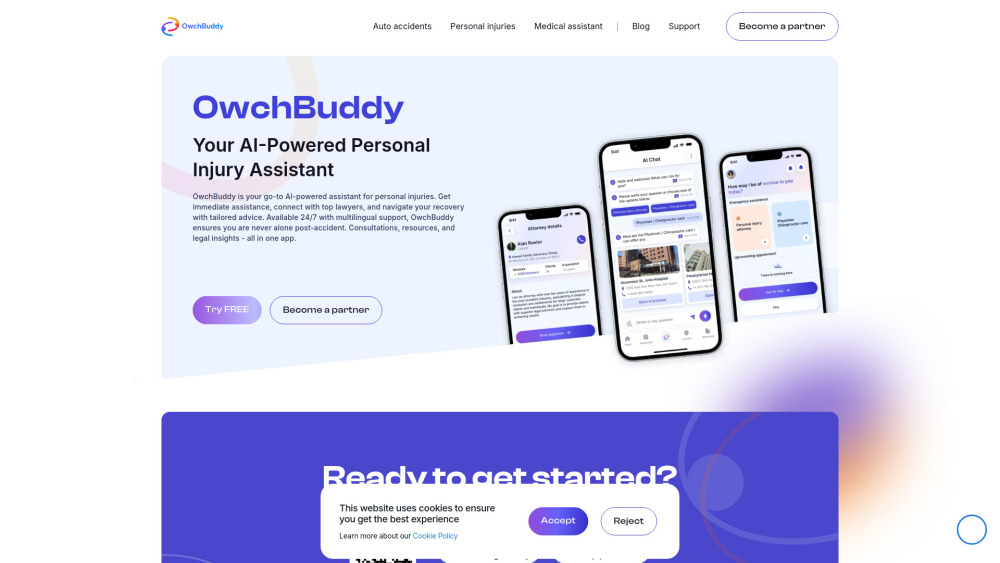
OwchBuddy website preview

OwchBuddy Website screenshot

What is OwchBuddy?

OwchBuddy is a smart AI-powered assistant tailored to help individuals recovering from personal injuries. The app provides real-time connections with top-tier legal experts, healthcare professionals, and personalized guidance to help manage your recovery. Multilingual support and 24/7 accessibility ensure that OwchBuddy is always available when you need it, no matter your location. With a single platform, you can access legal consultations, medical advice, and much more, making recovery less stressful.

How to use OwchBuddy?

1. Download and Install: Head to the Google Play Store or Apple App Store to download the OwchBuddy app to your device.
2. Set Up Your Account: Once installed, follow the prompts to create your account by providing essential personal information.
3. Explore the App: After logging in, take time to get familiar with OwchBuddy’s intuitive design. The interface is straightforward, with easy-to-navigate menus.
4. Get Assistance: Whether you need legal aid, medical advice, or psychological support, select the relevant section in the app. The AI will direct you to the appropriate resources or professionals.
5. Use AI-Powered Tools: Utilize the AI chat features for instant guidance and advice based on your situation.
6. Book Appointments: For more in-depth help, the app allows you to schedule consultations with experts.
7. Access Information: OwchBuddy offers access to a wealth of resources like articles, guides, and practical tips to support your recovery.
8. Manage Profile Settings: Customize your profile and app settings to suit your specific needs.
9. Prioritize Security: Ensure your personal information is safe by keeping your privacy settings updated and understanding OwchBuddy’s security protocols.

OwchBuddy's Key Features

Personalized Support

Emotional Assistance

Document Management

Learning Resources

Location-based Guidance

User Feedback

Voice-Activated Commands

Product source: OwchBuddy official website. Check the provider for current plans, limits and availability.

FAQ

OwchBuddy questions and answers

Product context and practical checks for evaluating OwchBuddy.

What is OwchBuddy used for?

Your AI-Powered Personal Injury Assistant

How do I get started with OwchBuddy?

1. Download and Install: Head to the Google Play Store or Apple App Store to download the OwchBuddy app to your device. 2. Set Up Your Account: Once installed, follow the prompts to create your account by providing essential personal information. 3. Explore the App: After logging in, take time to get familiar with OwchBuddy’s intuitive design. The interface is straightforward, with easy-to-navigate menus. 4. Get Assistance: Whether you need legal aid, medical advice, or psychological support, select the relevant section in the app. The AI will direct you to the appropriate resources or professionals. 5. Use AI-Powered Tools: Utilize the AI chat features for instant guidance and advice based on your situation. 6. Book Appointments: For more in-depth help, the app allows you to schedule consultations with experts. 7. Access Information: OwchBuddy offers access to a wealth of resources like articles, guides, and practical tips to support your recovery. 8. Manage Profile Settings: Customize your profile and app settings to suit your specific needs. 9. Prioritize Security: Ensure your personal information is safe by keeping your privacy settings updated and understanding OwchBuddy’s security protocols.

Which capabilities are described for OwchBuddy?

Personalized SupportEmotional AssistanceDocument ManagementLearning ResourcesLocation-based GuidanceUser FeedbackVoice-Activated Commands OwchBuddy Company OwchBuddy Inc. operates out of Bradenton, FL. Company address: 14621 E. State Rd. 70 #257 Bradenton, FL 34202. OwchBuddy on Social Media Facebook: https://www.facebook.com/owchbuddy LinkedIn: https://www.linkedin.com/company/owchbuddy/ Twitter: https://twitter.com/owchbuddy Instagram: https://www.instagram.com/owchbuddy/

What should I compare before choosing a OwchBuddy plan?

Check OwchBuddy’s current pricing page for included usage, renewal terms and any credit charges. Compare the cost of a usable result, including retries, rather than assuming that account registration includes free usage.

What inputs should I prepare for a OwchBuddy trial?

Identify the files, text or account connections your task needs. Confirm that the product accepts those inputs and offers controls for reviewing its work.

How can I check the quality of a OwchBuddy result?

Test one representative task and inspect the result for accuracy and completeness. Record where manual corrections or extra tools are needed.

Which export options should I check in OwchBuddy?

Check export formats, integrations and whether you can keep using your work outside the service. Test a real export before committing to a longer plan.

What is a practical way to test OwchBuddy against alternatives?

Choose one task with a clear success condition. Keep the input consistent, record the time spent reviewing and compare the complete workflow cost.

What should I review before uploading material to OwchBuddy?

Read the provider’s rules on access, retention, deletion and use of uploaded material. Start with a non-confidential sample that you have permission to use.

Where is the official OwchBuddy website?

The website linked from this profile is https://owchbuddy.com. Use the provider’s own documentation, account area and support channels to confirm current product details.

Visit OwchBuddy