AI Content Generator

ONE800

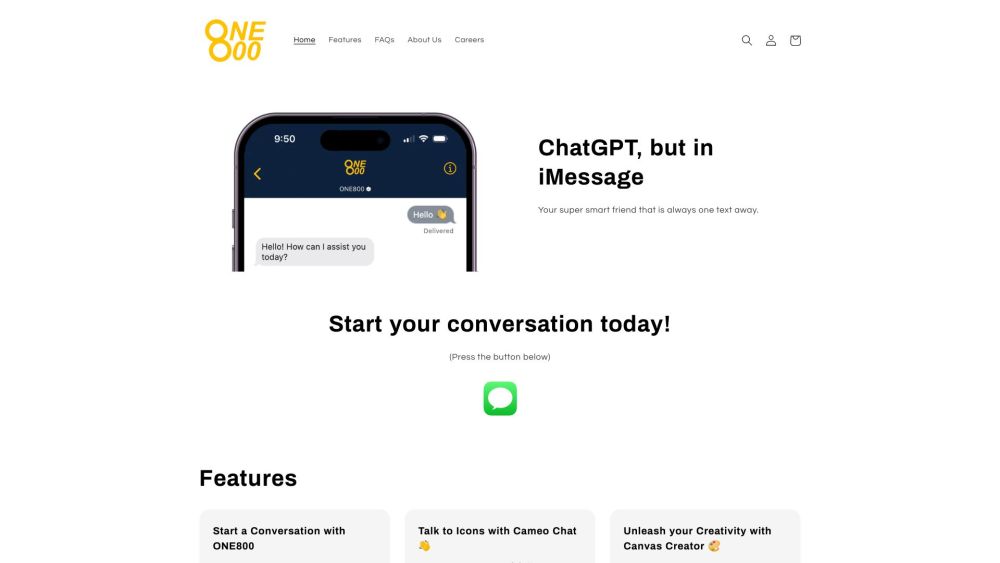
ONE800: ChatGPT for iMessage – Access AI tools, expert answers, celebrity chats, and creative content directly in iMessage. Free, no download required!

ONE800 website preview

ONE800: ChatGPT for iMessage Website screenshot

What is ONE800: ChatGPT for iMessage?

ONE800 is an innovative AI tool that integrates ChatGPT directly into iMessage, enabling users to generate AI-driven content seamlessly. It features a suite of AI tools, including ChatGPT and Midjourney, all accessible without needing to download additional apps. Users can interact with their favorite celebrities, receive expert advice, obtain instant answers, and unleash their creativity—all within the iMessage environment. ONE800 is free to try and offers a smooth, hassle-free user experience.

How to use ONE800: ChatGPT for iMessage?

Using ONE800 is straightforward. Once you have the ONE800 app, you can access ChatGPT and other AI tools from within iMessage. Start a conversation by choosing a contact and opening the iMessage app. Within the app, type your questions or requests, send images or voice memos, and get instant AI-generated responses. Additionally, users can engage in Cameo Chats with celebrities or utilize the Canvas Creator to add artistic elements to their messages. These AI tools provide information, advice, and entertainment, all without leaving the iMessage interface.

ONE800: ChatGPT for iMessage's Core Features

Access to ChatGPT and other AI tools within iMessage

Direct chat with celebrities and idols

Instant expert answers

Text, image, and voice memo support

Free access

Apple Business Approved

No download required

Canvas Creator for artistic creativity

ONE800: ChatGPT for iMessage's Use Cases

Getting instant answers to questions

Seeking expert advice on relationships, career decisions, etc.

Generating unique and beautiful art designs with Canvas Creator

Engaging in Cameo Chats with favorite celebrities

Receiving book recommendations based on personal interests

Getting fitness advice for staying healthy

Using ChatGPT for homework help

Exploring fictional and realistic chats with AI-powered characters

Enhancing iMessage conversations with AI-generated content

Product source: ONE800 official website. Check the provider for current plans, limits and availability.

FAQ

ONE800 questions and answers

Product context and practical checks for evaluating ONE800.

What is ONE800 used for?

ONE800: ChatGPT for iMessage – Access AI tools, expert answers, celebrity chats, and creative content directly in iMessage. Free, no download required!

How do I get started with ONE800?

Using ONE800 is straightforward. Once you have the ONE800 app, you can access ChatGPT and other AI tools from within iMessage. Start a conversation by choosing a contact and opening the iMessage app. Within the app, type your questions or requests, send images or voice memos, and get instant AI-generated responses. Additionally, users can engage in Cameo Chats with celebrities or utilize the Canvas Creator to add artistic elements to their messages. These AI tools provide information, advice, and entertainment, all without leaving the iMessage interface.

Which capabilities are described for ONE800?

Access to ChatGPT and other AI tools within iMessageDirect chat with celebrities and idolsInstant expert answersText, image, and voice memo supportFree accessApple Business ApprovedNo download requiredCanvas Creator for artistic creativity

What projects can I evaluate ONE800 for?

Getting instant answers to questionsSeeking expert advice on relationships, career decisions, etc.Generating unique and beautiful art designs with Canvas CreatorEngaging in Cameo Chats with favorite celebritiesReceiving book recommendations based on personal interestsGetting fitness advice for staying healthyUsing ChatGPT for homework helpExploring fictional and realistic chats with AI-powered charactersEnhancing iMessage conversations with AI-generated content

What should I compare before choosing a ONE800 plan?

Check ONE800’s current pricing page for included usage, renewal terms and any credit charges. Compare the cost of a usable result, including retries, rather than assuming that account registration includes free usage.

What inputs should I prepare for a ONE800 trial?

Compare support for source documents, style instructions, outlines and length limits. Check whether citations link to real material rather than merely looking like references.

How can I check the quality of a ONE800 result?

Verify names, dates, quotations and factual claims against the original sources. Edit tone, remove repetition and make sure the text answers the intended reader’s question.

Which export options should I check in ONE800?

Check export to plain text, Markdown, documents or your publishing system. Formatting, headings and working links matter when moving a draft into production.

What is a practical way to test ONE800 against alternatives?

Use a real brief and a short source document. Compare factual accuracy, structure and editing time rather than accepting the longest or most confident draft.

Where is the official ONE800 website?

The website linked from this profile is https://one800chat.com. Use the provider’s own documentation, account area and support channels to confirm current product details.

Visit ONE800