AI Content Generator

Novice

Novice: AI-powered desktop app for secure document analysis, smarter workflows, pricing insights, reviews & top alternatives—boost productivity with core features built for professionals.

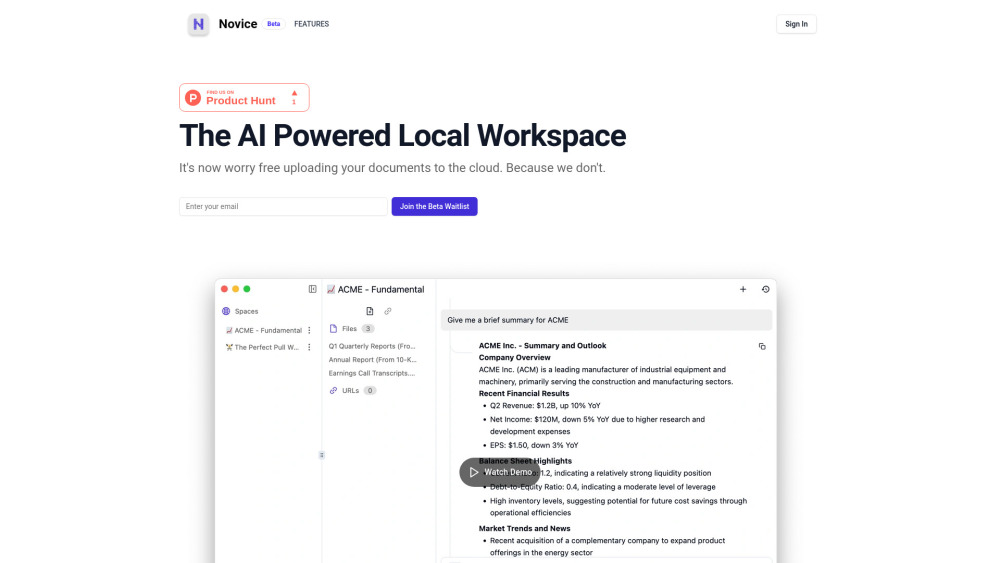
Novice website preview

Novice Website screenshot

What is Novice?

Novice is a secure, AI-driven desktop tool designed to analyze documents directly on your computer, ensuring sensitive information never leaves your device.

How Does Novice Work?

After downloading the application, users can instantly begin analyzing PDFs, contracts, reports, and other document types using powerful local AI processing—no internet connection or cloud storage required.

Key Features of Novice

Local AI Document Processing for Maximum Security

Integration with Open-Source Large Language Models (LLMs)

Simple Installation and Intuitive Interface

Who Should Use Novice?

Professionals handling confidential data like legal teams, researchers, and compliance officers

Common Questions About Novice

What kind of application is Novice?

Novice is a privacy-first desktop AI tool that enables intelligent document review and analysis without relying on external servers.

Can I use Novice offline?

Absolutely. Once installed, Novice runs entirely offline, making it ideal for environments requiring high data confidentiality.

Does Novice support custom AI models?

Yes, it allows integration with various open-source LLMs, giving users control over the AI engine powering their analyses.

Is setup complicated?

No—Novice is built for ease of use. Install, import your files, and start extracting insights within minutes.

Product source: Novice official website. Check the provider for current plans, limits and availability.

FAQ

Novice questions and answers

Product context and practical checks for evaluating Novice.

What is Novice used for?

Novice: AI-powered desktop app for secure document analysis, smarter workflows, pricing insights, reviews & top alternatives—boost productivity with core features built for professionals.

How do I get started with Novice?

After downloading the application, users can instantly begin analyzing PDFs, contracts, reports, and other document types using powerful local AI processing—no internet connection or cloud storage required.

Which capabilities are described for Novice?

Local AI Document Processing for Maximum SecurityIntegration with Open-Source Large Language Models (LLMs)Simple Installation and Intuitive Interface

What projects can I evaluate Novice for?

Professionals handling confidential data like legal teams, researchers, and compliance officers

What should I compare before choosing a Novice plan?

Check Novice’s current pricing page for included usage, renewal terms and any credit charges. Compare the cost of a usable result, including retries, rather than assuming that account registration includes free usage.

What inputs should I prepare for a Novice trial?

Look for text prompts, image references, masks or sketches as appropriate. Compare composition control, supported upload types and the ability to revise a selected area.

How can I check the quality of a Novice result?

Inspect text, hands, edges, reflections and repeated objects at full size. Check that important product or brand details survive editing.

Which export options should I check in Novice?

Compare pixel dimensions, transparency, file formats and any enlargement options. Confirm that the downloaded result works in your design or publishing software.

What is a practical way to test Novice against alternatives?

Prepare a brief with a subject, composition, lighting and required output size. Test a first generation and a targeted revision to see how much control you retain.

Where is the official Novice website?

The website linked from this profile is https://novice.so. Use the provider’s own documentation, account area and support channels to confirm current product details.

Visit Novice