Table of contents
Notaide : AI Visual Brainstorming, Pricing, Reviews, Features
Notaide: AI-powered visual brainstorming & idea management—streamline ideation, compare pricing/reviews, explore features & alternatives. Try it today!
Directory : AI Content Generator, AI Business Ideas Generator, AI Cooking Assistant, AI Trip Planner, AI Recipe Assistant, AI Mind Mapping
What Is Notaide?
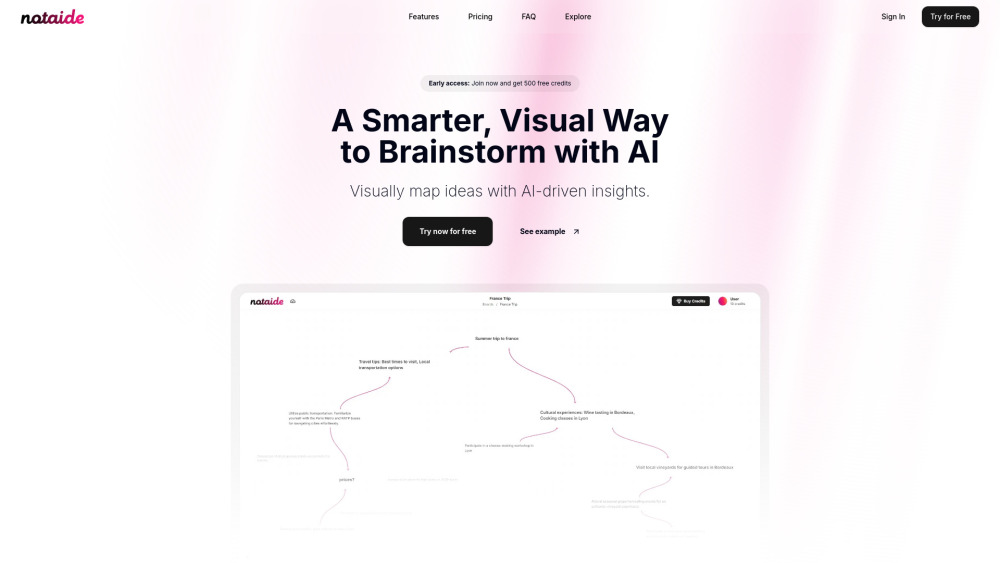
Notaide is an AI-powered visual ideation workspace designed to transform scattered thoughts into structured, interconnected insights—blending mind mapping, real-time collaboration, and generative intelligence in one intuitive interface.
Getting Started with Notaide
Launch a new canvas, enter your core idea, and let Notaide’s AI suggest related concepts, reorganize clusters, or convert bullet points into dynamic visual maps—all within seconds.
Key Capabilities of Notaide
Smart Idea Expansion
Drag-and-drop visual canvases with auto-layout & theme-aware styling
Multi-user co-editing with live cursors, version history, and comment threads
Who Uses Notaide?
Students and educators mapping complex topics for research or lesson planning
Product teams rapidly prototyping features, user flows, and sprint backlogs
Frequently Asked Questions
-
How does Notaide work?
-
Do I need a subscription to use Notaide?
-
Contact & Support
Reach the Notaide team for assistance, feedback, or refund requests at: [email protected]
-
About the Company
Notaide is developed by Notaide Labs — a creative-tech studio focused on human-centered AI tools for thinking, learning, and innovating.
-
Notaide Login
Access your workspace: https://notaide.com/signin
-
Create Your Account
Start brainstorming in under 30 seconds: https://notaide.com/signin
-
Pricing Plans
Flexible options—from pay-as-you-go AI credits to team plans with unlimited boards: https://notaide.com/#pricing
-
Follow Us
Get tips, updates, and community inspiration: https://x.com/notaideai
FAQ from Notaide
What is Notaide?
Notaide is an AI-native visual brainstorming platform that helps individuals and teams turn abstract ideas into clear, actionable visual frameworks—enhancing clarity, creativity, and convergence.
How to use Notaide?
Begin with a blank board or template, type a prompt (e.g., “Sustainable packaging ideas”), and use AI commands like “Expand this branch,” “Group similar concepts,” or “Simplify into three pillars” to evolve your thinking visually.
How does Notaide work?
Powered by multimodal AI models fine-tuned for ideation tasks, Notaide interprets context, detects semantic relationships, and renders suggestions as editable nodes, arrows, and color-coded themes—keeping full user control at every step.
Do I need a subscription to use Notaide?
No. Notaide offers a free tier with core visual tools and limited AI interactions. Premium features—including advanced AI modes, export options, and priority support—are unlocked via credit packs or monthly plans.