AI Analytics Assistant

MyArchitectAI

AI rendering software for instant photorealistic architectural renders

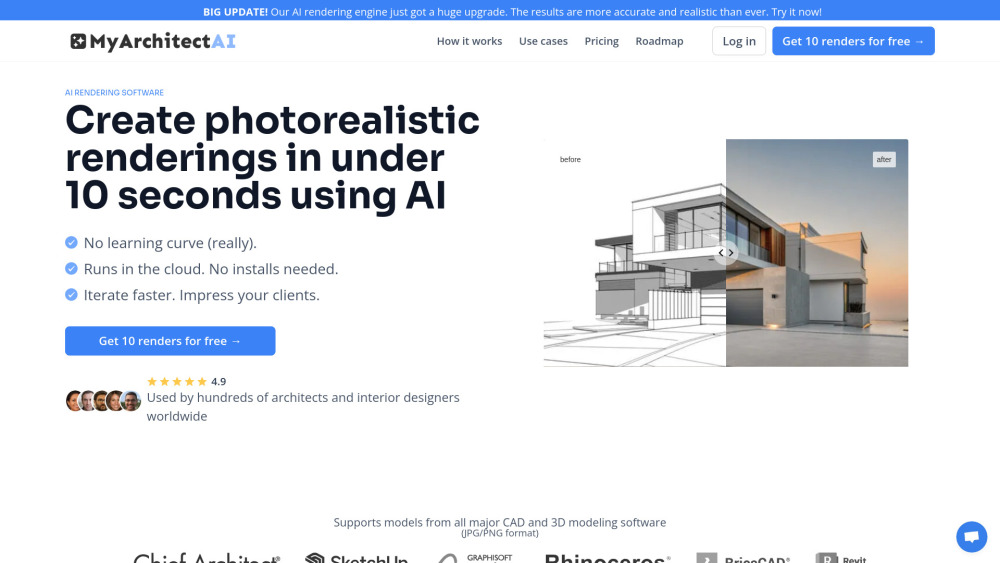
MyArchitectAI website preview

MyArchitectAI Website screenshot

What is MyArchitectAI?

MyArchitectAI is an advanced AI-powered rendering tool designed to produce high-quality architectural visualizations in just seconds. This software is ideal for architects and interior designers who need to create numerous design variations swiftly and cost-effectively. It is compatible with a variety of CAD and 3D modeling programs, and users can easily adjust the rendering styles to align with their personal design preferences.

How to use MyArchitectAI?

Getting started with MyArchitectAI is straightforward. Simply upload your 3D model, modify the rendering settings via text commands or choose from preset styles, and within 10 seconds, you can download a 4K resolution photorealistic render of your design.

Key Features of MyArchitectAI

Instant photorealistic renders powered by AI in under 10 seconds

Compatibility with leading CAD and 3D modeling software

Fully customizable rendering options with preset styles

MyArchitectAI's Applications

Rendering for architectural designs

Interior design visualizations

Home remodeling project visualizations

  • MyArchitectAI Support & Contact Information

    For more information, visit the contact page.

  • About MyArchitectAI

    MyArchitectAI is developed and maintained by the company of the same name.

  • Login to MyArchitectAI

    Access your account or sign up here.

  • MyArchitectAI Pricing

    Explore pricing options on the pricing page.

Product source: MyArchitectAI official website. Check the provider for current plans, limits and availability.

FAQ

MyArchitectAI questions and answers

Product context and practical checks for evaluating MyArchitectAI.

What is MyArchitectAI used for?

AI rendering software for instant photorealistic architectural renders

How do I get started with MyArchitectAI?

Getting started with MyArchitectAI is straightforward. Simply upload your 3D model, modify the rendering settings via text commands or choose from preset styles, and within 10 seconds, you can download a 4K resolution photorealistic render of your design.

Which capabilities are described for MyArchitectAI?

Instant photorealistic renders powered by AI in under 10 secondsCompatibility with leading CAD and 3D modeling softwareFully customizable rendering options with preset styles

What projects can I evaluate MyArchitectAI for?

Rendering for architectural designsInterior design visualizationsHome remodeling project visualizations MyArchitectAI Support & Contact Information For more information, visit the contact page. About MyArchitectAI MyArchitectAI is developed and maintained by the company of the same name. Login to MyArchitectAI Access your account or sign up here. MyArchitectAI Pricing Explore pricing options on the pricing page.

What should I compare before choosing a MyArchitectAI plan?

Explore pricing options on the pricing page. Confirm current prices and allowances on the provider’s website before purchasing.

What inputs should I prepare for a MyArchitectAI trial?

Look for text prompts, image references, masks or sketches as appropriate. Compare composition control, supported upload types and the ability to revise a selected area.

How can I check the quality of a MyArchitectAI result?

Inspect text, hands, edges, reflections and repeated objects at full size. Check that important product or brand details survive editing.

Which export options should I check in MyArchitectAI?

Compare pixel dimensions, transparency, file formats and any enlargement options. Confirm that the downloaded result works in your design or publishing software.

What is a practical way to test MyArchitectAI against alternatives?

Prepare a brief with a subject, composition, lighting and required output size. Test a first generation and a targeted revision to see how much control you retain.

Where is the official MyArchitectAI website?

The website linked from this profile is https://. Use the provider’s own documentation, account area and support channels to confirm current product details.

Visit MyArchitectAI