AI Advertising Assistant

MultipleChat

MultipleChat: Engage with multiple AI models simultaneously to gain diverse insights and make better decisions in real-time. Elevate your conversations!

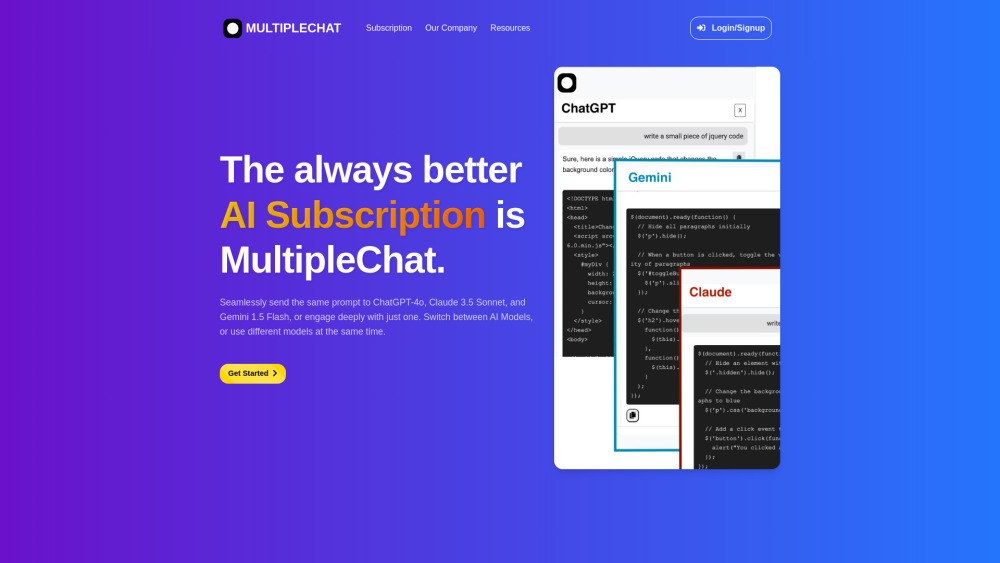
MultipleChat website preview

MultipleChat Website screenshot

What is MultipleChat?

MultipleChat is a cutting-edge platform that enables users to engage in conversations with various AI models, such as ChatGPT, Claude, and Gemini, all from one unified interface. This tool is designed to facilitate simultaneous interactions, making it easier for users to generate content and make informed decisions across industries like marketing, SEO, research, and academic work.

How to use MultipleChat?

To get started, users simply need to sign up, after which they can initiate chat sessions where they can prompt multiple AI models at once. This feature allows users to compare the different AI-generated responses side by side, leveraging the distinct strengths of each model.

Key Features of MultipleChat

Engage multiple AI models simultaneously

Compare AI responses in parallel

Receive real-time feedback and corrections

Access extended chat history

Supports multiple languages

Applications of MultipleChat

Generate and paraphrase content using different AI models

Perform thorough market research with insights from diverse AIs

Product source: MultipleChat official website. Check the provider for current plans, limits and availability.

FAQ

MultipleChat questions and answers

Product context and practical checks for evaluating MultipleChat.

What is MultipleChat used for?

MultipleChat: Engage with multiple AI models simultaneously to gain diverse insights and make better decisions in real-time. Elevate your conversations!

How do I get started with MultipleChat?

To get started, users simply need to sign up, after which they can initiate chat sessions where they can prompt multiple AI models at once. This feature allows users to compare the different AI-generated responses side by side, leveraging the distinct strengths of each model.

Which capabilities are described for MultipleChat?

Engage multiple AI models simultaneouslyCompare AI responses in parallelReceive real-time feedback and correctionsAccess extended chat historySupports multiple languages

What projects can I evaluate MultipleChat for?

Generate and paraphrase content using different AI modelsPerform thorough market research with insights from diverse AIs Customer Support and Contact Information For customer service inquiries, you can reach out via email at: [email protected]. For more contact options, visit our Contact Us page. Company Information Company Name: NLP GmbH Company Address: Zurich, Switzerland Learn more about MultipleChat by visiting our About Us page. MultipleChat Login Log in to your MultipleChat account here: https://chat.multiple.chat. MultipleChat Sign Up Sign up for a new account at MultipleChat here: https://chat.multiple.chat. MultipleChat Pricing Check out our subscription plans here: https://multiple.chat/subscription. MultipleChat on LinkedIn Follow us on LinkedIn: https://www.linkedin.com/company/multiplechat. MultipleChat on Twitter Stay updated by following us on Twitter: https://twitter.com/ai_multiplechat.

What should I compare before choosing a MultipleChat plan?

Check out our subscription plans here: https://multiple.chat/subscription. Confirm current prices and allowances on the provider’s website before purchasing.

What inputs should I prepare for a MultipleChat trial?

Identify the files, text or account connections your task needs. Confirm that the product accepts those inputs and offers controls for reviewing its work.

How can I check the quality of a MultipleChat result?

Test one representative task and inspect the result for accuracy and completeness. Record where manual corrections or extra tools are needed.

Which export options should I check in MultipleChat?

Check export formats, integrations and whether you can keep using your work outside the service. Test a real export before committing to a longer plan.

What is a practical way to test MultipleChat against alternatives?

Choose one task with a clear success condition. Keep the input consistent, record the time spent reviewing and compare the complete workflow cost.

Where is the official MultipleChat website?

The website linked from this profile is https://multiple.chat. Use the provider’s own documentation, account area and support channels to confirm current product details.

Visit MultipleChat