AI Blog Writer

Moonbeam - AI Writing Assistant

Moonbeam is an AI writing assistant designed to help users create long-form content such as essays, articles, blogs, and more. It offers features like the Moonbeam Wizard, Smart Chat, Content Clusters, and a powerful text editor. With Moonbeam, users can generate new ideas, organize thoughts, and write better and faster. It also provides a custom style generator to write in various writing styles. Explore what Moonbeam can do and start writing today!

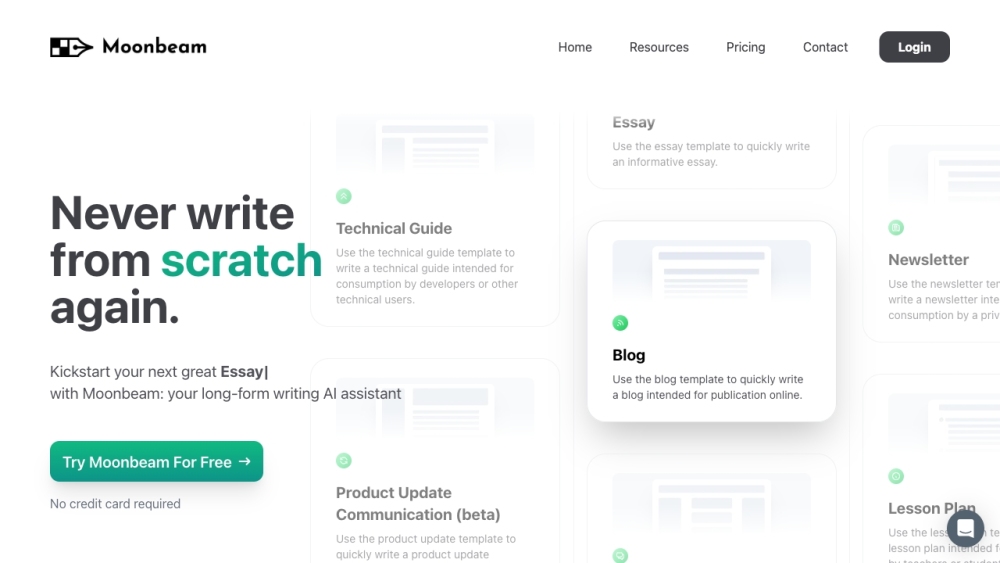
Moonbeam - AI Writing Assistant website preview

Moonbeam - AI Writing Assistant Website screenshot

What is Moonbeam - AI Writing Assistant?

Moonbeam is a sophisticated AI writing assistant designed to aid users in crafting long-form content such as essays, articles, and blog posts. It comes equipped with innovative tools like the Moonbeam Wizard, Smart Chat, Content Clusters, and an advanced text editor. Moonbeam helps users generate ideas, organize thoughts, and enhance their writing efficiency. Additionally, it features a custom style generator to emulate various writing styles. Discover how Moonbeam can elevate your writing today!

How to use Moonbeam - AI Writing Assistant?

To get started with Moonbeam, sign up on their website. Select a template that fits your writing task (e.g., essay, blog, technical guide). Use the Moonbeam Wizard to convert notes into a structured outline or activate Luna, the AI assistant, with a simple phrase. Leverage the Smart Chat for real-time feedback and instant revisions. Utilize the Content Cluster tool to create detailed clusters around a topic or keyword. Take advantage of the robust text editor for refining and enhancing your content. Collaborate with others using the Collaboration Mode, and experiment with the Custom Style Generator to write in different styles. Begin your writing journey with Moonbeam today!

Moonbeam - AI Writing Assistant's Core Features

Moonbeam Wizard: Turn disorganized notes into coherent outlines or start AI-assisted writing with a single phrase.

Smart Chat: Get immediate feedback and make real-time changes to your writing.

Content Clusters: Develop comprehensive content clusters based on prompts or keywords.

Text Editor: Utilize a powerful text editor with advanced features, media integration, and public drafts.

Collaboration Mode: Work seamlessly with team members on documents, similar to Google Docs.

Custom Style Generator: Write in the style of well-known authors, comedians, politicians, and more.

Templates: Select from various templates (e.g., essay, blog, technical guide) tailored to your writing needs.

Moonbeam - AI Writing Assistant's Use Cases

Professional writers looking for AI assistance in producing long-form content.

Students composing essays, research papers, or other academic projects.

Bloggers and content creators seeking inspiration and efficient content generation.

Technical writers creating user-friendly guides and documentation.

Teachers developing lesson plans or educational materials.

Users needing well-written help desk articles or product updates.

Individuals exploring different writing styles with the Custom Style Generator.

Teams collaborating on documents for a streamlined workflow.

Product source: Moonbeam - AI Writing Assistant official website. Check the provider for current plans, limits and availability.

FAQ

Moonbeam - AI Writing Assistant questions and answers

Product context and practical checks for evaluating Moonbeam - AI Writing Assistant.

What is Moonbeam - AI Writing Assistant used for?

Moonbeam is an AI writing assistant designed to help users create long-form content such as essays, articles, blogs, and more. It offers features like the Moonbeam Wizard, Smart Chat, Content Clusters, and a powerful text editor. With Moonbeam, users can generate new ideas, organize thoughts, and write better and faster. It also provides a custom style generator to write in various writing styles. Explore what Moonbeam can do and start writing today!

How do I get started with Moonbeam - AI Writing Assistant?

To get started with Moonbeam, sign up on their website. Select a template that fits your writing task (e.g., essay, blog, technical guide). Use the Moonbeam Wizard to convert notes into a structured outline or activate Luna, the AI assistant, with a simple phrase. Leverage the Smart Chat for real-time feedback and instant revisions. Utilize the Content Cluster tool to create detailed clusters around a topic or keyword. Take advantage of the robust text editor for refining and enhancing your content. Collaborate with others using the Collaboration Mode, and experiment with the Custom Style Generator to write in different styles. Begin your writing journey with Moonbeam today!

Which capabilities are described for Moonbeam - AI Writing Assistant?

Moonbeam Wizard: Turn disorganized notes into coherent outlines or start AI-assisted writing with a single phrase.Smart Chat: Get immediate feedback and make real-time changes to your writing.Content Clusters: Develop comprehensive content clusters based on prompts or keywords.Text Editor: Utilize a powerful text editor with advanced features, media integration, and public drafts.Collaboration Mode: Work seamlessly with team members on documents, similar to Google Docs.Custom Style Generator: Write in the style of well-known authors, comedians, politicians, and more.Templates: Select from various templates (e.g., essay, blog, technical guide) tailored to your writing needs.

What projects can I evaluate Moonbeam - AI Writing Assistant for?

Professional writers looking for AI assistance in producing long-form content.Students composing essays, research papers, or other academic projects.Bloggers and content creators seeking inspiration and efficient content generation.Technical writers creating user-friendly guides and documentation.Teachers developing lesson plans or educational materials.Users needing well-written help desk articles or product updates.Individuals exploring different writing styles with the Custom Style Generator.Teams collaborating on documents for a streamlined workflow. Moonbeam - AI Writing Assistant Support Email & Customer service contact & Refund contact etc. For customer service, contact Moonbeam support at: [email protected] . Moonbeam - AI Writing Assistant Login Access the Moonbeam platform here: https://app.gomoonbeam.com Moonbeam - AI Writing Assistant Pricing Check Moonbeam's pricing details here: https://www.gomoonbeam.com/pricing Moonbeam - AI Writing Assistant Twitter Follow Moonbeam on Twitter: https://twitter.com/gomoonbeam

What should I compare before choosing a Moonbeam - AI Writing Assistant plan?

Check Moonbeam's pricing details here: https://www.gomoonbeam.com/pricing Confirm current prices and allowances on the provider’s website before purchasing.

What inputs should I prepare for a Moonbeam - AI Writing Assistant trial?

Look for text prompts, image references, masks or sketches as appropriate. Compare composition control, supported upload types and the ability to revise a selected area.

How can I check the quality of a Moonbeam - AI Writing Assistant result?

Inspect text, hands, edges, reflections and repeated objects at full size. Check that important product or brand details survive editing.

Which export options should I check in Moonbeam - AI Writing Assistant?

Compare pixel dimensions, transparency, file formats and any enlargement options. Confirm that the downloaded result works in your design or publishing software.

What is a practical way to test Moonbeam - AI Writing Assistant against alternatives?

Prepare a brief with a subject, composition, lighting and required output size. Test a first generation and a targeted revision to see how much control you retain.

Where is the official Moonbeam - AI Writing Assistant website?

The website linked from this profile is https://gomoonbeam.com. Use the provider’s own documentation, account area and support channels to confirm current product details.

Visit Moonbeam - AI Writing Assistant