Large Language Models (LLMs)

MobileGPT

Revolutionize WhatsApp with MobileGPT! Unlock advanced AI features for communication and an unparalleled user experience. Transform how you chat today!

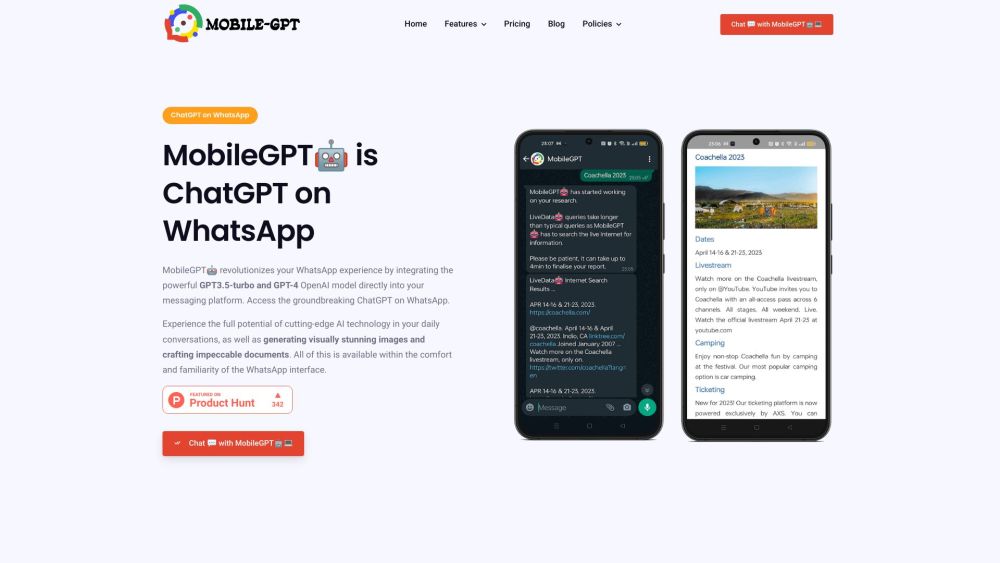
MobileGPT website preview

MobileGPT Website screenshot

MobileGPT: A Game-Changer for WhatsApp Communication

MobileGPT is a cutting-edge WhatsApp application that leverages the powerful GPT-4 engine, bringing a personal AI assistant to your fingertips. This innovation redefines communication on WhatsApp by enabling users to engage in intelligent AI conversations, generate AI-crafted documents, create stunning images, and perform advanced language translations, all within the familiar WhatsApp environment. MobileGPT is designed to elevate the messaging experience, making it more interactive, creative, and efficient for users on the go.

Getting Started with MobileGPT

To begin using MobileGPT, download and install the app on your mobile device. Connect it seamlessly with your WhatsApp account, and you're ready to start exploring its capabilities. Whether you want to chat with the AI, create documents, or request AI-generated images, MobileGPT makes it easy to interact by simply sending messages as you would with any other WhatsApp contact. The AI assistant processes your requests in real-time, providing responses and outputs powered by the sophisticated GPT-4 engine.

Key Features of MobileGPT

Intelligent AI conversations with GPT-4

Creation of AI-generated images and artwork

AI-generated documents in Word format

Advanced language translation capabilities

Interactive 'Talk to PDF' feature for document engagement

'Ekse' command for website content interaction

Generation of comprehensive business plans and custom documents

Real-time research and report creation with AI

Convenient Magic Commands for quick access to information

AI-enhanced productivity tools including notes and reminders

MobileGPT in Action: Use Cases

Engage with MobileGPT for instant information, translations, and more

Create AI-powered documents such as resumes, reports, and business plans

Analyze and interact with PDF documents

Develop AI-driven chatbots for website insights

Conduct real-time internet research and compile reports

Generate AI images and artwork in a variety of styles

Boost productivity with AI-driven notes and reminders

Product source: MobileGPT official website. Check the provider for current plans, limits and availability.

FAQ

MobileGPT questions and answers

Product context and practical checks for evaluating MobileGPT.

What is MobileGPT used for?

Revolutionize WhatsApp with MobileGPT! Unlock advanced AI features for communication and an unparalleled user experience. Transform how you chat today!

How do I get started with MobileGPT?

To begin using MobileGPT, download and install the app on your mobile device. Connect it seamlessly with your WhatsApp account, and you're ready to start exploring its capabilities. Whether you want to chat with the AI, create documents, or request AI-generated images, MobileGPT makes it easy to interact by simply sending messages as you would with any other WhatsApp contact. The AI assistant processes your requests in real-time, providing responses and outputs powered by the sophisticated GPT-4 engine.

Which capabilities are described for MobileGPT?

Intelligent AI conversations with GPT-4Creation of AI-generated images and artworkAI-generated documents in Word formatAdvanced language translation capabilitiesInteractive 'Talk to PDF' feature for document engagement'Ekse' command for website content interactionGeneration of comprehensive business plans and custom documentsReal-time research and report creation with AIConvenient Magic Commands for quick access to informationAI-enhanced productivity tools including notes and reminders

What projects can I evaluate MobileGPT for?

Engage with MobileGPT for instant information, translations, and moreCreate AI-powered documents such as resumes, reports, and business plansAnalyze and interact with PDF documentsDevelop AI-driven chatbots for website insightsConduct real-time internet research and compile reportsGenerate AI images and artwork in a variety of stylesBoost productivity with AI-driven notes and reminders MobileGPT Support and Contact Information For customer service inquiries, you can reach MobileGPT at: hello[at]mobile-gpt.io. MobileGPT Company Information Address: 651 N Broad St, Suite 201, Middletown, Delaware, 19707. MobileGPT Pricing Details For pricing information, visit: https://mobile-gpt.io/#pricing. MobileGPT on Social Media Connect with MobileGPT on Facebook: https://facebook.com/profile.php?id=100089882553346 LinkedIn: https://www.linkedin.com/company/91060653/ Twitter: https://twitter.com/MobileGPT WhatsApp: https://wa.me/message/TRQTFU2TZDBGP1

What should I compare before choosing a MobileGPT plan?

For pricing information, visit: https://mobile-gpt.io/#pricing. Confirm current prices and allowances on the provider’s website before purchasing.

What inputs should I prepare for a MobileGPT trial?

Identify the files, text or account connections your task needs. Confirm that the product accepts those inputs and offers controls for reviewing its work.

How can I check the quality of a MobileGPT result?

Test one representative task and inspect the result for accuracy and completeness. Record where manual corrections or extra tools are needed.

Which export options should I check in MobileGPT?

Check export formats, integrations and whether you can keep using your work outside the service. Test a real export before committing to a longer plan.

What is a practical way to test MobileGPT against alternatives?

Choose one task with a clear success condition. Keep the input consistent, record the time spent reviewing and compare the complete workflow cost.

Where is the official MobileGPT website?

The website linked from this profile is https://mobile-gpt.io. Use the provider’s own documentation, account area and support channels to confirm current product details.

Visit MobileGPT